| sh` Claude proposed for a one-off install. The pattern matched. The flag fired. I read it the next morning and replaced the install with a `brew` formula. Without the audit hook, I probably would have approved it in the moment and forgotten.
## What I tried that did not work
Four antipatterns burned time, so you do not have to repeat them.
A heavyweight Stop hook. My first version ran the full Vitest suite at every conversation end. Thirty seconds, every time, on every project. I told myself it was the right safety net. It was a tax on iteration speed. CI catches the same things. I replaced it with `bun typecheck`, which runs in about three seconds, and I run the full suite manually before pushing. Lesson: hooks must be cheap or they become friction you eventually disable.
Mocking the database in tests. I had a test suite where every Dexie call was mocked. The tests passed. The first real migration failed in production because the mocks did not model index behavior. A user lost local task data when the schema upgrade silently corrupted the indexed lookup. I switched to `fake-indexeddb`, a real IndexedDB implementation in memory. Slower tests, fewer false positives. Lesson: prefer fakes over mocks when the boundary is structural.
Letting `settings.local.json` grow unbounded. Every "yes, allow this" click added a line. After a year, I had 256 entries. Half were stale: pnpm commands from a different project, Ruby and CocoaPods leftovers, and parser-artifact junk like lone `done` and `fi` lines from heredocs. I ran the `fewer-permission-prompts` skill, pruned the file to 101 entries, and added a quarterly calendar reminder to do it again. Lesson: anything that grows monotonically needs an explicit shrink ritual.
Trusting the AI to remember the gotchas. Early on, I documented a gotcha in a code comment. The comment got refactored away. The gotcha bit me again two weeks later. The fix was to move durable lessons into `tasks/lessons.md`, which gets loaded into context at the start of every session. Comments are for explaining why nearby code exists. `lessons.md` is for explaining what to never do again.
## The leadership lesson hiding inside the dotfiles
This started as a solo-developer setup, but the pattern is bigger than personal productivity. The enterprise version of this is not "everyone copy my dotfiles." That would be a terrible operating model, and an even worse onboarding experience.
At team scale, personal hooks become shared policy. Local preferences become governed defaults. Slash commands become team workflows. Subagents need ownership, versioning, review, and a path to retirement. Standards need stewardship. Permissions need a baseline. Logs need a purpose beyond "future-me may want this someday."
In other words, this becomes platform work.
That is the leadership lesson for me. The most useful AI engineering systems will not come from asking every developer to become a prompt whisperer. They will come from giving teams safe defaults, paved paths, observable behavior, reusable workflows, and enough room for senior engineers to adapt the system to real work.
The same principles we use for cloud platforms apply here. Reduce undifferentiated decisions. Make the secure path the easy path. Instrument the system. Preserve local autonomy where it matters. Build for learning, not just control.
That is where AI-assisted development gets interesting. Not in the demo where the agent writes code once. In the operating model where the system gets better every week.
## What changes Monday
If you have read this far, you are probably weighing the cost of improving your setup against the cost of keeping the one you have. Here is the smallest version that returns most of the value. Five things, in order. Maybe two hours of work.
Start with context, then fast feedback, then memory, then repeatable rituals, then auditability. That order matters. You are building a system of control before you add a system of speed.
1. Write a `CLAUDE.md`. Keep it to roughly 200 lines. Include project conventions, file locations, gotchas, and what not to do. This single file delivers more value than any other piece of configuration because it gives every session a shared starting point.
2. Add a fast typecheck hook.
```json
{
"hooks": {
"Stop": [{
"matcher": "",
"hooks": [{
"type": "command",
"command": "bun typecheck 2>&1 | tail -10",
"timeout": 60
}]
}]
}
}
```
Replace `bun typecheck` with `tsc --noEmit`, `mypy`, `cargo check`, `swift build`, or whatever is fast in your stack. The point is to catch the obvious stuff before the conversation ends.
3. Add `tasks/lessons.md` and reference it from `CLAUDE.md`. When something bites you twice, add a line. Review it at the start of every session. This is the cheapest memory system you will ever build.
4. Build one custom command or skill for your most common ritual. For me, it was `/qcheck`. For you, it might be `/release-notes`, `/db-migration`, `/triage-bug`, or `/incident-summary`. Pick the thing you do every week and never want to re-invent again.
5. Add the `audit-command.sh` hook. Log every Bash command. You do not need to do anything sophisticated with the log on day one. You will be glad it exists the first time something breaks and you need to retrace what happened.
Or, if you want to skip the assembly, the full configuration is at [github.com/vscarpenter/claude-code-build-system](https://github.com/vscarpenter/claude-code-build-system). The repo mirrors the `.claude/` and `~/.claude/` layout you would set up locally, so you can clone, copy, and run.
That is enough for the first pass. No plugins, no MCP servers, no elaborate subagent fleet required. Once those five pieces are in place, the next thing to add will become obvious because you will feel its absence.
The bigger point is not the configuration. It is the operating model. Discipline does not scale. Automation does. Standards belong in files. Specialists beat generalists. Rituals deserve commands. Memory is a feature. Permissions are safety equipment.
Pick one. Start Monday.
---
*Written April 2026. Configuration tested across 13 months of daily Claude Code use on macOS. This is a solo-developer perspective; team-scale configuration adds governance concerns I am still working through. Hooks shown here use Bash. Windows users will need WSL or PowerShell equivalents.*
---
## I Built a Design System in Two Hours. Figma, We Should Talk.
- **Published:** 2026-04-18
- **Tags:** ai-strategy, design, engineering-leadership, future-of-work
- **URL:** https://vinny.dev/blog/2026-04-18-claude-design-disruption-beyond-figma/
My Anthropic todo list is out of control. Every week brings another product that deserves a full write-up. Claude Code. Claude Cowork. Claude in Chrome. Claude in Excel. Claude for Mac. Opus 4.7. And on Friday, Claude Design, which pushed my backlog to comical lengths.
I carved out two hours with it today. I rebuilt the landing page for one of my apps, reimagined the design paradigm for my task management app, and built a custom design system I can apply across my full portfolio.
All three. In two hours.
I have a take. If I am Figma, I am worried. But the bigger disruption is not the one everyone is writing about, and I will get to that.
## Two hours, three real deliverables
I am a VP of engineering, not a designer. I have taste. I can spot good work. I cannot produce it quickly on my own.
Claude Design collapsed that gap in an afternoon. Not mockups. Not mood boards. Actual, shippable design work that holds up under scrutiny.
The landing page looks like a landing page. The task manager redesign is a legitimate new paradigm, not a coat of paint. The design system has tokens, components, typography, and spacing rules I can hand to Claude Code tomorrow morning.
The moment it clicked came about 90 minutes in. Claude Design lifted the accent color from my existing app icon and threaded it through every new screen, without me ever naming it. That is not a template. That is a tool reading the work I had already done.
## Under the hood
During onboarding, Claude Design reads your codebase and design files, then extracts a design system from what it finds. Colors, typography, components, spacing. Every project after that snaps to your visual language automatically.
You seed it with prompts, documents, screenshots, or a web capture from your live site. You refine through chat, inline comments, direct edits, or sliders that Claude itself generates. When the design is right, you export as PDF, PPTX, or HTML, send it to Canva, or hand it to Claude Code to ship.
Datadog compressed what had been a week-long cycle of briefs, mockups, and review rounds into a single conversation. Brilliant reported that the most complex pages required 20 or more prompts to recreate in competing tools but needed only 2 in Claude Design.
I believe them. I lived a compressed version of that today.
One caveat worth naming. Claude Design is token-hungry. Reviewers at The New Stack reported burning through more than half their weekly Claude allotment in a single sitting. That covered one design system, one prototype, some tweaks, and a short video. Budget accordingly, and pick your projects.
## The Figma question
Figma's stock fell about 7% on Friday following the announcement. That is not subtle.
Mike Krieger, Anthropic's chief product officer, resigned from the board of Figma on April 14, three days before Claude Design shipped. Also not subtle.
Figma still owns the professional UX market, with an estimated 80% to 90% share. That moat is real, built on years of craft, plugins, file formats, and muscle memory. Claude Design will not dislodge it overnight.
But Figma sells to people who need to produce design work. Claude Design sells to that same group, plus everyone who never bought Figma because the learning curve was too steep. The addressable market just expanded and fragmented in the same week.
If I am Figma, I am not panicking. I am revising the five-year plan tonight.
## The bigger story
Anthropic is not a model company anymore. It is a full-stack product company with unusual range.
The portfolio now includes a coding agent, a knowledge-work assistant, a browser agent, a Mac agent, Office integrations, and a design tool. Each product feeds the others. You can prototype in Claude Design, hand the spec to Claude Code, and have Cowork manage the review loop. One platform, one foundation model, one login.
This is the application layer that belonged to Figma, Adobe, Microsoft, Atlassian, and the rest of enterprise SaaS. Anthropic just planted a flag in the middle of it.
## The disruption is not what most people think
Reading this as Figma's death notice misses what is happening.
Claude Design does not kill professional designers. Taste, judgment, systems thinking, and user empathy are not going anywhere. Those skills just became more valuable, because more people need a designer who can ride the new tools without losing the plot.
The threat runs in a different direction.
## The apprenticeship problem
Here is the part nobody is writing about.
What Claude Design kills is the bottom half of the design marketplace. The one-off landing page gigs. The pitch deck polish. The first-pass mockups. The commodity work that paid the bills while juniors developed judgment.
That work is now an afternoon and a Claude subscription.
Every profession builds its seniors out of its juniors. Designers learn taste by producing a hundred mediocre landing pages before they produce one great one. Engineers learn architecture by debugging a thousand CRUD apps. Writers learn voice by filing a decade of copy nobody reads.
Claude Design does not threaten the designers at the top. It threatens the ladder that produced them.
The craft survives. The on-ramp does not.
That is the disruption worth writing about, and the one I do not yet know how to solve. My own engineering org will face the same question inside a year. Probably sooner.
## What I am watching
I have no shortage of follow-ups. I want to see how Claude Design handles my real apps beyond a two-hour sprint. I want to stress-test the Claude Code handoff on production work. I want to see how my own team reacts when I show them what a VP of engineering can now build over lunch.
I also want to figure out how to keep up with the shipping pace. Anthropic is moving faster than my weekends, and my todo list, once again, is out of control.
That is a complaint I am happy to keep making.
---
## The Agentic SDLC: Uniting the AI Tool Sprawl
- **Published:** 2026-04-15
- **Tags:** ai-strategy, ai-coding, agentic-sdlc, engineering-leadership, software-engineering, spec-driven-development
- **URL:** https://vinny.dev/blog/2026-04-15-agentic-sdlc-uniting-ai-tool-sprawl/
On Friday afternoon, the integration fails.
Product used Jira's AI to generate the user story and a rough component spec. Design used Figma's AI to turn the wireframe into React. Engineering fed the same wireframe and ticket into a coding agent and got a different implementation. Each tool produced something plausible, and none of them produced the same thing. Nobody noticed until the work converged. That happens whenever organizations add AI capability faster than they add a framework for how that capability should be used.
We have never had more AI across the product development life cycle. Jira can generate stories, Figma can export code, Copilot can write functions, Claude Code can restructure files, and Cursor can refactor an entire feature. The power is real. The problem is that every tool now wants to participate in every layer of delivery, and few teams have decided where each one should stop.
The result is context sprawl. Multiple systems generate overlapping artifacts, each with partial context, high confidence, and no shared source of truth. Teams end up with more output, but less clarity. The natural reaction is to compare tools and ask which one is best.
The question that matters more is how work moves cleanly from intent to design to implementation to validation when every tool is now trying to help at every step.
That is the challenge hiding inside the AI tooling boom, and it leads to one uncomfortable truth:
> AI did not create the broken handoffs between product, design, and engineering. It exposed them.
Those handoffs were already messy. We just didn't move fast enough for the mess to become this visible. Now we do, and now it does.
Whether they intend it or not, organizations are building an agentic software development life cycle. The question is whether they build it deliberately or inherit it by accident.
---
> *The bottleneck has inverted. Writing code is no longer what slows most teams down. Knowing what to build, and communicating it clearly, is now the expensive human problem.*
---
## The hourglass inversion
For most of the modern software era, implementation was the narrowest point in the pipeline. AI is changing that. As code generation becomes abundant, the constraint moves upstream, and the bottleneck becomes defining what should be built, specifying it clearly, and handing it off cleanly across layers.
For a growing share of routine implementation work, code generation is becoming abundant. A skilled engineer with strong tools can now produce in hours what once took days or weeks. Novel architecture, complex distributed systems, and deep domain logic still require experienced judgment. That hasn't changed. What has changed is the amount of standard implementation work that can now be accelerated dramatically.
Once that happens, the constraint moves. The pipeline slows down at the upstream layers instead, because they are too vague, too fragmented, or too inconsistent to guide high-speed execution well.
When the requirements are incomplete, the interfaces are unclear, or the design lacks enough annotation to express intent, AI doesn't pause and ask for organizational maturity. It produces something anyway. That means the old cost of ambiguity, which used to show up as delay, now shows up as high-speed rework.
Teams can now ship plausible-looking garbage faster than ever.
At small scale, that produces frustration. At larger scale, it produces something more dangerous: institutional debt. AI-generated code enters the codebase faster than humans build shared understanding of why it exists, how it fits, and what assumptions shaped it. The velocity looks great this quarter. The maintenance bill arrives later, usually after the original prompt, author, or design context has disappeared. That is what makes this an operating model conversation rather than a tooling one.
## Why every tool is trying to do everything
Before going further, it helps to be precise. Most of what vendors label as "agents" today are AI-assisted features operating inside a narrow context window and a constrained product boundary, not autonomous agents in any rigorous sense. They still matter, and teams should design them into a pipeline according to what they can reliably do, not what a marketing page claims they can do.
The boundary problem is structural. Every vendor is under pressure to expand its role in the development life cycle before a competitor does. Jira doesn't want to remain a ticket system, Figma doesn't want to remain a design surface, and coding assistants don't want to remain line-by-line completion tools. Each product is being pushed toward end-to-end ownership.
That ambition collides directly with the upstream bottleneck. Vendors are racing into the very handoffs where organizations are already least disciplined. The result is duplicated context, inconsistent outputs, and AI features making decisions outside the domain they understand.
A Jira-generated implementation may fit a ticket neatly while ignoring architectural constraints. A Figma-generated component may look correct while failing your design system, accessibility standards, or state-management patterns. A coding agent may generate reasonable code while knowing nothing about the compliance boundaries or deployment conditions that shaped the requirement. These tools have narrow context and high confidence, which is a risky combination.
No single tool is going to become the operating model for your product delivery pipeline. The organizations that navigate this well will define which layer owns which artifact, which tool is canonical at that layer, and how that artifact moves downstream.
## A better mental model: the Intent Stack
The most useful reframe is to stop organizing around tools and start organizing around layers of intent. AI works well within a layer when the job is to expand, translate, or accelerate work that is already bounded. It's much less reliable when it has to cross layers without structured input. The safest and most scalable pattern is to treat the development life cycle as a stack of intent, where each layer has a clear responsibility, a clear output, and a clear owner.
### The Intent Stack
| Layer | Responsibility | Primary Output | Owner |
| --- | --- | --- | --- |
| 1. Vision & Strategy | Business goals, user problems, desired outcomes | Strategic Brief | Product Leadership |
| 2. Requirements | User stories, flows, contracts, domain rules | Context Spine | Product + Engineering |
| 3. Design | Interaction patterns, component behavior, annotated decisions | Annotated Design | Design + Engineering |
| 4. Implementation | Code generation, testing, refactoring, integration work | Reviewed and Tested Code | Engineering |
| 5. Validation | Integration checks, performance, security, policy gates | Verification Report | Engineering |
| 6. Feedback | User behavior, outcomes, production signals | Insight Loop | Product + Engineering |
One important point this makes explicit is that the upstream layers cannot be treated as fuzzy pre-work. Product and design don't simply hand engineering a loose direction and wait for the code to clarify it. In an AI-accelerated system, that ambiguity becomes expensive much earlier. If requirements and design are underspecified, the implementation layer will move quickly in the wrong direction. That is why the stack needs clean handoffs as much as it needs owners.
## The Context Spine
Every layer transition needs an artifact the next layer can consume without guessing. That artifact is what I call the Context Spine. It's a lightweight, living specification that carries intent through the pipeline, and it holds the minimum structured context needed to let downstream humans and machines act without inventing missing meaning.
What teams usually have instead is a ticket with a paragraph, a design file with sparse annotations, and a lot of assumptions hiding in meetings, chat threads, or somebody's head. In a slower system, that can limp along. In a faster one, it fails noisily.
A useful Context Spine can often be built from five fields:
- problem statement
- acceptance criteria
- explicit constraints
- interfaces
- non-goals
That's enough to capture the shape of the work without dictating implementation.
### Example: Context Spine for a notification preferences API
````markdown
---
id: CSPINE-001
title: User Notification Preferences API
owner: product-engineering
status: draft
version: 1.0
linked_design: figma://notification-preferences
linked_schema: /schemas/notification-preferences.v1.json
acceptance_test_suite: /tests/contracts/notification-preferences
last_updated: 2026-04-15
---
## Problem Statement
Authenticated users need to control which transactional and marketing
notifications they receive across email, SMS, and push channels. Current
behavior silently defaults all users to opted in, creating compliance risk
and avoidable customer-service volume.
## Acceptance Criteria
- Authenticated users can retrieve current preferences across all channels
- Users can update one or more channels in a single request
- Changes propagate to downstream senders within 60 seconds
- All changes are written to the audit log with actor, timestamp, and prior value
## Constraints
- Security: Valid session token required; no service-to-service access in v1
- Compliance: Must support opt-out requirements under applicable regulations
- Performance: p95 read latency under 100 ms; write latency under 250 ms
- Data: Preferences are user-scoped with no cross-account visibility
## Interfaces
- GET /v1/users/{user_id}/notification-preferences
- PATCH /v1/users/{user_id}/notification-preferences
- Output conforms to NotificationPreferences schema
- Emits preference.changed event to notification bus
## Non-Goals
- Admin override workflows
- Preference inheritance across linked accounts
- Frequency caps by channel
- Migration of previously opted-in users
````
*Hat tip to Dan Greller for the frontmatter YAML idea. It sharpens the point that the Context Spine is a real pipeline artifact.*
The YAML at the top is part of what makes the artifact useful to the pipeline. That metadata gives the spine an identity, an owner, a version, and traceable links to adjacent assets. It turns the document from a better-written spec into a real control point in the system.
Notice what the rest of the spine leaves out. There's no framework, language, database, or deployment target in it. What the spine does define is the problem, with enough precision that a capable engineer, or a code-generating system, can produce a correct implementation without guessing at the business intent.
The non-goals are especially important. That's where teams prevent an eager engineer, or an eager model, from helpfully building the thing nobody asked for.
The Context Spine also matters for a more technical reason. Model outputs are non-deterministic, so the same prompt can produce materially different implementations across runs. The only durable way to manage that variance is to make the governing intent precise enough that deviations are easy to detect and reject. In regulated environments, that's table stakes. In every other environment, it is quickly becoming good engineering hygiene.
## What humans must still own
This kind of pipeline raises the value of the work only people can do well.
Humans still need to own problem framing. A model can elaborate on a requirement, but it cannot decide whether the requirement reflects the right business tradeoff, the right customer need, or the right sequencing of value.
Humans still need to own boundary decisions. Someone has to decide where flexibility is acceptable, where risk is not, and when an exception deserves judgment instead of automation.
Humans still need to own approval at transitions. The reviews that matter most in an AI-enabled pipeline are less about line-by-line code and more about whether the output still matches the intent, whether the design still fits the requirement, and whether the implementation still respects the constraints.
Most importantly, humans still own accountability. Models do not carry responsibility for customer harm, compliance failure, degraded resilience, or rising maintenance burden. Leaders and engineers do. The goal is to place people at the decisions that require judgment, not at every operation.
## The governance dividend
This is where the Context Spine stops being just a productivity artifact and becomes a governance asset. When an internal auditor, regulator, or risk partner asks why a change exists, who approved it, and how the implementation traces back to the stated requirement, the answer usually comes from memory, scattered artifacts, and reconstructed intent. That is manageable when software moves slowly. It becomes much harder when generated output increases the pace of change.
A disciplined Context Spine creates a durable chain from intent to implementation. It makes the reasoning behind the code visible even after the sprint ends, the engineer moves on, or the toolset changes. Regulated industries feel this first, but the pattern is broader. Once generated code exceeds shared human understanding, every organization inherits maintainability and accountability risk.
This is one reason I believe the next phase of software delivery maturity will be defined by whether an organization built an auditable, comprehensible path from intent to output. Which coding assistant it bought will matter less.
That's also why velocity alone is the wrong metric. Leaders should care about how quickly code appears, but they should care even more about whether that code matches the intent that justified it.
A practical metric here is Spec-to-Code Alignment. One simple proxy is to have teams track the percentage of generated code that required structural rework after review, meaning changes to logic, interfaces, data models, or integration behavior, not style cleanup. Even a rough weekly number starts to reveal whether the pipeline is getting clearer or noisier.
## Six principles for getting this right
### 1. Spec before speed
Once code becomes abundant, vague inputs become more expensive. A weak spec is now a fast path to confusion instead of a slow one. Teams should resist the urge to celebrate generation speed before they improve the quality of the upstream artifacts guiding it. This is the same shift I described in [*From Vibe Mode to Spec Mode*](https://vinny.dev/blog/2025-08-10-From-Vibe-Mode-to-Spec-Mode/), now operating at the level of the whole pipeline instead of a single coding session.
### 2. Declare canonical tools at each layer
Overlapping AI features will keep appearing across Jira, Figma, IDEs, and other platforms, and fighting that is a losing battle. The realistic discipline is deciding which output is canonical at each layer and explicitly treating the rest as secondary. If Figma owns the design artifact, a Jira-generated UI suggestion is advisory. If the repo-resident spec is authoritative, a chat-generated summary doesn't get to overrule it.
### 3. Produce consumable artifacts
Every layer should emit something structured enough that the next layer can act on it without interpreting vibes. Markdown, JSON, OpenAPI, schemas, annotated designs, and testable acceptance criteria all work. Hand-wavy prose and tribal knowledge do not. The same logic drove [the rise of MCP servers](https://vinny.dev/blog/2025-11-01-the-rise-of-mcp-servers/): agents can only act on what is exposed to them in a structured, consumable form.
### 4. Own the Context Spine
The most valuable asset in an AI-enabled pipeline is not the model but the artifact that tells the model, and the humans using it, what good looks like. Treat the Context Spine as a first-class asset in the repo, version it with the work it governs, and make drift visible.
### 5. Checkpoint transitions, not every operation
Human review belongs at layer transitions. [The pipeline should handle repeatable mechanical checks](https://vinny.dev/blog/2026-03-26-pipeline-first-culture-shift/) such as tests, policy enforcement, security scanning, and dependency analysis. Human attention should concentrate on the places where intent can drift, assumptions can creep in, and business meaning can be lost.
### 6. Close the feedback loop
Learning, not shipping, is the hard part now. Production signals should feed back into requirements and strategy, not disappear into dashboards nobody uses. If teams generate more software without improving how they learn from real usage, they have built a faster waterfall.
## Three failure modes to avoid
The first failure mode is letting every layer generate its own version of the truth. Once product, design, and engineering each ask different tools to elaborate the same problem independently, divergence becomes almost guaranteed.
The second failure mode is treating prompts as the operating model. Prompts are useful, but they aren't durable artifacts, and they do not replace shared specifications, stable interfaces, or version-controlled intent.
The third failure mode is measuring output speed without measuring downstream rework. A team that ships twice as many lines of code while also doubling integration churn has moved the cost somewhere less visible rather than moving faster.
## Why this is hard
This is organizational change. Engineers have legitimate opinions about craft, control, and code quality. Designers have valid concerns about reducing their work to machine-ready instructions. Product managers are often asked to be more precise without getting more time or better frameworks to do it. Vendors are pushing broader AI surfaces into tools that were never designed to act as system-level coordinators.
That makes this work messy. It touches process, identity, incentives, and habits. It asks teams to become more explicit at exactly the moment when the tooling makes it easy to fake clarity.
That is why the right move is to start with one team, one product path, and one end-to-end flow rather than redesigning everything at once. Prove that better boundaries, better artifacts, and better measurements reduce rework. Then expand from evidence instead of enthusiasm.
## How to implement this without reorganizing everything
Start small and make the experiment real. Choose one product path that runs from requirement to production, ideally a feature with clear customer value and manageable cross-functional scope. Don't start with the most politically charged or technically exotic initiative in the portfolio. Pick something representative enough to matter and contained enough to learn from.
Define canonical tools and artifacts at each layer. Decide what is authoritative for requirements, what is authoritative for design, what governs implementation, and what validates release. Write those decisions down. Ambiguity here is the seed of drift later.
Create a minimal Context Spine template and store it with the work. Don't make it heavyweight. Keep it short enough that a PM, designer, and engineer can review it together and notice what is missing.
Add review checkpoints at transitions, not everywhere. Review the handoff from requirement to design, design to implementation, and implementation to release. Let the pipeline do the repetitive gatekeeping. Reserve human attention for moments where meaning can be lost.
Measure one thing for the first four to six weeks: Spec-to-Code Alignment. Watch how often generated output requires structural correction. That single signal will tell you far more about your actual maturity than vanity metrics about suggestion counts or tokens consumed.
Only expand after you have evidence. If the pilot reduces rework, improves clarity, and makes review easier, then scale the pattern. If it doesn't, fix the handoffs before you buy more AI.
AI will generate bad code occasionally, the way engineers always have. The long-term risk is that teams accumulate large volumes of code that nobody fully understands, tied to intent that was never captured clearly enough to survive time, scale, and turnover. That is a problem of architecture, discipline, and operating model, and a better IDE will not solve it.
---
## Eleven Years, One Week, and an AI Co-Pilot: Rebuilding TravelTimes for iOS 26.4
- **Published:** 2026-04-12
- **Tags:** claude-code, ai-coding, side-projects, software-engineering, spec-driven-development
- **URL:** https://vinny.dev/blog/2026-04-12-one-week-with-ai-copilot/
A decade-old side project became a laboratory for what AI-assisted development looks like on a real codebase with real constraints.
---
About 11 and a half years ago, I opened Xcode and created a new project called TravelTimes. It was October 2014. Swift was three months old. I wanted a simple app that showed real-time Wisconsin DOT travel route data for my commute, and I wanted to learn this new language Apple had just dropped on the world.
The first commit message was "Initial project creation." Twenty-two days later, I submitted it to the App Store.
That app has been in continuous maintenance ever since. It survived the Swift 1.2 migration, the Swift 2.2 rewrite, the Swift 3 rename-everything apocalypse, and every major iOS release from 8 through 26. It picked up CocoaPods, then dropped them. It added Crashlytics, then Fabric, then buddybuild, then removed all of them. It has been my quiet companion through a decade of platform evolution. It is the kind of side project that teaches you things your day job never will, precisely because nobody is watching and the stakes are low enough to experiment.
In April 2026, I rebuilt most of it in a week. Not because I mass-generated throwaway code, but because I had a collaborator that could keep up with the pace of my thinking.
## The spec that started the sprint
I have [written before](https://vinny.dev/blog/2025-11-15-journey-with-trusting-genai-and-coding-workflow/) about the shift from vibe coding to spec-driven development: the idea that the highest-leverage thing you can do with an AI coding tool is give it clear constraints, defined interfaces, and unambiguous acceptance criteria before asking it to generate a line of code.
On April 6, I wrote a feature spec for TravelTimes v9. It was not long (a page and a half), but it was specific. Here is the kind of thing it contained:
> **iCloud Favorites Sync.** Migrate from UserDefaults to NSUbiquitousKeyValueStore. Create a FavoritesStore protocol so persistence can be faked in tests. Write to both local and cloud. Fall back to local when iCloud is unavailable. Handle one-time migration from local-only storage. Do not overwrite remote data with an empty local store on fresh install. Target: 8+ unit tests covering migration, fallback, and the empty-store edge case.
Every feature had a block like that. Integration points with the existing `DataManager` and `AppDelegate` were called out explicitly. Error handling expectations were stated, not implied. Test coverage targets were numbers, not vibes.
That spec became the contract between me and the AI for the entire week. Every session started with it. Every implementation was measured against it. The spec was not overhead. It was the force multiplier.
## Six features in six days
Here is what landed between April 6 and April 12.
iCloud Favorites Sync touches everything. The favorites store, the detail view's toggle, the settings screen, the Watch app: all of them read from the same source of truth, and I was about to move that source of truth to the cloud. Migrated from `UserDefaults` to `NSUbiquitousKeyValueStore` with a protocol abstraction so the persistence layer could be faked in tests. The system writes to both local and cloud, falls back gracefully when iCloud is unavailable, and handles the one-time migration from local-only storage. For conflict resolution, I went with last-write-wins keyed on the full favorites array. Simple, and the right trade-off for an app where favorites change infrequently and the data is cheap to rebuild. Eight unit tests cover the edge cases, including the critical "don't overwrite remote data with an empty local store" scenario, the one that would silently erase a user's favorites on a fresh install and make you wonder why your bug report says "all my routes are gone."
Active Incidents is where the AI saved me the most time and also got something meaningfully wrong. The WisDOT feed publishes roadwork and closure events, but matching them to the app's routes turned out to be harder than parsing JSON. The feed uses "WI-33" while route labels say "WIS 33." It uses "US-45" while labels say "US 45." A compound highway like "I-41/US 45" needs to be split and each segment normalized independently. Claude Code's first attempt at the roadway matcher handled the basic cases but missed the compound splitting entirely. It normalized the full string "I-41/US 45" as a single token, which matched nothing. Zero incidents displayed on I-41. I caught it during manual QA against the live WisDOT feed, described the compound pattern, and the second pass nailed it. The matcher grew to handle three dialect variants, 12 unit tests pin down the normalization logic, and now the Route Details screen shows collapsible incident groups sorted by severity. That is the feature that makes the app genuinely useful during Wisconsin's endless construction season.
Live Activities taught me that `ActivityKit` documentation and `ActivityKit` reality are two different things. The widget extension needs its own target. The `NSSupportsLiveActivities` key has to be in the *main* app's Info.plist, not the extension's. The extension's version and build number must match the host app exactly, or App Store Connect rejects the binary silently. No error, just silence. I burned a commit just surfacing the real `ActivityKit` error in a toast instead of a misleading "widget not installed" message, a debugging affordance that paid for itself immediately. The live activity shows route status on the lock screen, auto-expires after an hour to prevent stale data, and supports deep linking back into the app. Updates are pushed at 60-second intervals from the app process while it is in the foreground; there are no background push updates via APNs because the WisDOT feed does not support webhooks, and polling from a server I do not run was not worth the complexity for a side project.
Share Sheet was the small feature that forced the best refactoring. Extracting the relative-time formatting logic into a reusable `RelativeTimeFormatter` and building a `ShareTextBuilder` as a pure, testable struct resulted in eight unit tests. The kind of feature where the tests took longer to write than the implementation, and the codebase is better for it.
Route Details Redesign. The detail screen used to be a vertical stack of labels. It communicated data but not meaning. You had to read it to understand it. Replaced it with a horizontal three-column stats card, where each incident category renders as a tinted card row with a severity icon, count badge, and disclosure chevron. The stats card surface uses Liquid Glass, Apple's new material-based UI language in iOS 26: translucent, depth-aware, and layered in a way that establishes hierarchy without adding visual noise. The delay icon tint updates dynamically based on severity. Small details, but they transformed the screen from something you read into something that tells you at a glance whether your commute is going to be fine or terrible.
Apple Watch Companion has a personal history. The original TravelTimes had Watch support in March 2015, back when WatchKit was brand new and Swift was at version 1.2. I removed it years ago when watchOS moved to native apps. Bringing it back felt like closing a loop. It is a SwiftUI app running on watchOS 26 that shows favorited routes synced from the iPhone via `WCSession.updateApplicationContext`. When the `session(_:didReceiveApplicationContext:)` delegate fires on the Watch side, the complication reloads its timeline via `WidgetCenter.shared.reloadAllTimelines()`. The watch app can also send a "refresh" message to the phone, the phone refetches from WisDOT, and the fresh data flows back through the session. One-directional data flow, event-driven updates, no polling, no battery waste. Testing this required a real device pair. The Simulator does not surface the `WCSession` timing issues that matter, like what happens when the phone delivers a context update while the Watch app is backgrounded. On hardware, I confirmed the data arrives on next foreground with no user intervention.
## The bugs that teach you things
The feature work was only half the story. The other half was the parade of integration bugs that no amount of unit testing catches until you run the real thing.
The WisDOT feed omits `plannedEndDate` for indefinite incidents. My decoder required it, so a *single* missing field caused the *entire* event array to fail decoding. Every event disappeared. The fix was making the field optional and adding a regression test, but the real lesson was about defensive JSON decoding in a world where you do not control the API schema. This is a place where the AI's instinct was wrong. It generated a strict `Codable` model with no optionals, which is the textbook approach but the wrong one for a government feed with inconsistent data contracts.
The incident group header card intercepted touch events before they reached the expand/collapse button because the tinted background view was a subview of the button and `isUserInteractionEnabled` defaulted to true. The card looked right but did nothing when you tapped it. One line fix: `card.isUserInteractionEnabled = false`.
App Store Connect hung in "Processing" for hours because the Watch widget extension had an export artifact from a local archive build embedded in the bundle. Validation passed. Upload succeeded. It just never finished processing. Finding that one required inspecting the built product with `find` and noticing a file that should not have been there.
These are the kinds of bugs that take 15 minutes each once you know what to look for, but could eat an afternoon if you are encountering them for the first time.
## What AI-assisted development looked like
I have been using AI coding tools on this project since mid-2025. The commit history reads like a timeline of the space: Codex for early refactoring, Cursor for performance analysis, Devin for specific fixes, Kiro for documentation, and Claude Code for the sustained feature work that made up the v9 sprint.
A few things made the April sprint work, and a few things did not.
What worked: context management. Each day I started a new Claude Code session, fed it the feature spec and pointed it at the relevant source files. The spec was the continuity mechanism, not the AI's memory. When I described the iCloud sync requirement, the implementation accounted for the existing `DataManager` notification pattern, the `DetailViewController` favorite-toggle flow, and the `AppDelegate` launch sequence, because the spec described those integration points and the model could read the existing code. When the Live Activity toast showed the wrong error, the fix came with an understanding of the full error propagation chain from `ActivityKit` through the manager to the view controller.
What worked: speed on the well-specified path. The iCloud sync feature (protocol abstraction, dual-write strategy, migration path, eight tests) would have taken me a full weekend to build alone. Not because I did not know how; I have been writing `NSUbiquitousKeyValueStore` code since iCloud launched. The friction is in the typing, the test setup boilerplate, the context-switching between implementation and verification. With the spec and an AI collaborator, it landed in an evening session. That compression happened on every feature, and it compounded across the week.
What did not work: trusting the first pass on unfamiliar data. The WisDOT feed normalization and the `Codable` strictness issues both came from the same root cause: the AI generated plausible code that matched the *documented* behavior of the API, not the *actual* behavior. I caught both in testing. This is the pattern I see over and over: AI-generated code is correct against the spec but brittle against the real world. The human's job is to be the one who knows the real world is messier than the spec.
My review process: I read every line of generated code before committing. Not skimming. Reading. Every file, every test, every edge case handler. When something looked structurally wrong, I described the problem and asked for a revision rather than hand-editing. When something was a one-line fix, I just fixed it. The goal was to understand the entire codebase as if I had written it myself, because I was the one who would be debugging it at midnight when the WisDOT feed schema changed again.
Here is the thing I keep coming back to: AI-assisted development is not about generating code faster. It is about compressing the feedback loop between *intent* and *working software*. The features I built in six days were features I already knew how to build. I have been writing UIKit for over a decade. I know how `WCSession` works. I know how `ActivityKit` fails. The AI did not teach me those things. My 30 years of shipping software did. What the AI did was eliminate the friction between knowing what I wanted and having it exist.
## Eleven years in the rearview
The TravelTimes repo has 179 commits from October 2014 to today. Sixty Swift files. North of 20,000 lines of code. The app went from Storyboards to fully programmatic UIKit. From `NSURLConnection` to `URLSession` with retry logic and request deduplication. From a flat table view to an adaptive split-view layout with sidebar navigation, design tokens, and Liquid Glass.
The contributor list includes me, buddybuild's SDK bot, GitHub Copilot, OpenAI's Codex, Cursor Agent, Devin AI, Kiro, and Claude Code. That is a strange sentence to write. It is also an honest representation of how software gets built in 2026.
I think about what 2014-me would make of this codebase. He wrote the whole thing in 22 days using a language he was learning as he went. He would not recognize the architecture: the design tokens, the split-view layout, the Watch connectivity, the live activity lifecycle. But he would recognize the impulse. It is still the same app: a table view that shows how long it takes to drive home. The engineering grew up around a simple idea, layer by layer, year by year, and this last week added more layers than any week before it.
## The side project as laboratory
Side projects have always been where I learn things first. TravelTimes taught me Swift before I used it professionally. It taught me Auto Layout when that was still painful. It taught me WatchKit, Today Extensions, and notification scheduling before any of those mattered at work.
Now it is teaching me how AI-assisted development works at the feature level. Not on greenfield demos or toy apps, but on a real codebase with real history, real App Store constraints, and real users who will notice if the incident data disappears because the JSON decoder choked on a missing field.
The laboratory has to be real, or the lessons do not transfer.
If you have worked through the context-management problem in Claude Code, built against government APIs with inconsistent data contracts, or developed your own trust-but-verify process for generated code, I want to hear what you learned. Find me on [LinkedIn](https://www.linkedin.com/in/vinnycarpenter) or check out TravelTimes's [landing page](https://traveltimesapp.com/).
---
## The Dark Factory Model for AI-Driven Software Development
- **Published:** 2026-04-05
- **Tags:** genai, agentic-sdlc, software-engineering, engineering-leadership, ai-coding
- **URL:** https://vinny.dev/blog/2026-04-05-dark-factory-model-for-ai-software-development/
Most engineers still treat AI-generated code like work from a junior developer they do not fully trust. They read every line. They second-guess every pattern. They turn a productivity tool into a bottleneck.
That is the wrong mental model. Simon Willison at [simonwillison.net](https://simonwillison.net) provides a better framework: the dark factory.
Simon also made an observation that landed with particular force. In his work on Agentic Engineering, he wrote that AI tools amplify existing expertise. The more experience you have as a software engineer, the faster and better your results with coding agents.
I have been writing software for more than 30 years. That reframed everything.
## What a dark factory is
A dark factory, also called a lights-out factory, is a manufacturing facility that runs without humans on the floor. No workers. No lights needed. Robots operate from precise engineering blueprints, tight tolerances, and automated quality gates. Humans designed the system. The system builds the product.
Real dark factories took decades and serious capital investment to get right. Engineers designed every constraint and mapped every failure mode. They built statistical process controls into each step, not just the final inspection. The destination looks clean. The build cost is real.
The same is true here. The model I am describing is not a shortcut. It is a discipline.
## Experience is the raw material
Simon is right. But the phrase "amplify existing expertise" deserves more precision. Vague inspiration does not help anyone act differently.
What 30 years of experience gives you is a library of failure modes. I know which patterns look elegant but collapse under production load. I know where security assumptions get made silently and incorrectly. I understand idempotency guarantees across every layer of a distributed system. I can define that requirement so precisely that the AI has no room for misinterpretation.
That specificity makes the model work. The AI does not guess what I mean. The interpretation gap closes because the input is precise. That precision draws on decades of accumulated judgment.
This raises a fair question for engineering leaders: Does every engineer on your team need 30 years to participate? No. But they need enough. Enough pattern literacy to write a spec that constrains the AI. Enough honesty to recognize their own blind spots.
## The spec is the factory floor
Before a line of code gets generated on my teams, we write. We produce specs, architecture decisions, expected patterns, and testing requirements. We establish a clear definition of done.
The plan is not overhead. It is the factory floor.
Two things matter here that manufacturing engineers would recognize immediately.
First, the spec must stay within the system's capability envelope. Identifying the boundaries of that envelope is a core leadership responsibility. If you ask the AI to solve a problem that is genuinely novel or architecturally ambiguous, defect rates spike. Know what the system executes reliably and design your specs accordingly.
Second, process control does not live only at the end. It runs through every checkpoint. This includes linting, type checking, unit tests, integration tests, and security scanning. The pipeline is the equivalent of statistical process control embedded at every step. Final testing confirms. The pipeline validates continuously.
## What you still review, and why
I do not do line-by-line code review as my primary quality mechanism. That is a different statement from "I never look at the code."
There are surfaces I always examine regardless of test results. These include security boundaries, authentication and authorization flows, data models, and API contracts. These are the places where an LLM can produce code that passes every test while being wrong in a way you did not think to test for.
LLMs are stochastic, not deterministic. The same spec can produce different outputs across runs. A robot welder does not do that. That non-determinism is manageable, but it requires a testing strategy that goes beyond happy-path coverage. Adversarial testing and edge case enumeration are required layers.
Simon's red/green TDD pattern is worth adopting explicitly. Write the tests before generation starts. Confirm they fail as expected. Then let the agent implement to green. This makes acceptance criteria structural rather than aspirational.
## The retooling problem
Dark factories retool slowly. Reconfiguring a physical production line is expensive. Software requirements change fast, often mid-sprint.
When the spec changes significantly, the factory does not adapt automatically. The guardrails and test suites may no longer fit the new requirements. Restarting generation without updating the spec is where the model breaks down most predictably.
Treat the spec as a living document. Apply the same rigor you would to production code. Version it. Review it. When the spec drifts, the factory output fails.
## Who responds when the factory jams
Dark factories have humans on call. Sensors surface anomalies. Exceptions route to people who can diagnose and intervene. The lights are off, but the dashboards are on.
Your equivalent is observability and clear ownership of the pipeline. Someone must be accountable when a generated component fails in a way the tests did not catch. Name that person before the factory runs. Do not wait until it breaks.
Guardrails also degrade over time. Standards erode as teams turn over. Build an audit loop into your process. Periodically review whether generated code still conforms to the architecture. The factory needs maintenance even when it runs well.
## The shift is real
AI coding tools are not fancy autocomplete. They are a production system that requires design, constraints, and continuous monitoring.
If you have the experience, this moment is an extraordinary amplifier. Your decades of pattern knowledge and failure memory flow directly into the guardrails that make the factory run.
But the amplification multiplies what is already there. You must have something worth amplifying.
Write the spec. Define the guardrails. Test the edges. Audit the drift. Stay upstream.
The factory runs. You just have to build it right.
---
*Hat tip to Simon Willison for the dark factory framing and the Agentic Engineering work. Read him at [simonwillison.net](https://simonwillison.net).*
---
## Open Weights, Real Stakes: Running Gemma 4 31B Locally
- **Published:** 2026-04-04
- **Tags:** genai, open-source, engineering-leadership
- **URL:** https://vinny.dev/blog/2026-04-04-gemma4-open-weights-blog/
Google dropped Gemma 4 yesterday. I had it running locally by last night. Here's what it looks like to pull a frontier-class open model onto your own hardware and why the local versus cloud question is getting more interesting, not simpler.
If you're an engineer or architect trying to decide whether open-weight models belong in production or just in a lab, this is the practical view: what the license changes, what the hardware demands, where the model is good enough, and where cloud still wins.
- Gemma 4 is the first Google open-weight release that feels materially different for enterprise and production conversations because Apache 2.0 removes the licensing ambiguity that held earlier Gemma releases back.
- The 31B dense model is legitimately capable on local hardware, but the hardware reality still matters: quantization choice, memory headroom, and latency tradeoffs determine whether this is usable or merely impressive.
- Cloud models still hold the frontier on raw reasoning quality and freshness, especially for tasks that depend on recent APIs, libraries, or events.
- The most interesting architecture is not local or cloud. It's hybrid inference, where the orchestration layer routes each task based on sensitivity, complexity, and cost.
## What "open weights" means (and why Apache 2.0 is the real news)
Proprietary models like Claude, GPT-4o, and Gemini Pro work like a service. You send a prompt, their servers do the work, you get a response. You never see the model. You pay per token. The provider sets the terms.
Open weights flips that. The trained model parameters get published for anyone to download, run, and modify. Think of it as getting the recipe, not just the jar.
It's worth being precise here: "open weights" is not the same as "open source." Open source would include training data, full reproducibility, and the complete training stack. Open weights is narrower: you get the trained model file. That's still an enormous amount of power.
What makes Gemma 4 specifically notable is the license. Google shipped it under Apache 2.0, the most permissive commercial license in standard use. Previous Gemma models used Google's own Gemma license, which reserved the right to terminate access and restricted certain commercial deployments. Apache 2.0 removes both of those constraints entirely. You can modify it, fine-tune it, deploy it on-premises, embed it in a product, and Google cannot pull that access back.
For enterprise use cases with data residency requirements, legal holds, or vendor dependency concerns, that distinction is not academic. It changes whether this is just interesting technology or something you can realistically build around.
## The four models: know what you're running
Before pulling anything, know what you're getting into. Gemma 4 ships in four sizes:
- E2B / E4B ("Effective" models): Built for smartphones and edge devices. The E2B runs in under 1.5GB of memory and supports native audio input. These are also the foundation for Gemini Nano 4 on Android.
- 26B MoE (Mixture of Experts): 26 billion total parameters, but only 3.8 billion activate during any given inference pass. This makes it significantly faster and lighter on VRAM than a dense model of comparable size. The tradeoff is reasoning depth on long, chained tasks. MoE architectures excel at breadth, routing, retrieval, and classification-style work. They're less suited to sustained multi-step reasoning chains that require holding a lot of state. For most local use cases, this is the more practical option.
- 31B Dense: Maximum raw quality. Ranks third on the Arena AI open model leaderboard among open models. This is what I've been running for all of the tests below.
Hardware reality check before you pull the 31B: The Q8_0 quantized version requires approximately 35GB of VRAM to run. Q8_0 is worth choosing when you have the headroom. It is nearly indistinguishable from full bfloat16 precision, preserving essentially all the model's capability while reducing the file size. If your setup can't support 35GB, the 26B MoE at Q4_K_M is a better fit and still impressive. Both models ship with a 256K token context window.
## Local vs. cloud: the tradeoffs
I run both frontier cloud models and local models for personal AI agents, mostly to learn and push local inference to its limits. These are genuinely different tools with different strengths.
### Where cloud models are still the right answer
The best cloud models operate above what any locally runnable model can currently match on raw reasoning quality at the frontier. Anthropic isn't shipping Claude 3.7 to your laptop. Google isn't giving you Gemini Ultra to run in your garage. The capability gap at the absolute top is real.
Cloud also wins on operational simplicity: no hardware to manage, no inference server to operate, continuous model updates, and clean API integration. For most teams building production AI features without data constraints, the cloud is still the right default.
### Where local changes the math
Regulated and sensitive data. This is the most underappreciated argument for local inference. If your application touches PHI, PII, MNPI, attorney-client communications, or any data under a legal hold, every cloud API call is a compliance conversation. A local model eliminates that problem by design. No prompt ever leaves your network.
Latency at the edge. Agentic workflows chain many model calls together. Cloud round-trip latency compounds across a long chain. Local inference removes the network hop entirely. For embedded, on-device, or real-time applications, this is often the only viable path.
Cost at volume. Per-token API pricing is easy to underestimate at scale. Running your own inference converts a variable operational cost into a capital cost on hardware. Rough math: a workstation-class GPU setup capable of running Gemma 4 31B costs somewhere in the $3,000 to $8,000 range depending on configuration. At moderate inference volume, the API equivalent can exceed that in months.
Fine-tuning and customization. Apache 2.0 means you can take these weights and train on your own domain-specific data. That capability is enormously valuable for enterprise use cases where the general model needs to learn your terminology, your workflows, or your internal knowledge. You own the resulting model outright.
Learning the system. Running your own model forces you to engage with how these systems work: quantization levels, context window management, inference parameters, and prompt engineering that accounts for local model behavior. The feedback loop for understanding is dramatically tighter than routing everything through an API.
## Running Gemma 4 31B (Q8_0): what I found
I ran this on a Mac Mini M4 Pro with 48GB of unified memory using Ollama. Here's what I tested and where I landed.
### Vision: seeing what's there
Gemma 4's multimodal capabilities are native across all model sizes, not bolted on. I fed it real images to find out how well they work in practice.
First test: a photo of a classic red Ferrari alongside a person. The model identified the specific model family, the "cheese grater" side strakes as a signature design element of that era, the paint color by its proper name, and described the person's attire in detail. No prompting tricks. Just the image and a simple question.
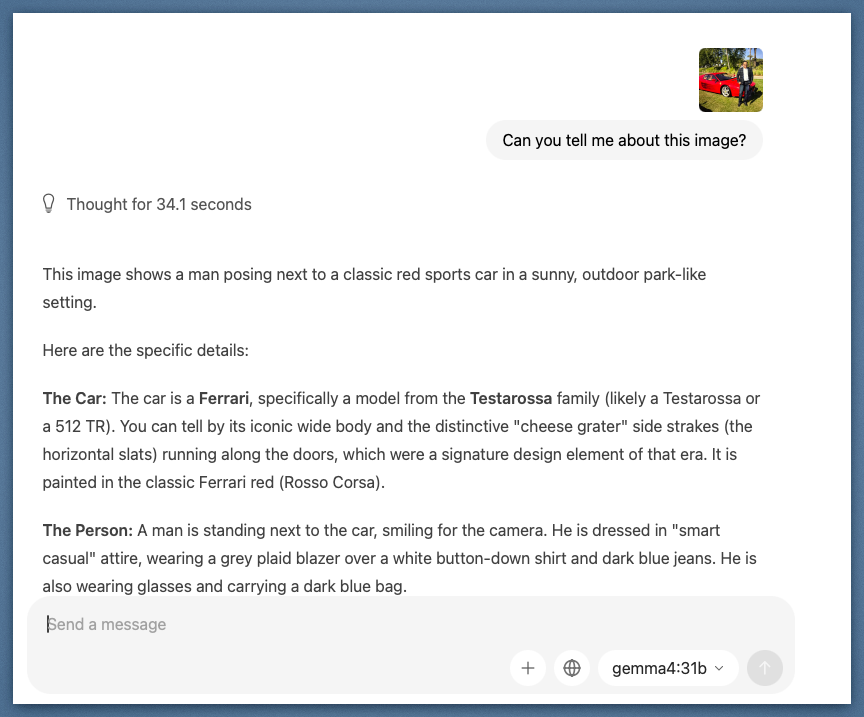
*The model identified the Testarossa body style, era, and design details from a single photo. Thought for 34.1 seconds before responding.*
Second test: a professional headshot. I used a real photo from a recent headshot session to keep the test grounded. The model analyzed subject expression, clothing details including the specific tie pattern, lighting, and composition quality, all accurately.
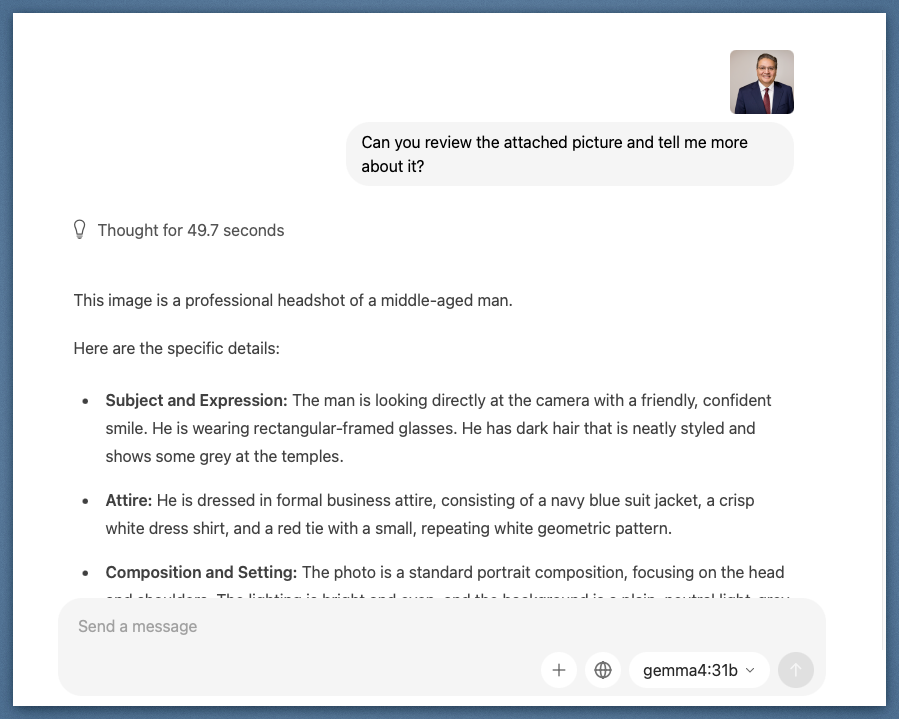
*Accurate detail extraction from a standard portrait: attire, expression, composition, and lighting conditions.*
What's interesting here is the thinking time. Both vision prompts showed 30 to 50 seconds of deliberation before output. You can expand that thinking chain and see it reasoning through observations before synthesizing them.
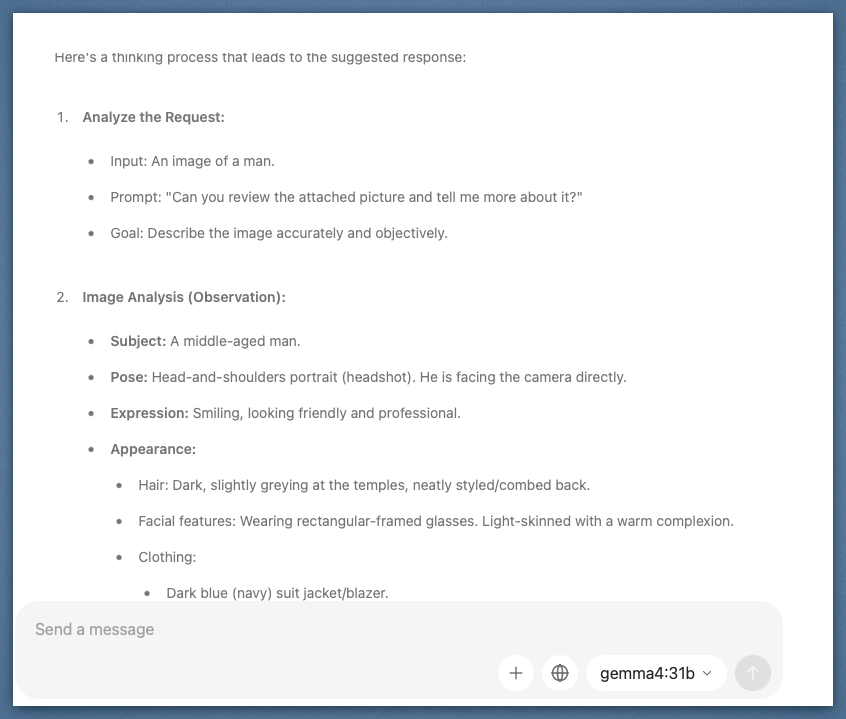
*The expanded thinking block shows the model cataloging observations before drafting its response. Image analysis broken into discrete reasoning steps.*
### Reasoning chain: where it gets interesting
This is the capability I care about most for engineering work. Configurable extended thinking mode lets the model reason step by step before committing to an answer. More importantly, it exposes the kind of intermediate correction and reframing that matters when you're evaluating whether a model can be trusted inside a workflow.
I gave it a realistic cloud migration scenario: 400 workloads, 18-month timeline, 200 engineers with only 30 having significant cloud experience, a hard PCI-DSS compliance deadline at month 12, and a 30% cost reduction target by month 18.
The thinking block tells the real story. The model identified four separate challenges, began structuring a sequencing strategy, and then stopped mid-reasoning to question its own approach. The exact moment: *"Wait, let's refine the Sequencing Strategy."* It revised the wave structure before producing the final answer.
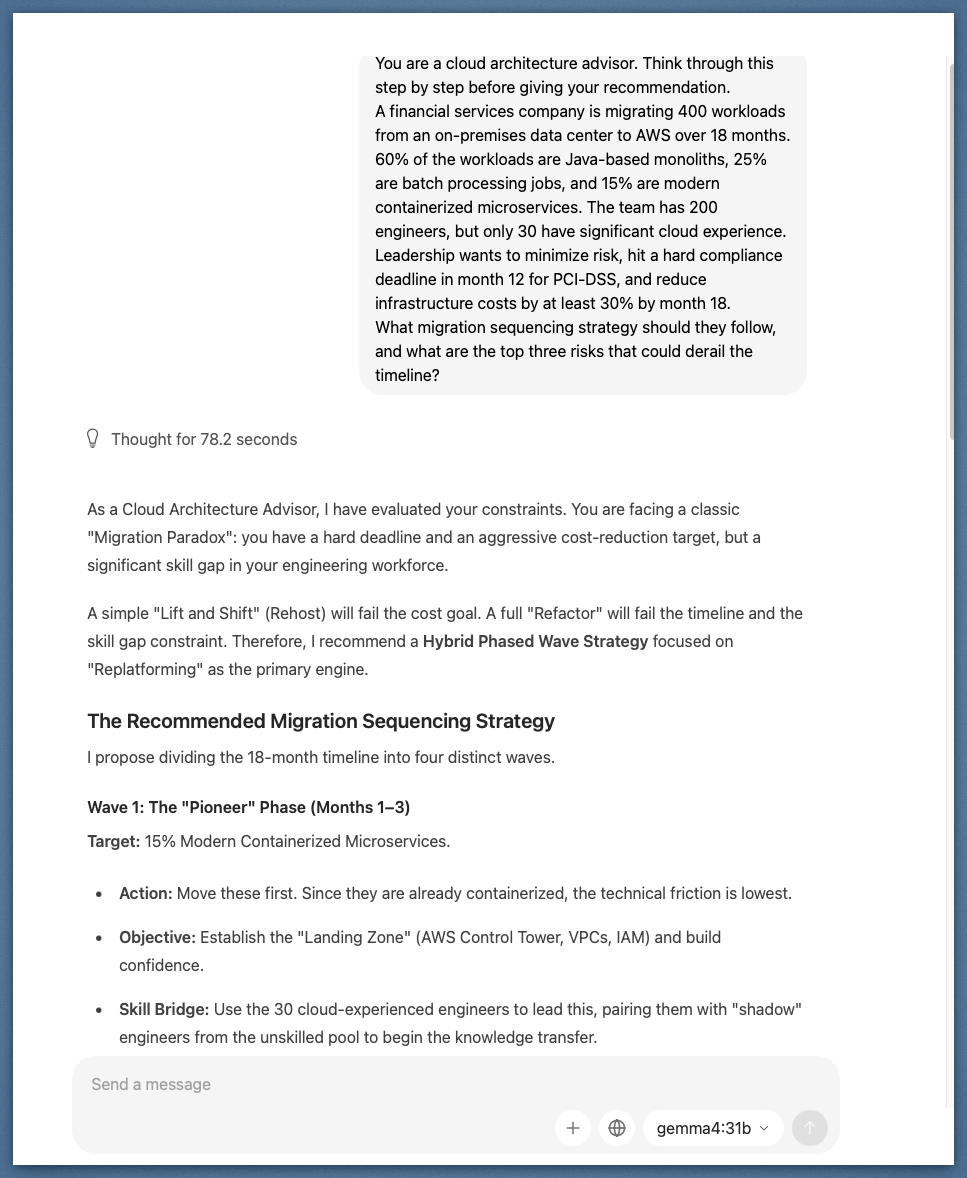
*The model caught its own sequencing flaw mid-thought and corrected it before responding. That's the reasoning chain doing its job.*
The final output landed on a "Hybrid Phased Wave Strategy" with four distinct migration waves, sequenced to address the skill gap constraint first, compliance deadline second, and cost optimization third. It named the traps (lift and shift fails the cost goal; full refactor fails the timeline and skill gap), then built around them.
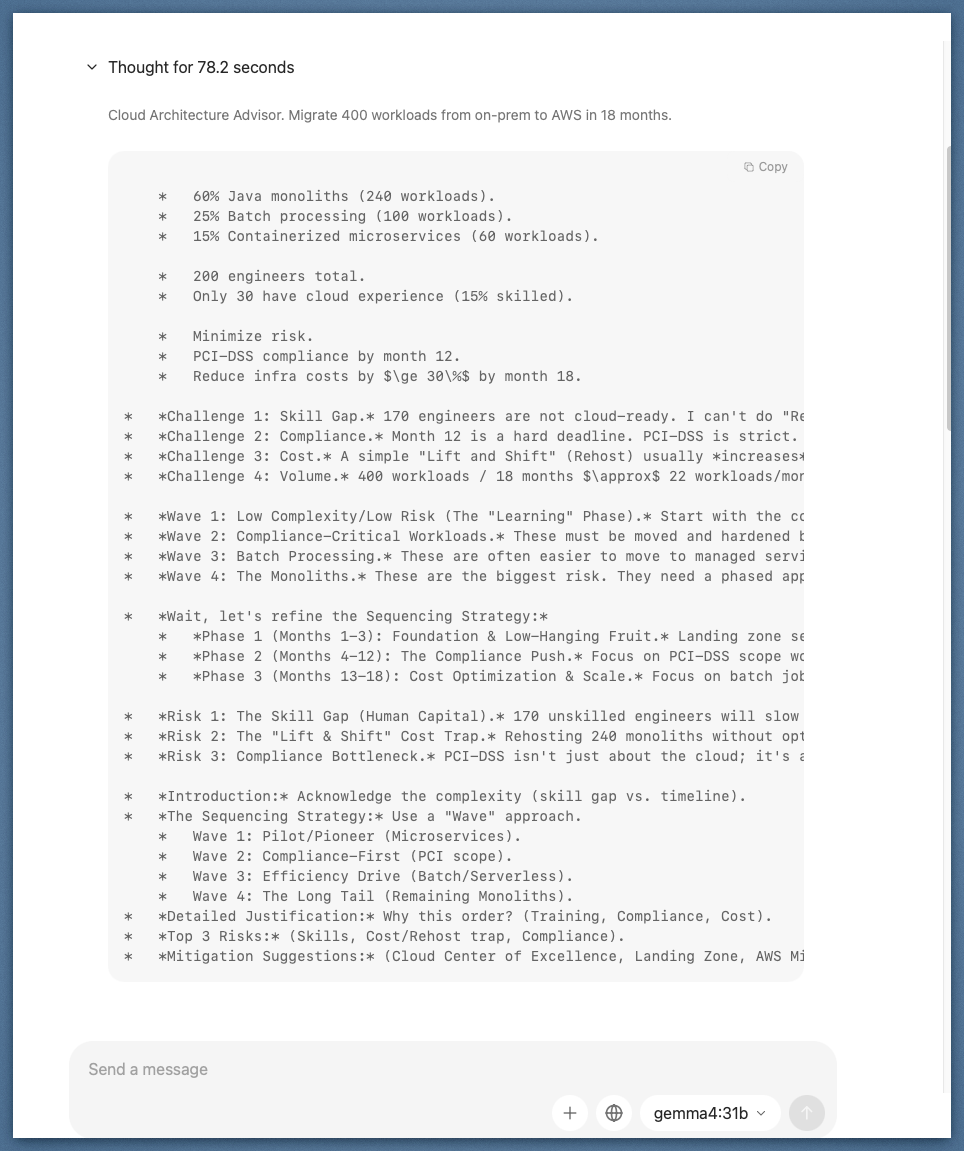
*78 seconds of local inference, no network call, no token bill. The output structured a four-wave migration plan around the constraints in the prompt.*
Instruction following is sharper than I expected. Instruction adherence has historically been the weakest point of local models below the frontier. Gemma 4 31B holds complex instructions well across long contexts and follows structured output formats consistently. Native function calling support is a genuine upgrade over earlier Gemma generations that required prompt engineering workarounds.
Code generation is competitive on mid-complexity tasks. I ran real engineering problems at it: refactoring patterns, code explanation, generating boilerplate with specific constraints. For problems that don't require deep contextual reasoning across a large codebase, the output quality was solid enough to use as a first pass.
The knowledge cutoff is a real operational constraint. Training data ends at January 2025. That is 15 months of missing context as of this writing. For anything involving recent frameworks, recent events, or current API versions, you will hit that wall. This isn't a footnote limitation. It's a meaningful filter on which use cases make sense.
The 256K context window holds up. I fed a large document corpus into a single prompt. It processed cleanly without degradation. Context length has historically been the Achilles' heel of local models. That gap is closing.
Where it still struggles: Multi-step reasoning chains requiring sustained state, nuanced creative tasks, and anything requiring knowledge from the last year and a half. For those, I still route to Claude via the cloud.
Gemma 4 also ships with configurable thinking modes across all model sizes. You can dial reasoning depth up or down depending on task complexity, which is a practical tool for managing latency on a local setup.
## The architecture worth building: hybrid inference
Here is the pattern I keep coming back to, and the one I think is most interesting for engineering teams right now.
Not every task in an agentic workflow needs the same model. A pipeline that summarizes internal documents, routes them to the right team, and drafts a response has at least three distinct inference steps with very different requirements. The summarization step might involve sensitive data that cannot leave your network. The routing step is simple classification. The drafting step might benefit from the best reasoning model available.
A hybrid inference architecture picks the right tool for each step: local model for the data-sensitive or high-volume steps, cloud model for the steps that need maximum capability and have no data constraints. The orchestration layer, not the model itself, decides where each call goes.
This is roughly what that routing seam looks like in practice:
```ts
// Task metadata is the contract between agents and the routing layer.
type Task = {
kind: 'summarize' | 'classify' | 'draft' | 'code';
sensitivity: 'public' | 'internal' | 'regulated';
complexity: 'low' | 'medium' | 'high';
tokens: number;
payload: unknown;
};
enum TargetModel {
LocalGemma4 = 'gemma4-31b-local',
CloudFrontier = 'cloud-frontier-model'
}
function route(task: Task): TargetModel {
const isSensitive =
task.sensitivity === 'regulated' || task.sensitivity === 'internal';
const isHighVolume = task.tokens > 64_000;
if (isSensitive || isHighVolume) {
return TargetModel.LocalGemma4;
}
const needsFrontierReasoning =
task.kind === 'draft' && task.complexity === 'high';
if (needsFrontierReasoning) {
return TargetModel.CloudFrontier;
}
return TargetModel.LocalGemma4;
}
async function handleTask(task: Task) {
const target = route(task);
if (target === TargetModel.LocalGemma4) {
return callLocalGemma4(task);
}
return callCloudFrontier(task);
}
```
In practice, that's the right mental model. Agents should describe intent. The policy layer should decide where inference runs based on sensitivity, complexity, latency, and cost.
This isn't theoretical. It's the natural evolution of what teams are already building with retrieval-augmented generation and multi-model pipelines. Open weights models like Gemma 4 31B make the local leg of that architecture genuinely viable for the first time.
## So: learning tool or production asset?
The gap argument keeps shifting shape.
A year ago, local models were clearly better for tinkering than for production. Today, Gemma 4 31B ranks third among open models on standard benchmarks, runs on hardware many engineers already own or can buy with a single capital request, and ships under a license that lets you deploy it anywhere without asking permission.
For privacy-constrained data, high-volume inference, edge devices, and domain-specific fine-tuning use cases, this is a production asset right now.
For tasks requiring frontier reasoning quality with no data constraints, cloud is still the right answer, and the ceiling there keeps rising.
The most interesting question is not which one wins. It's how you design the seam between them. That's where the real architecture work is now.
What are you building with open models? Have you pushed one into production, or is local inference still sitting in the experimentation column for you? I'm particularly curious whether anyone is running a hybrid architecture in a real environment and what the orchestration, observability, and policy layer look like.
I want to know what's working.
---
---
## From Copy-Paste to Skill: What Thousands of AI Coding Sessions Taught Me About Guardrails
- **Published:** 2026-03-28
- **Tags:** claude-code, genai, software-engineering, learning, engineering-leadership
- **URL:** https://vinny.dev/blog/2026-03-28-coding-standards-skill/
About a year ago, I had a text file.
Maybe 40 lines. Pasted into Claude Code at the start of every session. "Don't forget to run the tests." "Use conventional commits." "Please don't rewrite my entire codebase when I ask you to fix a typo." The kind of guardrails you write after your AI assistant confidently ships code that breaks in ways you didn't anticipate.
That file became a markdown doc. The doc became a system. And now, after thousands of sessions across Claude Code, Codex, Kiro, and every LLM-based CLI and IDE I could get my hands on, it's a full Claude Code Skill (version 10.0) that I'm sharing publicly.
The real story isn't the version number. It's what those sessions taught me about how to make these tools trustworthy, not just fast.
## The problem isn't the model
Here's the thing nobody says clearly: the AI tools aren't the problem. I've used Claude Code, Codex, and Kiro extensively. I've run the Copilot integrations, the IDE plugins, the agentic workflows. Each has real strengths. Each has the same failure mode.
They're fast. Impressively, dangerously fast. And without direction, that speed works against you.
The tools are not interchangeable, and I want to be precise about that. Claude Code has persistent memory via `CLAUDE.md`, which means corrections compound over time. Kiro has spec-driven agents baked into its core workflow. Copilot lives in the editor and has no shared project context by default. The mechanics differ. But the failure mode is identical across all of them: they'll produce code that works technically and misses the point entirely.
Early on, I'd start a session, ask for something, and get back code that worked. Technically. It wouldn't match the patterns in my codebase. It wouldn't have tests. It would reach for an unfamiliar library when the standard library had a perfectly good solution. It would "finish" without committing, and when the context window ran out, the work evaporated.
The problem wasn't the model. The problem was me. I hadn't told it how we do things.
## What "fast and wrong" costs
Before I get to the solution, let me be direct about the tradeoffs, because I don't want to oversell this.
Adding guardrails has a cost. The skill adds context overhead to every session. More tokens, slightly longer startup. The PostToolUse hooks add a formatting step on every file write. If you're on a tight token budget or optimizing for raw session startup time, you'll feel it.
What you get in return is harder to measure precisely, but real. Across more than a dozen projects and multiple teams over the past year, the outcomes were consistent: fewer review cycles because the code matched our patterns on the first pass, faster onboarding because new engineers got the same guardrails automatically, and (the one I didn't fully anticipate) PR reviewers started trusting AI-assisted contributions in a way they hadn't before.
That last one matters more than the speed. Speed is table stakes. Trust is what changes how your team works.
## Version 1: any constraints beat no constraints
The first version was embarrassingly simple. Six rules, pasted in at the start of every session:
1. Read the codebase before writing code.
2. Write tests.
3. Use conventional commits.
4. Don't modify files outside the task scope.
5. Commit frequently.
6. Run the test suite after every change.
Even this was a big improvement. Not because the rules were sophisticated, but because any constraints beat no constraints when you're working with an LLM. The model wants to help. If you don't define what "helpful" means, it'll define it for you, and you won't always like the definition.
## Version 2: corrections are the raw material
Every time I didn't like what I got, I added a rule. Every correction became a line item.
Claude used a TypeScript enum? "Prefer literal unions over enums." Claude wrote a 200-line function? "Functions should be 30 lines or fewer." Claude swallowed an exception silently? "Never swallow exceptions. Use typed errors."
My wife asked me one night why I was furiously typing at 11pm. I told her I was writing rules for an AI that keeps making the same mistakes. She gave me the look. You know the one.
But this was the breakthrough: corrections are the highest-signal input you have. Every mistake Claude made that I caught was a rule waiting to be written. Don't just fix it. Capture it. The document grew from 40 lines to 200, then 400.
I organized it into sections: agentic behavior, code quality, testing, security, git workflow. I added a "Definition of Done" checklist because Claude kept telling me things were "done" when they clearly weren't. I added a "Red Flags" section to pattern-match on recurring mistakes.
Here's a concrete example of what that looked like in practice. Before guardrails, asking Claude to add error handling to an async function would often produce something like this:
```typescript
try {
const result = await fetchData();
return result;
} catch (e) {
console.log(e);
}
```
Silent failure, untyped catch, no re-throw. With the rule "never swallow exceptions, use typed errors, always re-throw or return a typed Result" in place, the same request produced:
```typescript
try {
const result = await fetchData();
return { ok: true, data: result };
} catch (err) {
if (err instanceof NetworkError) return { ok: false, error: err };
throw err;
}
```
Same prompt. Different standards document. Completely different output.
## Version 7: learning from the community
By early 2026, Boris Cherny (the creator of Claude Code) started publishing his workflow tips on Twitter. I want to be precise here about what I already had and what I learned, because the distinction matters.
I had spec-driven development, subagent delegation, the re-planning trigger, and the correction-to-rule pipeline. Those came from my own sessions.
What Boris surfaced that I hadn't considered: give Claude a domain-specific verification strategy before you start coding, not just a checklist at the end. Define how you'll prove correctness upfront, and output quality improves substantially. I was reviewing at the end. Boris built verification into the beginning.
He also showed me that PostToolUse hooks could auto-format on every file write, and PostCompact hooks could re-inject critical context when Claude compressed the conversation. Here's what a PostToolUse hook looks like in practice:
```json
{
"hooks": {
"PostToolUse": [
{
"matcher": "Write|Edit",
"hooks": [{ "type": "command", "command": "npx biome format --write $FILE" }]
}
]
}
}
```
Every file write triggers the formatter. No discipline required. Standards enforced by automation beat standards enforced by willpower, every time.
The `CLAUDE.md` pattern was the one I most wished I'd arrived at myself: update it directly after every correction, and let Claude write its own rules. The `@.claude` pattern in PR reviews is particularly powerful. Tag Claude in a review comment, and the feedback automatically becomes a permanent rule in `CLAUDE.md`. The compound effect over time is significant.
One note on portability: the principles here aren't Claude Code-specific. Anywhere you can inject a system prompt, you can apply this approach. The Skill format is Claude Code-native, but the underlying logic works in any tool that accepts context at session start.
## Version 10: from document to skill
By this point the document was solid across dozens of projects. The distribution was still manual, and that was the problem. Sometimes I'd forget to reference it. New engineers would start sessions without it.
The fix was making it a Claude Code Skill: a markdown file with YAML frontmatter that Claude Code loads automatically when the task matches the description. Once installed, you don't invoke it. It governs every session without being prompted.
The package is simple:
```
.claude/
skills/
coding-standards/
SKILL.md # auto-loaded for all coding tasks
commands/
qspec.md # /qspec: generate a feature spec on demand
qcheck.md # /qcheck: run a skeptical staff engineer review
```
The two slash commands are the only pieces requiring explicit invocation. `/qspec` forces spec-writing mode before implementation starts. `/qcheck` runs a skeptical staff engineer review against the full standards. Everything else is automatic.
## What's in it
Rather than walk you through every section like a README, here are the parts that changed how I work.
Agentic behavior comes first: how Claude should orient on a codebase before touching anything, when to write a spec versus implement directly, how to handle ambiguity, and when to stop and re-plan. It also defines a two-layer memory system. Project-specific lessons live in `tasks/lessons.md`. Persistent rules live in `CLAUDE.md`. Every correction writes to one of these. Nothing gets lost.
Verification-first development gets its own section because it's the highest-leverage practice in the document. Define how you'll prove correctness before writing code, with domain-specific strategies for backend, API, frontend, data, and infrastructure work. This single habit cuts rework more than any other rule in here.
The hooks section is where the skill earns its keep. PostToolUse auto-formats on every write. PostCompact re-injects critical context after conversation compaction. Stop hooks act as verification gates before Claude declares something done.
For subagents, the model selection guidance is deliberate: Haiku for read-only analysis tasks (fast, cheap, sufficient for codebase orientation), Sonnet or Opus for architecture and complex reasoning (the cost is worth it when the output matters). The logic is cost-capability tradeoff matched to task risk.
The Definition of Done is a single unified checklist: Correctness and Quality, Self-Review, Documentation and Process. One checklist, not three. If it's not on the list, it's not blocking. If it is, it's not optional.
## A word on governance
One question I get from other engineering leaders: who owns the skill when it drifts?
The answer is the same as any shared standard: it needs an owner, a version, and a review cadence. We treat `SKILL.md` like a dependency. It lives in version control, changes go through PR review, and the team has a standing agenda item to surface corrections that should become permanent rules.
The `@.claude` PR pattern helps here. Every correction that surfaces in code review is a candidate for the standards document. When the correction recurs, it becomes a rule. When the rule is widely adopted, it goes into `SKILL.md`. The pipeline closes.
## What changes on day one
If you clone the repo and drop the `.claude/` directory into your project today, here's what's different by the end of your first session: Claude will read your codebase before writing anything, commit in logical increments rather than one giant blob at the end, run the test suite after each change, and tell you when it's uncertain rather than improvising. Those four behaviors alone will change the quality of the output.
The trust takes longer. But it compounds. After a few weeks of sessions where the output consistently matches your patterns, you'll notice reviewers stop flagging the same classes of issues on AI-assisted PRs. That's the signal that the guardrails are working.
## The GitHub repo
I've published the full skill, slash commands, and README on GitHub:
**[github.com/vscarpenter/coding-standards-skill](https://github.com/vscarpenter/coding-standards-skill)**
Clone it, drop the `.claude/` directory into your project, and commit it. PRs welcome. This thing got better every time someone contributed a pattern, and I'd love to keep that going.
---
The recursive part of this that still gets me: I'm writing rules for an AI that writes code for me, and the AI helps me refine those rules, and the rules make the AI better, which surfaces new corrections, which become new rules. It's a strange loop. It's also just engineering. Define the standard. Capture the deviation. Raise the floor.
We're living in the future. Might as well bring some standards with us.
---
## Pipeline-First Is Not a DevOps Initiative - It's a Culture Shift.
- **Published:** 2026-03-26
- **Tags:** platform-engineering, engineering-leadership, security, software-engineering
- **URL:** https://vinny.dev/blog/2026-03-26-pipeline-first-culture-shift/
The technical case is easy. The human case is where it gets real.
Everyone sells pipeline-first delivery the same way. Remove direct production access. Route all changes through automation. Enforce consistency. Reduce drift. Improve auditability.
None of that is wrong. Pipelines do reduce incidents. They do create audit trails. They do enforce controls that humans skip under pressure. What the slide deck leaves out is the part that determines whether this works.
The gap between the kickoff meeting and the moment your last engineer gives up production access is not a tooling problem. It is a culture problem. And culture problems do not yield to Terraform.
## The person who built it
Picture your most senior infrastructure engineer. They have been here for over a decade. They built half the environment they run today. When something breaks at 2 a.m., they fix it, not because they have to, but because their hands are the only ones the organization truly trusts to touch the heart of the system.
You are asking them to stop being the hero.
The technical argument is that manual changes cause drift. The human reality is that you are asking them to trade their "heroics" for "systemic integrity." To them, pipeline-first feels like taking away their tools and handing them a rulebook.
If you want this to work, you have to help them make a shift in how they view trust.
In the old world, trust was a localized, manual resource. We trusted their judgment at 2 a.m. In the pipeline-first world, we move that trust from their hands into the code they write. This isn't a demotion; it is trust-scaling.
When they fix a production issue manually, they save the company once. When they codify that fix into a hardened pipeline, they save the company ten thousand times over, across every future deployment, even while they're sleeping.
The shift is from:
"I am the one who fixes production." (Individualized trust)
"I am the architect of the system that protects production." (Scaled trust)
## The on-call hero
There is a second character. They treat bypass as a feature.
"The pipeline is too slow. If something is burning and I have a one-line fix, I should not have to wait twenty minutes."
It sounds pragmatic. It is the most dangerous failure mode in the entire program. Because every bypass is justified in the moment. The system was down. The fix was obvious. The risk was low.
And each time it happens, the team learns the rule has an exception clause. The exception clause becomes "when I decide it applies." Pipelines do not fail because engineers are malicious. They fail because urgency feels like permission.
The answer is not to eliminate urgency. It is to remove the incentive to bypass. If your pipeline takes 25 minutes for a trivial change, that is not a culture problem. That is a product problem. Fix the pipeline. Then enforce the rule.
## The manager who looks the other way
The third character is the one that rarely shows up in the postmortem. They are a good manager. They care about their team. An engineer bypasses the process, ships a hotfix, and the system recovers. They say thank you. They mean it.
What they do not do is correct the behavior.
Not because they disagree with the policy. Because they are caught between two pressures: the organizational directive to enforce discipline, and the immediate reality that their team delivered under pressure.
In that moment, the result feels concrete. The policy feels abstract. But a manager's gratitude in a crisis is a "dark signal": it tells the team that the rules don't apply when things get hard.
Leadership has to close that gap.
Success is not: "Did the system stay up?"
Success is: "Did we ship through the pipeline?"
If you measure the first, you will get bypass. If you measure the second, you will get discipline.
## What leaders consistently get wrong
Most organizations do not fail on intent. They fail on execution. The pattern is predictable:
- They invest heavily in tooling and lightly in change management.
- They announce the policy but do not align managers on enforcement.
- They tolerate "temporary exceptions" that quietly become permanent.
- They measure uptime instead of adherence.
Every organization says they want pipeline-first. What they actually want is pipeline-first, except when it is inconvenient.
That is not a constraint system. That is a suggestion.
## What the access conversation is
There is a moment every leader eventually has. You sit across from someone who has had production access for years and tell them it is going away. You have the policy. You have the security rationale. You have the compliance requirement.
They already know all of that. What they are trying to understand is something else:
Do you understand what you are asking them to give up?
Do you respect the expertise that access represents?
Are they a partner in this change, or a risk to be managed?
How you answer those questions determines what happens next. Engineers who feel respected become advocates. They model the behavior you need. They bring others with them. The ones who feel dismissed do the opposite.
This is a people problem wearing a security costume.
## The architecture of the change
If you strip away the narrative, pipeline-first is a constraint system. You are building an environment where the right path is the fastest path. That requires a few things to be true:
Speed is a control. Pipelines have to be fast. Under 10 minutes for most changes. If someone can deploy faster by skipping the pipeline, they will.
Audit the glass. Break-glass access has to exist, be real, and be audited. If there is no legitimate emergency path, engineers will create illegitimate ones.
Observability. You must track the percentage of changes shipped via pipeline and the number of break-glass events. If nobody is watching these, nobody is running the program.
## Why the framing matters
Most organizations treat this as a technical rollout and then wonder why adoption stalls. They miss that this changes the relationship between engineers and production. It changes who has authority. How trust is expressed. What it means to be a senior engineer.
That is not a DevOps initiative. It is a culture shift.
Culture shifts require repetition. They require visible leadership alignment. They require managers who close the loop every time, especially when it is uncomfortable.
Tell your engineers this is hard. Tell them you understand what they are giving up. Tell them the outcome is worth it. And then make sure the outcome actually is.
## What you are actually building
When pipeline-first works, you get more than clean audit logs. You get a team that trusts the system. You also get the substrate for [getting better at getting better](https://vinny.dev/blog/2025-12-31-getting-better-at-getting-better-in-2026/): every improvement lands in the pipeline once and compounds for everyone.
Engineers understand the constraint exists to protect them as much as the environment. On-call responders diagnose before they act. A production system reflects what the code says, not what someone typed at a terminal six months ago.
The pipeline is the artifact. The culture is the product.
If you get the culture right, the pipeline will hold.
---
## Meet Roci: My Always-On Personal AI Agent, One Month In
- **Published:** 2026-03-23
- **Tags:** side-projects, genai, software-engineering, aws, agentic-sdlc, platform-engineering
- **URL:** https://vinny.dev/blog/2026-03-23-meet-roci-always-on-personal-ai-agent/
Back in January, I wrote about a simple idea: what if your AI assistant wasn't something you opened, but something that was always there? At the time, it was mostly theory: something interesting to think about but not yet something I relied on. Over the past two months, that changed.
I've been running a personal AI agent I call Roci, and she now operates continuously on a dedicated EC2 instance in my AWS account. She monitors systems, checks feeds, summarizes information, and interacts with parts of my home environment. This is no longer a chatbot I occasionally prompt. It has become something I depend on in small but meaningful ways, and that shift turned out to matter more than I expected.
This is not really a story about naming an agent or wiring together tools. It is about what changes when AI stops being something you reach for and starts becoming infrastructure you live with.
## The shift: from tool to presence
Most of us still experience AI the same way we experienced early search engines. You open it, ask a question, get an answer, and then move on. That model is useful, but it is inherently reactive and limited to the moments when you remember to engage with it.
Roci operates differently. She runs whether I am thinking about her or not, checks things on a schedule, notices when something drifts, and surfaces useful information without being prompted. In a few constrained ways, she can also take action. None of this feels like autonomy in the science fiction sense. Instead, it feels like a system quietly operating alongside you, handling small pieces of work that would otherwise require attention. Over time, that presence starts to feel less like a tool and more like a layer of support built into your day.
## The setup (without getting lost in it)
Roci runs on a small, dedicated EC2 instance in a tightly controlled environment. The stack itself is straightforward: Amazon Linux 2023, a modest amount of compute and memory, Docker for runtime isolation, and OpenClaw orchestrating the agent loop.
The "heartbeat" of the system is a persistent loop that wakes up every 15 minutes to check high-priority signals, with a deeper sweep performed once an hour. Those details matter less than the design choices behind them. The goal was not to build something complex or impressive, but to build something reliable, predictable, and always available. This system runs continuously and operates within a clearly defined surface area, and that constraint shaped far more decisions than any specific technology did.
## What she does
The most useful things Roci does are not flashy, which is exactly why they matter.
Each morning, she generates a briefing that summarizes my calendar, lists updates from selected blog feeds, checks system health, and surfaces anything that looks unusual or worth attention. It is not perfect, but it consistently reduces a small amount of cognitive load.
> **Typical Morning Briefing:**
> * **Schedule:** 8 meetings today (first at 9:00 AM).
> * **Tech Feeds:** 2 new posts on the AWS Engineering blog; 2 PRs from Dependabot merged overnight.
> * **Infrastructure:** All 4 EC2 health checks are green; SSL cert for vinny.dev is valid for 45 more days.
> * **Commute to work:** Commute to work is slow with traffic; Estimating 45 minutes to work.
> * **Environment:** It's 35°F in Brookfield and so bundle up.
Throughout the day, she continues to monitor things in the background. That includes checking blog feeds for publishing issues, validating endpoint availability, and watching for subtle signals that something is off. In one case, she flagged a stale RSS feed that had silently stopped updating. It was not urgent, but it was exactly the kind of issue that typically lingers unnoticed longer than it should.
She is also connected to Home Assistant, which allows her to interact with lights and other IoT devices in simple, bounded ways. This is not a fully autonomous smart home, and I would not want it to be. Instead, it shows up as quiet delegation, fewer manual adjustments, and less friction in the background.
## The trust model (the part that matters most)
The hardest part of building this was not getting it to work. It was deciding what it should be allowed to do.
Roci operates within clear and intentional boundaries. These constraints are not incidental; they are the foundation of trust.
| **Allowed** | **Forbidden** |
| :--- | :--- |
| Read RSS feeds & system logs | Send outbound emails autonomously |
| Monitor EC2/AWS health | Modify production infrastructure |
| Toggle Home Assistant devices | Access financial or banking systems |
| Generate private summaries | Execute irreversible CLI commands |
Without these hard lines, a system like this might be interesting, but it would not be something I would feel comfortable keeping online continuously.
## What surprised me
A few things stood out once this moved from idea to reality.
Naming the system had a bigger impact than I expected. I chose the name Roci as a nod to the *Rocinante* from *The Expanse*, a "legitimate salvage" workhorse that just gets the job done. Referring to it by name subtly changed how I interacted with it. Not because I think it is human, but because it created a sense of continuity. It feels less like a disposable session and more like a persistent system with defined responsibilities.
I was also surprised by how much of the value comes from the boring work. The most useful behaviors are consistent monitoring, summarization, and small nudges. None of those are impressive on their own, but together they reduce friction in ways that add up.
Most importantly, I came to appreciate that boundaries matter more than capability. The question is not what the system can do, but what it should be allowed to do. That shift in perspective changes how you design everything around it.
## What I got wrong
Early on, I spent time thinking about whether people should run systems like this at all. That framing turned out to be less useful than I expected.
The better question is whether you can define clear enough boundaries to run them responsibly. Autonomy is not the goal. Reliable, scoped usefulness is. Once you view it through that lens, the problem becomes much more practical and much less abstract.
## Design principles emerging from this
A few patterns have started to emerge from running this day to day. Systems like this benefit from being persistent rather than flashy, narrowly scoped rather than broadly permitted, and grounded in clear trust boundaries. In practice, usefulness consistently outweighs raw autonomy.
These systems do not need to do everything. They need to do a few things reliably.
## A few months in
Roci is not revolutionary, and she is not autonomous in any meaningful sense. What she is, however, is present and useful, and that combination changes how you think about AI over time.
The real shift is not better chat interfaces. It is the emergence of persistent, bounded systems that quietly take work off your plate. Instead of one large, generalized system, the future may look more like a collection of smaller agents, each with clear responsibilities and well-defined limits.
We are still early in this transition. Most people are experimenting with prompts, and a smaller group is experimenting with agents. Very few are treating these systems as infrastructure.
That is where things start to get interesting, because once something is always on, scoped, and trusted, it stops being a demo and starts becoming part of how you operate.
---
## Strip the Assumptions: What Enterprise AI Adoption Actually Is
- **Published:** 2026-03-22
- **Tags:** genai, software-engineering, engineering-leadership, platform-engineering
- **URL:** https://vinny.dev/blog/2026-03-22-strip-the-assumptions-enterprise-ai/
Most enterprise conversations about generative AI are arguments about assumptions, and nobody is questioning the assumptions.
I've sat in enough of those rooms to recognize the pattern. Someone presents a business case with a tidy ROI model. Someone else raises a governance concern, and a third person references what a competitor is doing. The conversation sounds strategic, but it's a negotiation between inherited frames, and the inherited frames are wrong.
First principles thinking means refusing to carry forward what you borrowed. You start from what is provably true and build only from what survives the stripping. Here is what that exercise produces.
## The five assumptions running every enterprise AI conversation
1. This is a technology adoption problem.
The analogy says: we adopted cloud, we adopted SaaS, now we adopt AI. The analogy breaks immediately.
Cloud replaced infrastructure and SaaS replaced packaged software. Generative AI reduces the marginal cost of specific cognitive outputs without replacing either one. That's a different category of change, and it requires a different adoption model.
2. ROI is measurable in the short term.
Finance wants a business case before anything moves, but knowledge work output has never been reliably measurable, even before AI entered the picture. Generative AI just adds a new variable to an equation that was already unsolved.
3. The model is the limiting factor.
Get a better model, or the right model, and adoption accelerates. This inverts the actual constraint. In almost every enterprise deployment I've seen or heard about, the bottleneck is the organization's capacity to evaluate whether outputs are trustworthy.
4. Governance must be solved before scaling.
Get the policy right, get the guardrails right, then scale. It sounds responsible, and it's a risk trade made implicitly. Waiting carries its own costs: capability gap, adoption debt, a slower organizational learning curve. Governance is a continuous calibration rather than a precondition.
5. The value lives in automation.
Replace the headcount, eliminate the process. The math on full automation looks appealing until you account for the error correction problem. Automated errors compound, while augmented humans correct in real time.
## What survives the stripping
Remove every assumption. Strip the analogies, the vendor narratives, the org chart pressure. Six statements remain, and they hold regardless of which model you use, which vendor you select, or what industry you're in.
Knowledge work is a bundle of discrete cognitive tasks, each with a frequency, a difficulty, and a cost. Human attention is the scarcest and most expensive resource in any organization. Generative AI reduces the marginal cost of producing certain cognitive outputs, primarily text, code, analysis, and synthesis. The value of reduced-cost output depends entirely on whether the humans receiving it can evaluate whether it's correct. Organizational capability builds through use, and planning isn't a substitute for it. Risk is never eliminated, only traded, which makes inaction its own risk position.
That's the foundation, and everything else is strategy layered on top.
## Rebuilt from zero
If you build from only those six truths, the picture changes shape. Adoption is a task economics problem. Rather than "what is our AI strategy," the right first question is: which cognitive tasks consume the most attention in this organization? Which of those tasks can generative AI produce acceptable outputs for? What is the cost of an error in each task, and do our people have the domain skill to catch it?
That question produces a ranked list of high-leverage use cases. The list is empirical, so you can act on it Monday morning.
Measurement shifts from activity to decisions. Tokens generated, prompts run, and seats licensed all measure activity, while the question worth answering is whether specific decisions improved. Did engineering shipping velocity change? Did first-draft communication quality improve? Did analysts spend more time on interpretation and less on data assembly? Activity metrics are proxies, and decision quality is the signal.
Governance becomes empirical. Instead of asking "is this safe to deploy before we start," you ask "which tasks, at which error rates, with which humans in the loop." Governance is a continuous risk calibration built on actual usage data. The policy document written before anyone used the tool is mostly fiction.
Talent investment changes direction, away from prompt engineering and broad "AI fluency." The scarce resource is evaluation capacity: people who can distinguish good AI output from bad output in their specific domain. A senior engineer who immediately spots a plausible but incorrect code suggestion is more valuable than someone who generates more suggestions faster. You need fewer generators and more evaluators.
The build, buy, or partner question sharpens once you stop asking "which model is best." Which tasks are high enough leverage, common enough in our workflows, and stable enough in their requirements to warrant building durable evaluation infrastructure around? That produces a much shorter list and a much clearer investment thesis.
## The table that matters
| Inherited frame | First principles frame |
|---|---|
| Measure adoption rate | Measure decision quality |
| Strategy before deployment | Experiments before strategy |
| Governance as a gate | Governance as a signal |
| Hire AI talent | Build evaluation capacity |
| Automate the task | Augment the person doing it |
| Chase the best model | Find the highest-leverage tasks |
| Move fast to win | Learn fast to compound |
## The shift that stings a little
The most disorienting change is the last one, where speed of learning beats speed of deployment. Plenty of organizations deployed tools in 2024 and 2025. The ones that compound fastest built the tightest loop between use, evaluation, correction, and improvement. That loop is not a technology problem. It is a leadership problem.
Most enterprise AI conversations never reach it, because they're still negotiating the assumptions they inherited and never questioned. Stop arguing about the assumptions, start from what is true, and build from there.
---
## They're Using Claude to Ship Claude (And It Shows)
- **Published:** 2026-03-21
- **Tags:** genai, software-engineering, claude-code, platform-engineering
- **URL:** https://vinny.dev/blog/2026-03-21-theyre-using-claude-to-ship-claude/
I've been watching the Claude team work lately, and I can't stop thinking about one thing.
They're dogfooding their own product to build their own product. That's not a hot take. That's just what's happening. And the output is starting to feel like proof of concept at scale.
In the last few weeks alone: Projects in Cowork, Dispatch (the remote-control feature that works now), scheduled recurring tasks inside Cowork, Claude Code Channels for controlling your session from Telegram or Discord, two new flagship models in Sonnet 4.6 and Opus 4.6, Excel and PowerPoint add-ins that now share full conversation context, a plugin marketplace, a persistent agent thread for Pro and Max users, and inline custom visualizations in chat.
Count those up. That's not a quarter's worth of releases. That's a few weeks.
## The meta part is the point
There's something beautifully recursive happening here. You're using an AI assistant to build features that make the AI assistant more useful. Every improvement compounds. Every workflow they fix internally probably turns into a shipped feature two weeks later.
It's Inception, but for product development. Dream within a dream, except the dream is a Claude Code session running scheduled tasks overnight while someone sleeps in San Francisco.
I've used the term "dogfooding" professionally for years. Most teams give it lip service. They use the product occasionally, file a ticket or two, and call it good. What Anthropic appears to be doing is different. The pace of iteration suggests they're living inside these tools, hitting real edges, and shipping fixes faster than the release notes can keep up.
That's not marketing. That's what it looks like when a team eats the food.
## The features that signal something bigger
Claude Code Channels caught my attention the most. Announced March 20, 2026 as a research preview, it ships with Telegram and Discord support first, with a plugin architecture designed to expand from there. The idea is straightforward: you message a bot from your phone, and the Claude Code session running on your machine picks it up, executes the work, and replies back through the same channel. It's two-way. Claude reads the event and responds through the channel. Your presence at the terminal is optional.
I know exactly what that setup looks like. I've been building it myself.
My OpenClaw project, an always-on personal agent named Roci running on an AWS EC2 instance behind Tailscale, exists precisely because this gap existed. *(Roci is short for Rocinante, the ship from The Expanse, itself named after Don Quixote's horse. A creature that kept moving regardless of whether the quest made sense. For an always-on agent, I couldn't think of a better namesake.)* If you wanted a persistent AI worker you could message from anywhere and have it do real work while you stepped away, you had to roll it yourself. Axiom is my sandbox for that problem: a SOUL.md, a USER.md, a TOOLS.md, identity configuration, the works. Infrastructure I provision and maintain, trade-offs I make consciously.
Claude Code Channels is Anthropic shipping that same idea as a first-party, five-minute setup.
The architectural choice here is worth noting. The channel plugin runs locally on your machine and polls the messaging platform's Bot API. No inbound port opened on your machine. No webhook endpoint exposed to the public internet. No reverse proxy needed. Compare that to what it takes to route traffic through a Tailscale mesh to an EC2 instance. Both approaches solve the same problem. One of them involves considerably more yak shaving.
This is the tell. When the tool you've been building on your own time starts shipping as a native product feature, you're not ahead of the curve anymore. You're validating it. OpenClaw, Roci, every homebuilt persistent agent hack out there: demand signals. Anthropic read them.
What Roci taught me is that the hard part isn't the messaging layer. It's context persistence, identity configuration, and deciding what you trust the agent to do unsupervised. Those problems don't go away with Claude Code Channels. They just become accessible to more people, which shifts the interesting work upstream. The real architecture question becomes: what does your agent do while you're not watching, and what guardrails do you put around that?
Because Channels is built on MCP, the community can build connectors for Slack or WhatsApp without waiting for Anthropic to ship them. That's not a small design choice. That's Anthropic acknowledging they can't cover every surface themselves, so they're making the protocol extensible from day one. OpenClaw's whole appeal was reach: iMessage, WhatsApp, Telegram, Slack, all in one personal AI worker. Anthropic's answer isn't to match every surface. It's to build the protocol layer and let the community fill the gaps.
The scheduled recurring tasks in Cowork carry the same signal. Someone hit a real problem: "I want this to run on a cadence without me triggering it manually." They built the solution, then shipped it. That loop is fast.
Projects in Cowork and Dispatch point at something else entirely. Persistent, organized workspaces with their own files, context, instructions, and memory. A remote control for your desktop agent that you pair from your phone via QR code and use from anywhere your Mac stays awake. These are harder problems. The fact that they're shipping alongside the more tactical features suggests depth of execution, not just velocity.
## What this means for builders like me
I've been building with Claude Code since the early days of the product. I've watched it get meaningfully better, not in a "we added a setting" way, but in a "the fundamental workflow just shifted" way.
That's rare. Most tools plateau. They hit good enough and stay there because the incentive to keep pushing drops off.
The Anthropic team doesn't have that problem. Every improvement they make to Claude is an improvement to the tool they use to make improvements to Claude. The flywheel is real, and it is spinning fast.
My practical take: if you're a builder who hasn't revisited Claude or Claude Code in the last 30 days, you owe yourself 20 minutes this week. The tool you used then is not the tool you'll open today.
And by the time you finish reading this, they've probably shipped something else.
## A note on the remote control fix
Dispatch works now. That's all I'll say. Sometimes the most important release note is the one that just says: fixed.
---
## Yesterday's Feature Is Today's Bug
- **Published:** 2026-03-15
- **Tags:** engineering-leadership, software-engineering
- **URL:** https://vinny.dev/blog/2026-03-15-yesterdays-feature-is-todays-bug/
*On building IT strategy that outlasts the people who built it.*
There's a phrase I keep coming back to in my work as an engineering leader: *"Yesterday's feature is today's bug."*
It started as a way to describe something familiar to every software team. That moment when you realize the thing you built on purpose, the thing you celebrated at launch, is now the thing causing problems. No one made a mistake. The context around it changed.
The more I've sat with this idea, the more I've realized it applies far beyond software. It describes something fundamental about how technology strategy works inside organizations, and what it means to build something that lasts.
## The revolving door is a feature, not a bug
Leadership transitions are inevitable. CIOs move on, CTOs get promoted or recruited away, and new VPs come in with fresh mandates and fresh eyes. If you've been in technology long enough, you've lived through at least one of these moments where someone new walks in and the first question they ask is some version of *"why are we doing it this way?"*
It's easy to feel defensive in that moment. Your team built that thing, you made that call, and it worked.
I've come to see the revolving door of leadership as a test of good strategy. If your IT strategy can't survive a leadership transition, it probably wasn't a strategy. It was a preference, someone's aesthetic, a personality expressed as architecture.
When a new leader looks at your platform and asks hard questions, that's the system working. Fresh eyes see what familiarity hides. And if your strategy is sound, if it's built on real outcomes and real principles, it will hold up under scrutiny. It might even get better because of it.
## Build on principles, not personalities
The most durable IT strategies I've seen are anchored to outcomes rather than opinions. *"We do it this way because the last CTO liked it"* won't survive a transition. *"We do it this way because it reduces toil, increases deployment frequency, and keeps our teams safe"* will. Security, developer experience, reliability, and speed are compasses. Compasses don't need to be re-validated every time someone new joins the executive team.
When I think about the work my teams are doing right now, pipeline-first delivery, cloud migration, platform consolidation, I try to ask myself a simple question: *Is this rooted in a principle, or a personality?* If I left tomorrow, would the team know *why* they're doing what they're doing? Would the next leader be able to pick this up and run with it?
That's the standard I'm working toward. I want a strategy that keeps working after I've moved on, even if it never makes me look good.
## Design for succession
The best engineering leaders build platforms that outlast them. They write things down. Documentation, architecture decision records, and runbooks all read as bureaucracy right up until the person who comes next needs them. They build teams that don't depend on any one person, including themselves. If you're building monuments to yourself, you're building tomorrow's technical debt.
Succession is an architectural philosophy as much as a talent management conversation. It means asking: if I walked out the door tomorrow, what would break? Then you go fix it, whether or not you're leaving, because fragility is fragility, regardless of who holds the seat.
## Use the quote as a diagnostic, not a verdict
When a new leader looks at your roadmap and labels something a bug, something the last team called a feature, the instinct is to defend it or bury it. Neither is right, and both skip the real question: *what changed?*
Was it the customer need, the competition, the organization's risk tolerance, or the technology itself? Sometimes the answer is that the new leader just has a different aesthetic, and that's worth acknowledging. But often, something real *did* change, and the "bug" label is a signal worth paying attention to.
"Yesterday's feature is today's bug" is a prompt to understand the present. Context drift is real. The best thing you can do is build a culture where that conversation happens honestly, with genuine curiosity instead of blame or defensiveness.
## What durable strategy looks like
Building an IT strategy that can survive the revolving door comes down to a few habits. It starts with documenting the *why* behind a decision, not just the *what*. You measure outcomes, and you're honest when they aren't being achieved. Your teams own the platforms they work on. New leaders get room to contribute and challenge and improve without feeling like they're tearing something down.
Maybe most important of all is letting go of the idea that your strategy is *yours*. The best thing any of us can build is something that keeps getting better after we're gone. That's the whole job.
---
## Dark Fiber, Bright Future: Why the AI Infrastructure Boom May Need Its Bust
- **Published:** 2026-03-11
- **Tags:** genai, software-engineering, ai-economics, platform-engineering, engineering-leadership
- **URL:** https://vinny.dev/blog/2026-03-11-dark-fiber-bright-future/
The companies that built the modern internet went bankrupt doing it.
In the late 1990s, firms such as WorldCom, Global Crossing, and Qwest spent hundreds of billions of dollars laying fiber-optic cable across continents and oceans. They financed most of it with debt. They justified it with a forecast that internet traffic was doubling every 100 days. In reality, traffic was doubling annually.
The consequences were brutal. Global Crossing filed for bankruptcy in 2002 with more than $12 billion in debt. WorldCom collapsed shortly afterward in what became the largest accounting fraud in U.S. history. By 2005, roughly 85% of all installed fiber remained dark, completely unused. Bandwidth prices had cratered by 90%.
From a financial perspective, it was a disaster.
From a technological perspective, it was the foundation of the modern internet.
The fiber networks built during that speculative boom later enabled cloud computing, streaming media, global SaaS platforms, and video communication at planetary scale. Infrastructure that bankrupted its builders ultimately powered the digital economy.
The companies building AI infrastructure today may follow the same path. That is not a cautionary tale. It is how technological revolutions work.
## The largest infrastructure buildout in the history of software
Artificial intelligence has triggered a massive global investment cycle in computing infrastructure.
The world's largest technology companies are rapidly expanding data centers, purchasing specialized AI accelerators, and building high-capacity networks to support the training and operation of large models.
The numbers are extraordinary. The five largest U.S. hyperscalers (Amazon, Microsoft, Google, Meta, and Oracle) are projected to spend roughly $600 billion to $690 billion on infrastructure in 2026. That is a 36% increase over 2025, and roughly 75% of it targets AI compute directly. Capital intensity at some of these companies has reached 45% to 57% of revenue, ratios that resemble industrial utilities, not the asset-light software businesses they were five years ago.
The trend is unlikely to slow. Goldman Sachs estimates that cumulative hyperscaler capex from 2025 through 2027 will reach $1.15 trillion, more than double the $477 billion spent from 2022 through 2024. McKinsey projects that data-center investment associated with AI could reach $3.7 trillion to $7.9 trillion by 2030, depending on demand scenarios.
In 2025, tech capex as a percentage of GDP nearly matched the combined scale of the largest capital projects of the 20th century: nationwide broadband, the interstate highway system, the Apollo program, and the Manhattan Project.
In other words, the AI revolution is not just a software story. It is an infrastructure story.
And infrastructure cycles rarely follow smooth economic curves.
## The revenue gap
Despite rapid progress in generative AI tools, revenue remains strikingly small compared with the scale of infrastructure investment.
AI-related services generated roughly $25 billion in revenue in 2025. The hyperscalers spent more than $400 billion on infrastructure in the same period. That is a ratio of roughly 16 to 1.
Consulting firm Bain & Company has argued that the AI ecosystem may ultimately need to generate roughly $2 trillion in annual revenue to justify the infrastructure spending currently underway. Even the most aggressive forecasts for enterprise AI adoption fall well short of that figure, leaving a gap measured in hundreds of billions of dollars.
Meanwhile, the largest pure-play AI companies are burning cash at historic rates. OpenAI posted a $13.5 billion net loss in the first half of 2025. Internal projections show losses of $14 billion to $17 billion in 2026. The company expects cumulative cash burn of $218 billion between 2026 and 2029 before reaching profitability. Anthropic is on a more conservative path, projecting breakeven by 2028, but even disciplined players face enormous capital requirements.
The gap between infrastructure investment and realized revenue is striking.
But it is not unprecedented.
In fact, it is one of the most consistent patterns in technological revolutions.
## The installation phase of a technological revolution
Economic historian Carlota Perez spent decades studying how major technologies transform economies. In her landmark work *Technological Revolutions and Financial Capital*, she found that industrial transformations tend to follow a recurring sequence.
First comes a breakthrough technology. Then comes a surge of financial speculation as investors race to build the infrastructure required to exploit it. Eventually, a correction occurs as overcapacity and unrealistic expectations collide with economic reality.
Perez describes this period as the installation phase of a technological revolution.
During this phase, capital floods into infrastructure projects. Railways in the 19th century, electrical grids in the early 20th century, and fiber networks during the internet boom all followed this pattern.
Infrastructure is built faster than the economy can initially use it.
Speculative excess is common.
And financial collapse often follows.
But the infrastructure survives.
Once the financial bubble bursts and assets are repriced, a new phase begins. Perez calls this the deployment phase, when the technology spreads throughout the economy and productivity accelerates.
This is the phase where the real value of the infrastructure emerges.
## Infrastructure before productivity
History offers many examples of this dynamic.
The economist Paul David demonstrated that electrification did not immediately increase industrial productivity because factories initially replaced steam engines with electric motors without redesigning production systems. Only after manufacturers reorganized factories around electric power did productivity surge.
Similarly, the internet required decades of infrastructure development before it produced global digital platforms, cloud computing, and the modern SaaS economy.
Technological revolutions often follow a pattern:
Infrastructure first. Transformation later.
Artificial intelligence appears to be following the same trajectory.
Large models and compute infrastructure are being built at extraordinary speed. But the organizational, economic, and societal transformations required to fully exploit them are still emerging.
## The risk embedded in the current boom
None of this guarantees that the current AI investment cycle will produce financial winners.
Infrastructure booms are notorious for destroying capital even as they enable long-term technological progress.
During the telecom bubble, dozens of competing companies built fiber networks. Most of them went bankrupt. The infrastructure remained.
Today, a similar dynamic is unfolding in AI infrastructure. Hyperscalers are competing to build the largest compute platforms in the world, while specialized providers and "neoclouds" are financing massive GPU clusters with layers of private credit, securitized debt, and off-balance-sheet vehicles. In 2025 alone, Big Tech issued over $100 billion in bonds to fund AI capex. Google co-founder Larry Page has reportedly told colleagues he is willing to go bankrupt rather than lose the AI race.
That statement reveals the Darwinian pressure driving these decisions. Companies are spending not because the ROI is clear, but because the cost of falling behind feels existential.
Some of these investments will succeed. Others will not. History suggests that the companies that ultimately capture the most value from a technological revolution are often not the ones that spent the most building the infrastructure.
## Creative destruction and the economics of innovation
The Austrian economist Joseph Schumpeter described economic development as a process of "creative destruction," in which waves of innovation displace existing firms while creating entirely new industries.
Infrastructure bubbles are often one of the mechanisms that make this process possible.
Speculative capital accelerates the construction of networks, factories, and systems that would otherwise take decades to build. When the bubble bursts, those assets are repriced and become accessible to a much wider range of innovators.
The telecom crash of the early 2000s offers a clear example. While investors lost billions, the fiber networks built during that period enabled the rise of global streaming services, cloud platforms, and digital collaboration tools.
The infrastructure outlived the balance sheets that financed it.
The same will likely be true of the AI infrastructure being built today.
## What this means for technology leaders
If you lead engineering teams, the question is not whether AI will transform your organization. It will. The question is how you position your teams and your architecture for a market where platform providers may not survive the cycle that created them.
Build skills, not dependencies. Every major AI provider is competing to lock you into their ecosystem. Invest in your team's ability to use AI tools effectively. But do not anchor your architecture to any single provider's survival. The infrastructure will outlast some of the companies that built it. Your abstractions and your people need to outlast them too.
Diversify your AI supply chain. If you are running production workloads on a single AI platform, you are carrying concentration risk that most enterprise leaders would never accept in any other part of the stack. Treat AI providers the way you treat cloud providers: with multi-vendor strategies, clean interfaces, and exit plans.
Measure outcomes, not activity. The pressure to "do something with AI" is intense right now. Resist the urge to optimize for visible AI adoption. Optimize for measurable business value. The organizations that thrive through technology transitions focus on solving real problems, not chasing installation-phase hype.
Lead with empathy. As a servant leader, recognize that these cycles create immense pressure. Protect your teams from the "installation phase" burnout of chasing every hype cycle, and focus them on solving real business problems.
Prepare for the repricing. When the correction comes, and it will come, the cost of AI compute will drop dramatically. The organizations that have already built the skills and the organizational muscle to use AI effectively will be the ones positioned to move fastest during the deployment phase. That is where the real value gets created.
## The paradox of infrastructure bubbles
The paradox of technological revolutions is that they often require enormous financial excess in order to move quickly enough to transform the economy. Infrastructure bubbles look wasteful in quarterly earnings. Measured over decades, they are the price of progress.
The data centers and compute clusters being built today will likely outlive the balance sheets that financed them. Some companies will fail, but the infrastructure itself will power the next generation of innovation.
The future will be brighter than the balance sheets that built it.
---
## From iOS to Android in a Weekend: How I Used Claude Code to Build a Complete App Without Writing a Single Line of Code
- **Published:** 2026-03-10
- **Tags:** genai, software-engineering, ai-coding, claude-code
- **URL:** https://vinny.dev/blog/2026-03-10-from-ios-to-android-app-in-a-weekend/
I've been shipping software for over two decades. I've seen plenty of "no-code" promises come and go. So when I tell you that I took an existing iOS application, pointed an AI at it, and had a fully functional Android app, complete with notifications, offline support, local database, and accessibility features, in about eight hours over a weekend, I understand if you're skeptical.
I was too. Until I did it.
If you read my recent post about [building PourCraft Coffee, a brand new iOS app, in 32 minutes](https://vinny.dev/blog/2026-03-01-vibe-coding-with-coffee/), you saw what Claude Code can do with a greenfield project. This time, I wanted to push it further: take an existing, production iOS app and port it to an entirely different platform. Same AI, bigger challenge.
## The starting point: TravelTimes
[TravelTimes](https://traveltimesapp.com/) is an iOS app I built that displays real-time Milwaukee freeway travel times from the Wisconsin Department of Transportation API. It's a focused, well-scoped utility app, not a toy project. The iOS version features:
- Real-time route data with color-coded delay status
- Favorites with reordering and swipe gestures
- Scheduled notifications for your commute
- Offline support with graceful degradation
- Search with debounced filtering
- A "What's New" dialog for version updates
It's the kind of app that exercises a broad surface area of a mobile platform: networking, local persistence, background work, push notifications, accessibility, and thoughtful UI/UX. Porting it to Android the traditional way would mean weeks of work, learning (or re-learning) Android-specific idioms, setting up the Gradle build, wiring up Hilt dependency injection, configuring Room for local storage, writing Jetpack Compose UI, and handling all the platform quirks that come with Android development.
I decided to see if Claude Code with Opus 4.6 could do it instead.
## The approach: show, don't tell
My approach was deliberate. I didn't just say "build me an Android app." I gave Claude structured context:
1. The iOS source code. I pointed Claude at my Swift codebase so it could understand the data models, API contracts, business logic, and feature set.
2. Four screenshots of the running iOS app. These showed the routes list, favorites screen, route detail view, and notification scheduling UI. Claude used these to understand the visual design intent.
3. My coding standards document. This is a comprehensive set of guidelines I use across all my projects, covering everything from function length limits (30 lines max) to naming conventions, DRY principles, error handling patterns, and architectural preferences.
4. A CLAUDE.md project file. This gave Claude the Android-specific architectural context as the project evolved: build commands, data flow diagrams, tech stack decisions, and the patterns I wanted it to follow.
That was it. I provided the *what* and the *standards*. Claude figured out the *how*.
## What Claude built
The numbers tell part of the story: 43 Kotlin files, ~5,300 lines of code, organized into a clean MVVM + Clean Architecture structure. But the architecture doesn't capture how *right* the decisions were. Claude didn't just transliterate Swift to Kotlin. It built an idiomatic Android application.
Hilt for dependency injection with proper module separation and a `HiltWorkerFactory` for WorkManager integration, including the non-obvious step of disabling the default WorkManager initializer in the manifest.
Room database with versioned migrations. When I asked Claude to add notification schedules in a later iteration, it created a proper v2 schema with `AutoMigration(1→2)` rather than nuking the database.
Kotlin Flows and coroutines throughout, including the connectivity observer, the repository's caching layer, and the debounced search.
Material 3 with dynamic theming, swipe-to-dismiss gestures, and custom TalkBack accessibility actions on route cards. It didn't just make the app work; it made it accessible.
Proper Android permission handling: runtime permission requests for notifications on API 33+, exact alarm scheduling on API 31+, and a boot receiver to reschedule alarms after device restart.
The app targets SDK 35 (Android 15) with a minimum SDK of 26 (Android 8.0), covering approximately 95% of active devices. Claude set up the Gradle build with a signing configuration that loads from `local.properties` for local development, with an environment variable fallback for CI/CD.
## The process: guiding, not coding
I want to be honest about what "I didn't write a single line of code" actually means, because it's not the same as not working. I was actively guiding the process the entire time.
The first iteration got the core structure and most features in place. From there, it was a series of focused conversations:
- "The swipe behavior on the favorites screen should snap back after adding a favorite, not dismiss the row."
- "The notification scheduling needs to support per-day-of-week configuration."
- "Add an offline banner that appears when connectivity is lost."
- "The search should be debounced. Users shouldn't hit the API on every keystroke."
Each of these was a natural-language conversation. I described the behavior I wanted, and Claude translated that into the correct implementation. When something wasn't right, I described what was wrong, and Claude fixed it, usually identifying the root cause faster than I would have navigating an unfamiliar codebase myself.
The total time was about eight hours spread over a weekend. The part that still surprises me: I spent more time wrestling with Android Studio's IDE quirks and setting up my Google Play developer account than I did on the actual application code.
## What made it work
The quality of Claude's output was directly proportional to the quality of my input. A few things separated this from a mediocre result.
A clear reference implementation. Having the iOS codebase as a reference gave Claude an unambiguous spec. There was no guessing about features, edge cases, or UI flows. Every behavior was defined by working code.
Explicit coding standards. My `coding-standards.md` document isn't just style preferences. It covers architectural patterns, error handling strategies, and quality guardrails. Giving Claude these standards upfront meant I rarely had to send code back for quality issues.
Behavioral descriptions over implementation details. I described what I wanted the app to *do*, not how to *code* it. "The favorites screen should let users reorder favorites using up/down controls in edit mode" is a better prompt than "implement a RecyclerView with drag handles." Letting Claude choose the implementation gave it room to pick the most idiomatic approach.
Iterative refinement. I didn't try to specify everything upfront. I let Claude build the foundation, then refined through focused follow-up conversations. This mirrors how real software development works: build, review, iterate.
The code quality reflected all of this. Functions were focused and small. The architecture was layered properly. Error handling was thoughtful, with exponential backoff on API retries, graceful offline fallbacks, and proper null safety. The visual fidelity was high too. From four screenshots, Claude reproduced the design while keeping a native Android look and feel. The app doesn't look like an iOS port; it looks like it belongs on Android.
## What this means for developers
I've seen too many "AI will replace developers" hot takes, and that's not what happened here. What happened was that an experienced developer with clear requirements, strong coding standards, and good judgment used AI to dramatically compress the implementation timeline.
The skills that mattered were:
- Knowing what to build: understanding the requirements deeply
- Knowing what good looks like: having standards and being able to evaluate output
- Knowing how to guide: giving clear, behavioral direction when things needed adjustment
- Knowing when something's wrong: reviewing the generated code with a critical eye
These are all engineering skills. The AI didn't replace the engineer; it amplified the engineer.
If you're a developer who has been thinking about porting an app to another platform, or building something you've been putting off because the implementation time felt too daunting, the barrier just got a lot lower. The time from idea to working application is now measured in hours, not weeks.
## Current status
The Android version of TravelTimes is currently under review for the Google Play Store. The app has feature parity with the iOS version: all priority items are implemented, the build is clean, and all tests pass.
From a single iOS codebase, four screenshots, and a set of coding standards, Claude Code with Opus 4.6 produced a production-ready Android application in a weekend.
That's not a demo. That's not a prototype. That's a real app, heading to a real app store, built by a developer who guided an AI instead of writing code manually.
The future of software development isn't about AI replacing developers. It's about developers who know how to work with AI building things that used to be impossible on a weekend timeline.
---
## From Caffeine Addict to App Builder: How I Vibe Coded a Pour-Over Coffee App in One Afternoon
- **Published:** 2026-03-01
- **Tags:** genai, software-engineering, ai-coding
- **URL:** https://vinny.dev/blog/2026-03-01-vibe-coding-with-coffee/
I have a problem.
Not the kind that requires an intervention. More the kind where I own three different coffee grinders, have opinions about water temperature measured in single-degree increments, and once spent 20 minutes explaining to a barista why their bloom time was too short. I am, by any clinical definition, a coffee person.
What I did not expect was to create another one.
## The origin story (blame the gooseneck kettle)
It started innocently enough. My wife asked for a gooseneck kettle for Christmas. I bought her a nice one. She made a cup. Then she made another cup. Then she asked me what the difference was between a 1:15 and a 1:17 ratio. Then she asked about water temperature. Then she started reading the roast dates on bags at the grocery store, frowning and putting them back.
I had created a monster. A wonderful, discerning, "is this single-origin?" monster.
Within a few weeks, she was weighing beans on a kitchen scale, timing her pours, and gently correcting my technique. The student had become the master. And the master, being an engineer, thought: "I should build an app for this."
## A brief history of me vs. Swift
I've been building iOS apps for over a decade. My app [TravelTimes](https://traveltimesapp.com/) has been in the App Store since 2014. It provides real-time commute data for Milwaukee drivers, and I still maintain it today. Most recently, I [built a full production notification system](https://vinny.dev/blog/2026-02-06-building-notification-system-with-claude/) for TravelTimes in a single day using Claude Code.
But let me be honest about what iOS development used to look like for me.
Before AI-assisted development, building a new feature in Swift meant weeks of work. Not because the logic was complex, but because the surface area was enormous. You'd spend a day just setting up the project structure. Another day fighting Auto Layout constraints (or, in the SwiftUI era, figuring out why your preview wasn't rendering). A few more days writing boilerplate for data models, view models, navigation, persistence, and the dozen other things a modern iOS app requires before it does anything useful.
My TravelTimes app took weeks of evenings and weekends to reach its first version. Every feature after that was measured in days, sometimes longer. The notification system I built recently was a turning point: one day, start to finish, 1,800 lines of production code. That was with Claude Code and Opus 4.5 acting as a thinking partner.
But PourCraft? PourCraft was different. PourCraft was an afternoon.
## The vibe coding session
I sat down on a Saturday with a clear idea, a warm cup of coffee (medium roast, 1:16, since you asked), and a detailed prompt. Not a vague prompt. A real spec: features, color palette, data model, file structure, typography choices, and design direction. I've [written before](https://vinny.dev/blog/2025-11-15-journey-with-trusting-genai-and-coding-workflow/) about how spec-driven development is the difference between vibe coding that works and vibe coding that produces expensive garbage. This was the former.
Here's what the app needed to do:
1. Let you select a roast level (light, medium, or dark).
2. Enter your coffee weight in grams.
3. Calculate the exact water amount using the Golden Ratio.
4. Provide a step-by-step brew guide with bloom water, pour water, and temperature guidance.
5. Offer pro tips on grind size, water quality, and technique.
Simple in concept. But "simple" in iOS still means MVVM architecture, a SwiftUI color system with light and dark mode, computed properties for real-time calculation, @AppStorage for user preferences, proper typography hierarchy, and enough visual polish that my wife would want to use it instead of just Googling the ratio.
The spec covered all of it. And Claude Code turned that spec into a working application structure in hours, not weeks.
## What changed (and what didn't)
Let me be clear about what AI-assisted development does and doesn't do.
It does not think for you. Every architectural decision in PourCraft was mine. The choice to use MVVM with @Observable. The decision to compute bloom water as 2x coffee weight. The color palette inspired by the gradient of coffee, from morning gold to dark walnut. The typography pairing of a warm serif for headers with a clean sans-serif for body text. Those are design decisions, and they require taste, context, and intent.
What AI-assisted development does is collapse the implementation timeline. The distance between "I know what I want to build" and "I have working code that does it" has shrunk from weeks to hours. That's not a small change. That's a fundamental shift in what's possible for builders who have ideas but limited time.
I think about this a lot in the context of my day job leading 250+ engineers. The bottleneck in software has never been typing speed. It's always been the gap between intent and execution. Tools like Claude Code are compressing that gap, and it changes how individuals and teams can operate.
## The coffee nerd details
For those who care about the brewing science (and if you've read this far, you care), here are the ratios baked into PourCraft:
**Dark roast (1:15):** Bold, heavy body. 20g of coffee gets 300g of water. This is for people who want their coffee to make a statement.
**Medium roast (1:16):** The sweet spot. Clean, balanced, and the best representation of what the bean tastes like. 20g of coffee, 320g of water. This is where most specialty coffee drinkers live.
**Light roast (1:17):** Bright, floral, sometimes tea-like. 20g of coffee, 340g of water. If you're drinking a washed Ethiopian Yirgacheffe and not using this ratio, we need to talk.
The bloom step is universal: pour double the weight of the coffee (40g for 20g of coffee) and wait 30 seconds. That releases the CO₂ trapped during roasting and sets up even extraction. Skip this step and your cup will taste uneven. I have strong feelings about this.
## What I learned (again)
Every side project teaches me something I bring back to my teams. PourCraft reinforced a few lessons:
Specs beat vibes. A detailed prompt with clear requirements, a defined color system, and an explicit file structure produced better results than any amount of iterative prompting would have. This mirrors what I see at scale: teams that invest in clear requirements before writing code ship faster and with fewer defects.
The tools are accelerating faster than most people realize. A year ago, I was writing about trusting GenAI with more of my code. Six months ago, I was building production features in a day. Now I'm scaffolding entire applications in an afternoon. The trajectory is steep, and it rewards people who invest in learning how to work with these tools.
Side projects keep you sharp. I lead a large engineering organization, and it would be easy to let my hands-off-keyboard time grow. Building PourCraft reminded me what our developers experience daily: the friction of tooling, the joy of seeing something work, and the quiet satisfaction of shipping something real.
## The real win
My wife uses the app. That's the whole point.
She opens it in the morning, taps her roast, adjusts the weight, and follows the brew guide. No Googling. No guessing. No asking me (which, if I'm honest, was the secondary goal all along).
She still corrects my pour technique, though. Some things even the best app can't fix.
---
*The code, color palette, and full Claude Code prompt for PourCraft are available on my blog. If you're a builder with an idea and a free afternoon, I'd encourage you to try spec-driven vibe coding. The gap between "what if" and "it's on my phone" has never been smaller.*
---
## The Companies Spending the Most on AI Have the Most to Gain From Convincing You It Will Take Your Job
- **Published:** 2026-02-17
- **Tags:** software-engineering, genai, future-of-work, ai-economics, ai-coding
- **URL:** https://vinny.dev/blog/2026-02-17-you-cant-automate-demand-ai-jobs-narrative/
**The companies spending the most on AI have the most to gain from convincing you it will take your job.**
Most conversations about AI and jobs get framed one of two ways: *inevitability* or *competition*. Either the technology improves and your job disappears, or it's you versus the machine, and the machine is faster, and cheaper.
Both are oversimplifications. And both conveniently serve the interests of the companies selling the technology.
There is a lot of hyperbole from the large hyperscalers and AI companies like Microsoft, Google, Amazon, and Meta, who are projected to spend over $300 billion on AI infrastructure in 2025 alone.
That capital needs a return. And the math only works at scale if human labor is replaced.
When executives warn that jobs may vanish, they're often not forecasting the future. They're trying to keep their investors happy.
If there are no jobs, there are no consumers. And without consumers, growth stories collapse. There's no market for the products these companies are building. The narrative breaks down under its own weight.
I live in the world of technology and software. As someone who's spent my career building and rebuilding software systems, I'm genuinely excited about how accessible coding has become. But I don't believe AI will replace software developers, and the history of our craft backs that up.
Every major leap in abstraction was *supposed* to eliminate developers. Higher-level languages were going to make assembly programmers obsolete. Cloud platforms were going to replace infrastructure teams. Instead, each wave produced more software, more complexity, and more demand for skilled engineers.
What we're seeing with generative AI is simply the next step in that progression. Nothing more. Nothing less.
If anything, this wave will drive extraordinary demand for higher-quality software, built with greater care, clarity, and discipline. When everyone can generate code, differentiation shifts to the people who understand:
- What to build
- Why it matters
- How to build it well
The scarce skills become problem framing, system design, judgment, and taste.
If you lead teams, your job isn't to figure out which roles AI replaces. It's to figure out how your people become *more valuable* with it.
I'm bullish on the future. And it's not humans *versus* machines. It's humans *with* machines, compounding value. That's not naive optimism. That's how every major technology shift has played out.
I'm curious as to what skills on your team become more valuable, not less, as AI gets better?
*Originally published on [LinkedIn](https://www.linkedin.com/posts/vinnycarpenter_%F0%9D%97%A7%F0%9D%97%B5%F0%9D%97%B2-%F0%9D%97%B0%F0%9D%97%BC%F0%9D%97%BA%F0%9D%97%BD%F0%9D%97%AE%F0%9D%97%BB%F0%9D%97%B6%F0%9D%97%B2%F0%9D%98%80-%F0%9D%98%80%F0%9D%97%BD%F0%9D%97%B2%F0%9D%97%BB%F0%9D%97%B1%F0%9D%97%B6%F0%9D%97%BB%F0%9D%97%B4-share-7429703650924511232-UYtB?utm_source=share&utm_medium=member_desktop&rcm=ACoAAAAMPBgBfbBH6Q-lntjTWCdKSP-iU9Wex3A).*
---
## How I Built a Production Notification System for TravelTimes in One Day with Claude Code
- **Published:** 2026-02-06
- **Tags:** claude-code, ios, ai-coding, side-projects, software-engineering
- **URL:** https://vinny.dev/blog/2026-02-06-building-notification-system-with-claude/
**From "users want commute alerts" to 1,800 lines of shipped, App Store-ready code in a single coding session.**
## The problem that started it all
[TravelTimes](https://traveltimesapp.com/) is a personal iOS app I've maintained for over 10 years. It does one thing: shows you how long your commute will take, right now. You open the app, you see travel times for your saved routes, you leave.
Simple. Useful. And completely useless at 6:45 AM when you're pouring coffee and haven't opened the app yet.
The most requested feature since I launched v8.0.0 with iPad support was obvious: *"Can it just... tell me? Before I leave?"*
Notifications. Scheduled, recurring, per-route notifications that deliver fresh travel time data at the moments you need it. Before your morning commute, before you leave the office. Not push notifications from a server. Not a one-size-fits-all daily alert. Personalized, schedule-driven, locally-managed notifications tied to exactly the routes you care about.
This is not a trivial feature. It touches persistence, background refresh, thread safety, iOS notification APIs, permission flows, and a full CRUD interface. It lives at the intersection of several iOS subsystems, and historically it's the kind of feature I'd block out a week for.
I built it in a day with Claude Code and Opus 4.6. Here's how.
## The architecture conversation
The first thing I did was *not* write code. I described the feature to Claude Code and we talked architecture.
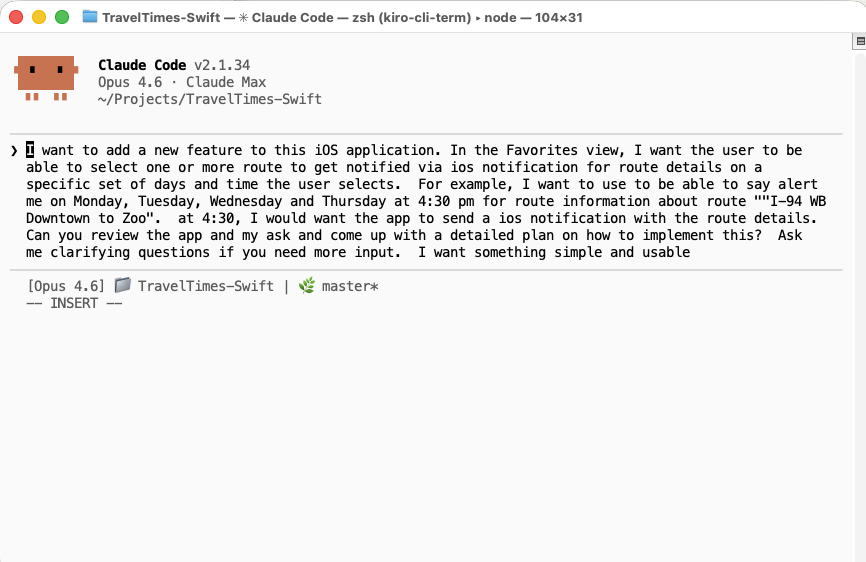
*I started a conversation with Claude Code using this prompt.*
What emerged was a clean separation of concerns: a dedicated data model to represent what a schedule *is*, a manager class to own all interactions with iOS's notification system, two full view controllers for the user interface, and targeted modifications to the existing persistence, networking, and app lifecycle layers.
The key architectural decision was giving each concern a single owner. One class owns notification scheduling. A separate class owns data persistence. Neither knows too much about the other. The notification engine asks the persistence layer for routes and schedules. The persistence layer tells the notification engine when data changes. Clean boundaries, minimal coupling.
The pipeline that holds it all together is straightforward in concept: every time fresh route data arrives (whether from a manual refresh, a pull-to-refresh, or a background fetch) the data gets cached, and then notifications are immediately re-scheduled with that current data. The user never sees stale information in a notification. That pipeline is the heartbeat of the entire feature.
## The data model: getting the foundation right
Good features start with good models. A notification schedule, at its core, is just seven pieces of information: a unique identifier, a list of route references, a set of days, an hour, a minute, an enabled flag, and a creation timestamp. That's it. But the design choices embedded in those seven properties ripple through the entire system.
References instead of copies. Schedules store route IDs, not full route objects. This was the single most important design decision. When fresh travel time data arrives from the network, we don't need to find and update every schedule that mentions a route. We just re-resolve those IDs against the latest data at the moment a notification fires. One decision, and an entire category of data consistency bugs simply can't exist.
Sets instead of bitmasks. Days of the week are represented as a set of enum values rather than a bitmask or ordered array. Checking whether a schedule includes Monday reads like plain English, and toggling a day in the UI is a one-line set insertion or removal. The enum's raw values match the iOS calendar system, so converting a weekday into a notification trigger requires zero translation logic. The data model and the platform API speak the same language.
Domain knowledge baked into presets. Rather than forcing users to configure every new schedule from a blank slate, the model includes factory methods for common patterns: a morning commute preset (weekdays at 7:00 AM) and an evening commute preset (weekdays at 4:30 PM). Claude suggested these during our initial design conversation, recognizing that reducing friction at schedule creation time would be critical for adoption.
Smart display formatting as a first-class concern. The model itself knows how to describe its days in human-readable terms. If all five weekdays are selected, it says "Weekdays," not "Mon, Tue, Wed, Thu, Fri." Saturday and Sunday together become "Weekends." All seven become "Every day." These aren't cosmetic afterthoughts. They demonstrate how thinking about the user experience at the model layer produces cleaner UI code, because the view controllers don't need to reinvent that logic.
## The scheduling engine and the 64-notification cap
The notification manager is where iOS-specific complexity lives. It's a singleton (appropriate here, because there's exactly one notification center per app) and it handles three responsibilities: managing permission requests, scheduling notification triggers, and responding when users interact with delivered notifications.
The most interesting aspect is how a single human-readable schedule becomes multiple system-level notification requests. iOS local notifications trigger on calendar date components: a weekday, an hour, and a minute. A schedule that says "weekdays at 7:00 AM" doesn't produce one notification. It produces five, one repeating trigger for each weekday. A user with both a morning and evening commute schedule is already at 10 pending notification requests. The system fans out quickly.
This is where Claude Code caught a production issue I wouldn't have anticipated until real-world testing.
iOS imposes an internal limit on how many pending notification requests a single app can hold. Exceed that limit, and the system silently drops the overflow. No error. No callback. No delegate method. Notifications just stop firing. From the user's perspective, the app is broken, and there's no diagnostic breadcrumb to explain why.
We implemented a hard cap of 64 pending requests. The scheduling engine tracks how many requests it has registered and stops adding more once it hits the limit. The math works out generously for a commute app: nine schedules at seven days each produces 63 notifications, just under the wire. But the cap exists because without it, a power user who creates 10 or more schedules would silently lose their oldest notifications. The kind of bug that generates one-star reviews saying "notifications randomly stopped working" with no reproducible steps for the developer.
This safeguard came from a follow-up commit, after Claude and I traced through the scheduling flow and asked ourselves: "What happens at scale?" The answer was "silent failure," so we fixed it before shipping.
## Threading data forward (and the stale content bug)
The persistence layer coordinates access between the main thread (where the UI lives), background refresh tasks (which iOS can wake at any time), and the notification engine (which reads and writes schedules as part of its re-scheduling flow). Three separate locks protect three separate domains: one for cached route data, one for the user's favorite routes, and one for notification schedules. Each lock is scoped to exactly one data type, which means concurrent operations on different data types don't block each other.
This is unglamorous code. It will never make a conference talk. But it's the code that prevents the app from crashing when a background refresh fires while the user is in the middle of editing a schedule. Two threads touching the same data at the same instant. The kind of race condition you'd never hit during development on a single device and would hit once a week in production with thousands of users.
The first version of the notification update flow had a subtle bug hiding in exactly this territory. When a background refresh completed, the system would fetch fresh routes from the network, save them to the cache, and then tell the notification engine to update its content. So far, so good. But the notification engine, when asked to update, would reach back into the persistence layer and load the user's *favorite routes* list, a separate data store from the route cache.
Here's the problem: the favorites list stores route objects as they existed when the user last opened that screen. The route cache stores whatever the network just returned. A route might show a 45-minute commute in the cache (fresh from the network five seconds ago) but still show a 30-minute commute in the favorites list (from yesterday afternoon). The notification would display yesterday's travel time.
The fix was surgical. Instead of having the notification engine re-read from persistence, we changed it to accept fresh route data as a parameter. The persistence layer, immediately after saving the fresh data, hands that same data directly to the notification engine. No round-trip through storage. No chance for the data to go stale between "I just saved this" and "now let me read it back."
This pattern shows up repeatedly in iOS development: the gap between "data you just fetched" and "data you read back from persistence" is where bugs hide. Two sources of truth, even briefly, create a window for inconsistency. The fix is always the same: thread the data forward instead of reading it back.
## The UI: full CRUD
The notification feature needed two complete screens: a schedule list and a schedule editor.
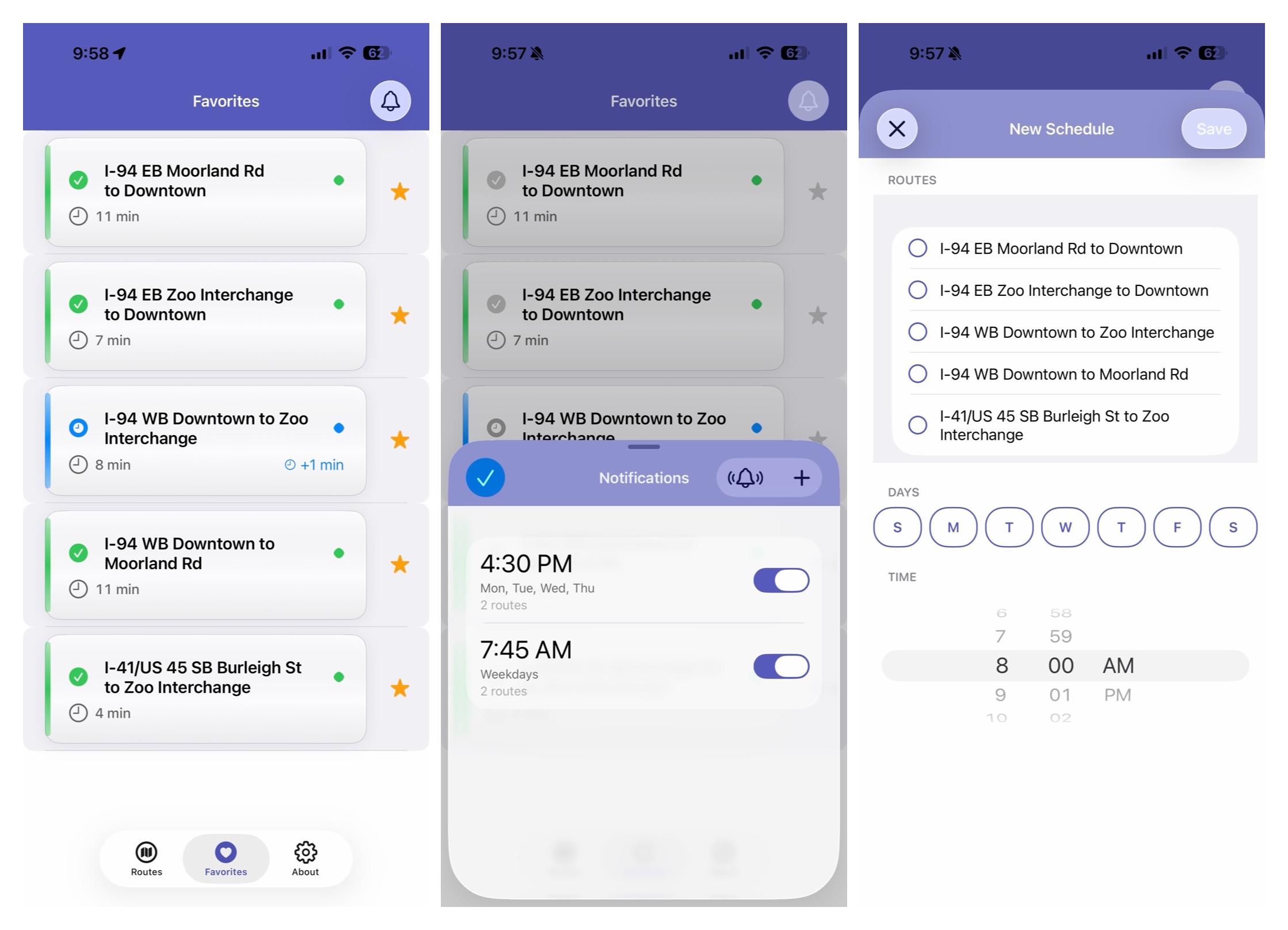
The schedule list follows a familiar pattern improved by small touches. Each schedule appears as a cell modeled after Apple's own Clock app alarm interface: a large time display, a secondary line summarizing which days are active, a tertiary line showing how many routes are included, and a toggle switch on the trailing edge for quick enable/disable. Toggle switches animate the cell's text opacity, so enabled schedules are fully opaque and disabled ones fade to half transparency. It's a subtle visual cue that communicates state at a glance without requiring the user to parse the toggle itself. Swipe-to-delete includes a confirmation dialog that names the specific schedule being removed ("This will stop notifications at 7:00 AM on Weekdays"), because destructive actions should always tell you exactly what you're about to destroy.
An empty state view appears when no schedules exist, complete with an explanatory message and a call-to-action button that navigates directly to the editor. The test notification button fires a sample notification after a five-second delay, giving the user time to background the app and see the banner in real conditions.
The editor is a scrollable form with three sections: route selection, day selection, and time selection. Route selection presents the user's favorite routes as a list with checkmark toggles. The day picker is a custom view: seven circular buttons arranged horizontally, each representing a day of the week. Selected days fill with the app's accent color; unselected days show as outlined rings. It's roughly 100 lines of code that produces a component indistinguishable from something you'd find in a first-party Apple app. Time selection uses a standard date picker in wheel mode. Nothing custom needed. Sometimes the best UI decision is knowing when the platform's built-in component is already correct.
Validation happens at save time with specific error messages. "Please select at least one route" and "Please select at least one day" are two different prompts, because telling a user "invalid input" when you know exactly what's missing is a UX failure.
Every interactive element generates appropriate haptic feedback: light taps for selections and toggles, a medium pulse for saves, a success confirmation for deletions, and a warning bump for validation errors. Claude added these consistently across every action without being asked. It had internalized the existing haptic patterns from the codebase and applied them to every new interaction point by default. That kind of pattern recognition (reading hundreds of lines of existing code and extracting the implicit conventions) is where AI-assisted development adds real value.
## Background refresh: keeping notifications current
The background refresh integration is what takes this from a demo feature to a production system.
The app registers for periodic background refresh at a minimum interval of 15 minutes. When iOS wakes the app silently in the background, a chain of events fires: the network layer fetches fresh travel times from the API, the persistence layer caches the response, and inside the save completion handler, the notification engine re-schedules every pending notification with the updated data.
This means a notification that fires at 7:00 AM on a Tuesday morning contains travel times that were refreshed within the last 15 to 30 minutes, not the stale times from when the user last opened the app three days ago. The notification tells you what your commute looks like *right now*, which is the entire point.
A 25-second timeout guard ensures the app doesn't get terminated by iOS for exceeding its background execution budget. If the network call doesn't complete in time, we cancel cleanly and let the next scheduled background refresh try again. Resilience without complexity.
## Cleanup: when favorites change
One edge case that's easy to overlook: what happens when a user unfavorites a route that's included in one or more notification schedules?
The system handles this through cascading cleanup. Removing a favorite triggers a scan of all notification schedules. Any schedule that references the removed route has that route stripped from its list. If a schedule loses its last route (meaning it would fire notifications with no content) it's deleted entirely. The remaining schedules are then re-saved, which triggers a full re-schedule of all pending notifications.
A schedule monitoring routes A, B, and C that loses route B becomes a schedule monitoring routes A and C. A schedule that loses its only route disappears. The user is never left with phantom schedules pointing at routes they no longer care about, and no orphaned notifications fire with empty content.
## Accessibility
Every element of the notification UI is fully accessible. VoiceOver labels on all interactive elements describe available actions ("Double tap to toggle," "Swipe left to delete"). Dynamic Type support ensures text scales with the user's preferred size. State-aware values communicate "Selected" or "Not selected," "Enabled" or "Disabled." Full contextual labels on schedule cells read as "Enabled notification at 7:00 AM, Monday, Tuesday, Wednesday, Thursday, Friday, 3 routes."
This isn't accessibility as a checkbox exercise. It's woven into every configuration method and every UI setup function from the start. Claude Code treated accessibility as a first-class concern throughout the implementation, not as a cleanup pass after the "real work" was done. The cost of building it in from the beginning was negligible. The cost of retrofitting it later would have been substantial.
## What Claude Code did
Let me be specific about the human-AI collaboration here, because the nuance matters.
I provided: The feature vision, the architectural constraints (programmatic UIKit, thread-safe persistence patterns, an existing design system), the quality bar (App Store submission ready, no unsafe unwraps, full accessibility), and code review at each step.
Claude Code provided: The implementation across roughly 1,800 new lines and modifications to four existing files. It followed the codebase's existing conventions: design tokens for colors and typography, the established haptic feedback utility, debug-only logging guards on every print statement. It caught the stale notification content bug during review, suggested the 64-notification cap as a safeguard, and built comprehensive accessibility support without being prompted.
The work landed in two commits: the initial feature implementation, and a targeted follow-up fix for the stale content and notification cap issues. That second commit is the telling one. It came from reviewing the first implementation and asking: "What are the edge cases?" The ability to iterate this quickly (implement, review, identify subtle bugs, fix) is where AI-assisted development changes the velocity of solo development.
Total new code: ~1,850 lines across 4 new files + modifications to 4 existing files. One coding session. Two commits. Zero unsafe unwraps. 100% accessibility coverage on interactive elements. Three dedicated thread safety locks. Platform edge cases handled: notification cap, stale content, orphaned schedules, permission denial.
## Lessons learned
Model design is leverage. The decision to reference routes by ID instead of embedding full route objects eliminated an entire category of data consistency bugs. Time spent getting the model right pays compound interest across every layer that touches it.
Thread your data forward. Don't fetch data, persist it, then read it back when you need it two function calls later. Pass it through. The stale content bug existed because the "read it back" path crossed a persistence boundary.
Respect platform limits. iOS's silent notification cap is poorly documented and devastating in practice. Always ask yourself: "What happens when the user does more of this than I expect?" If the answer is "silent failure," you have a bug, not a feature.
Accessibility isn't a feature, it's a quality attribute. Building it in from the start costs almost nothing. Bolting it on later costs a rewrite. Treat it like type safety: something you'd never consider adding "in a future sprint."
AI-assisted development is pair programming, not autopilot. I made every architectural decision. Claude executed with precision, consistency, and an awareness of the existing codebase that would take a human pair programmer days to develop. The best results came from clear constraints and iterative review, not from handing over a vague prompt and hoping for the best.
The notification system shipped as part of [TravelTimes](https://traveltimesapp.com/) v8.1.0. It works exactly as designed: users schedule alerts for their commute routes, and every morning they get a notification with current travel data before they've even reached for their phone.
That's what building with Claude Code looks like. Not magic. Just fast, precise, production-quality software engineering.
---
## OpenClaw and the Rise of the 'Real' AI Assistant
- **Published:** 2026-02-03
- **Tags:** software-engineering, genai, side-projects, open-source
- **URL:** https://vinny.dev/blog/2026-02-03-openclaw-and-rise-of-ai-assistant/
Like a lot of people, I've been closely following the recent buzz around OpenClaw, an open-source AI personal assistant that's generating real excitement in the developer community.
And honestly, it makes sense.
Most of us have been promised "smart assistants" for over a decade. We were told Siri, Alexa, and Google Assistant would manage our lives. Instead, we got tools that can set timers, mishear us, and occasionally turn on the wrong lights.
So when something like OpenClaw shows up promising a truly capable personal AI agent, people pay attention.
Over the past few weeks, I've been running OpenClaw at home. My honest assessment: it's very early-stage software, not ready for most people to use safely. But the potential here is enormous.
## What is OpenClaw, really?
At its core, OpenClaw is a persistent AI agent that runs as a background service on your machine. Once installed, it operates continuously, maintaining long-term memory and context. It can connect to large language models from providers like Anthropic, OpenAI, and Google, as well as locally hosted models.
But this isn't just "ChatGPT with a wrapper."
OpenClaw can access your file system, execute shell commands, browse the web, call APIs, read your email, and trigger automation tools. It doesn't just talk. It sees. It remembers. And it acts.
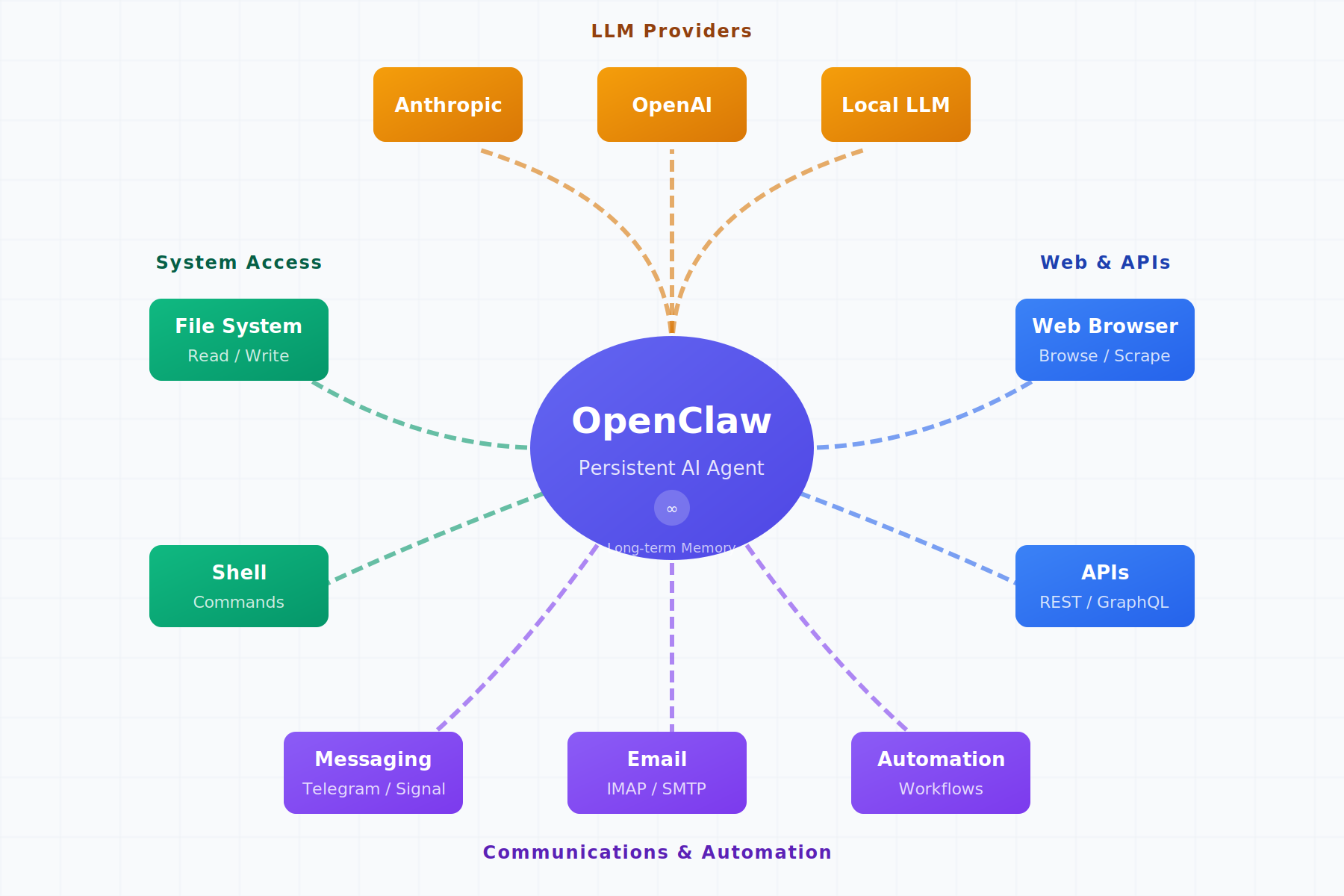
*OpenClaw sits at the center, connecting to LLM providers, your file system, shell, browser, APIs, and messaging platforms.*
The key differentiator is persistence. Your sessions don't disappear when you close a window. The agent keeps context over time, learns your environment, understands patterns, and builds continuity.
That's the difference between a chatbot and a digital coworker.
```yaml
# Example OpenClaw configuration (simplified)
agent:
persistence: true
memory_store: local
providers:
- name: anthropic
model: claude-sonnet-4-20250514
api_key: ${ANTHROPIC_API_KEY}
integrations:
filesystem:
enabled: true
sandboxed: true
allowed_paths:
- ~/projects
- ~/documents
messaging:
telegram:
enabled: true
webhook_url: ${TELEGRAM_WEBHOOK}
```
## What I tried
Over two weeks, I tested OpenClaw on practical workflows. I had it monitor a project folder and summarize changes daily. I used it to draft commit messages based on diffs. I tested the Telegram integration for remote file lookups while away from my desk.
The results were inconsistent but occasionally impressive. When it worked, it felt like having a junior developer who never sleeps. When it didn't, it reminded me why we're still in the early innings of this technology.
## From assistant to autonomous agent
Where things get even more interesting (and more concerning) is OpenClaw's ability to integrate with messaging platforms like WhatsApp, Telegram, and Signal. With the right configuration, you can message your assistant remotely and trigger actions.
Imagine this: you're away from home, you send a message, and your AI agent turns on lights, checks files, runs scripts, or initiates workflows.
You're no longer "using" software. You're delegating to it.
At that point, OpenClaw stops being a tool and starts becoming an autonomous agent. That's incredibly powerful. It's also dangerous.
## Power comes with real risk
Giving software deep access to your system, data, and communication channels is not a trivial decision. OpenClaw can read sensitive files, execute system commands, access private communications, and trigger automated actions. If something goes wrong (whether through a bug, misinterpretation, or malicious prompt) the consequences could be real.
Right now, major questions remain unanswered around security boundaries, permission models, auditability, data governance, abuse prevention, and failure modes.
Because of that, I would strongly caution against running this on your primary personal machine. If you want to experiment, do it in a sandbox. Use a separate device. Keep personal and financial data out of reach. Understand exactly what you're enabling.
This is not plug-and-play consumer software yet. This is experimental infrastructure. Treat it that way.
## Why this still matters
With all that caution, you might wonder why I'm excited about this at all.
Because OpenClaw shows us what's coming.
For the first time, we're seeing practical demonstrations of what happens when you combine large language models with long-term memory, giving the agent continuity across sessions and the ability to learn your patterns. Add tool access, and it can do things in the real world, not just talk about them. Layer in automation and messaging interfaces, and suddenly you can delegate tasks remotely. Wrap it all in a persistent identity, and you have something that feels less like software and more like a collaborator.
| Capability | Traditional Assistants | Agent-Based Assistants |
|------------|----------------------|------------------------|
| Persistence | Session-based, context lost | Continuous, maintains history |
| Memory | Minimal, starts fresh | Long-term context retention |
| Actions | Predefined skills only | Arbitrary tool access |
| Integration | Walled garden ecosystems | Open APIs and local tools |
| Autonomy | Reactive to commands | Proactive capable |
That combination creates something fundamentally new. Not a chatbot. Not a search engine. Not a voice assistant. A true digital agent.
Once people experience that, there's no going back. The question is no longer "Will this exist?" It's "Who will build it responsibly?"
## A path forward: enterprise-grade agents
I've been a big fan of Claude Code and have enjoyed watching its evolution, especially with the emergence of Claude Cowork.
What excites me is the possibility that companies like Anthropic can take the raw ideas being explored in projects like OpenClaw and bring them into secure, governed, enterprise-grade environments. Imagine strong permission models with transparent audit logs. Sandboxed execution with human-in-the-loop controls. Compliance by design with safety-first defaults.
That's how this becomes trustworthy. That's how it becomes scalable. That's how it becomes something people can rely on, not fear.
OpenClaw today is rough, unstable, risky, and unfinished.
But it's also a preview.
It's a glimpse into a future where AI doesn't just answer questions. It collaborates. It remembers. It executes. It operates alongside us. We are moving from "AI as a tool" to "AI as a partner."
That transition will be messy. It will create new risks. It will force new governance models. It will demand better engineering discipline.
But it's coming. And projects like OpenClaw are showing us what that future might look like, for better and for worse.
If you're curious, explore carefully. If you're building, build responsibly. If you're leading, start thinking now about what this means for your organization.
The first generation of real AI assistants is here. They're clumsy. They're dangerous. They're incomplete. And they're going to change everything.
---
## The Open Source Paradox AI Created
- **Published:** 2026-01-11
- **Tags:** software-engineering, genai, open-source
- **URL:** https://vinny.dev/blog/2026-01-11-the-open-source-paradox-ai-created/
In early January 2026, Tailwind Labs, the company behind Tailwind CSS, made headlines after co-founder Adam Wathan shared that the company laid off 75% of its engineering team. In absolute terms, that meant going from four engineers to one.
Small numbers. Big implications.
This was not a story about product failure. Quite the opposite. It was a signal that Generative AI has fundamentally altered the economics of certain open-source business models, even as the underlying software becomes more popular than ever.
## Popularity without sustainability
Tailwind CSS is arguably at the height of its influence. It reportedly exceeds 75 million monthly downloads and is used by roughly 51% of developers worldwide. By traditional open-source standards, that is overwhelming success.
And yet, revenue dropped by approximately 80%.
This is the paradox AI has introduced. Adoption is rising. Usage is exploding. But the mechanisms that once converted usage into sustainable funding have collapsed.
The problem is not relevance.
It is funnel collapse.
Historically, Tailwind's documentation served as the primary discovery channel for its paid products, including premium UI kits and tooling. Today, developers increasingly bypass documentation entirely. With GenAI tools, they generate Tailwind-compatible code and UI patterns directly, often without ever visiting the project's site. Reported traffic declined by roughly 40%, and premium offerings shifted from essential to optional.
This is not unique to Tailwind. It is a structural change in how knowledge is consumed.
## Value creation vs. value extraction
At the heart of this shift is a growing imbalance between value creation and value extraction.
Open-source projects like Tailwind create immense public value. They embody thousands of design decisions, best practices, and hard-won lessons accumulated over years. Generative AI systems now ingest that value at scale, synthesize it, and deliver it instantly to users.
The result is remarkable productivity.
It is also a broken economic loop.
The creators remain responsible for maintenance, security, and evolution. The economic upside increasingly accrues elsewhere.
This same tension is now visible beyond software. Artists, writers, and other content creators are suing AI companies over copyright and training practices. While the legal arguments vary, the underlying issue is consistent: value is absorbed upstream at scale, while the people who created it struggle to sustain their work.
Different domains. Same incentive failure.
## Open source as critical infrastructure
For those building modern software systems, this is not an abstract concern. It is a supply-chain risk.
Open-source frameworks and libraries are not interchangeable commodities. They represent accumulated judgment, shared security standards, and collective problem-solving. They function more like public infrastructure than optional tooling.
Frameworks and libraries were a human solution to human complexity. If we allow them to wither in favor of ever-more efficient AI generation, we risk losing more than convenience. We risk eroding the foundations that make innovation possible.
History offers a familiar lesson. Infrastructure that is widely used but poorly funded eventually degrades. Roads crack. Bridges fail. Software is no different.
## The limits of "content as a funnel"
Many open-source companies rely on documentation, examples, and educational content as their primary funnel to paid offerings. GenAI quietly breaks that model.
When AI systems summarize, remix, and deliver knowledge directly, traffic disappears. Discovery shifts. Monetization assumptions fail. The content still creates value, but it no longer creates leverage for the creator.
Any business model built on "content as a funnel" should be reassessed under this new reality.
This does not mean open source disappears.
But it does mean that legacy funding models will not survive unchanged.
## Toward a new social contract
The open-source ecosystem did not emerge by accident. It thrived because incentives aligned. Contributors gained reputation, employment, or funding. Companies invested because the returns were clear.
Generative AI breaks that alignment.
If AI platforms continue to harvest open-source value without reinvesting in its creation, the incentives to build the next Tailwind, the next React, or the next foundational library will erode.
This is not primarily a legal question.
It is a policy and governance challenge.
Possible paths forward include:
- Licensing models that explicitly address AI training and derivative use
- Revenue-sharing or usage-based compensation for foundational projects
- Public or industry-funded support for critical open-source infrastructure
- Clear norms around attribution, reinvestment, and stewardship in AI systems
None of these solutions are simple. All are preferable to ignoring the problem.
Open source will not vanish. But the economic assumptions that sustained it for decades are no longer safe.
Generative AI has exposed a paradox at the heart of modern software. We are extracting more value than ever from open-source ecosystems while investing less in their long-term viability.
The question is not whether AI should exist.
It is whether we are willing to design incentive structures that allow the foundations of innovation to endure.
What would a new social contract between AI platforms and open-source communities look like?
---
## References & further reading
- Adam Wathan, comments on Tailwind Labs layoffs (January 2026)
https://x.com/adamwathan
- Nadia Eghbal, *Working in Public: The Making and Maintenance of Open Source Software*
https://press.stripe.com/working-in-public
- Electronic Frontier Foundation, *AI Training, Fair Use, and the Commons*
https://www.eff.org/issues/ai
- U.S. Copyright Office, *Copyright and Artificial Intelligence* (2023-2024)
https://www.copyright.gov/ai/
- Bruce Perens, writings on open-source sustainability
https://web.archive.org/web/2024/https://perens.com/
---
## Building StillView 3.0: Raising the Quality Bar with Claude Code and Opus 4.5
- **Published:** 2026-01-03
- **Tags:** software-engineering, genai, claude-code
- **URL:** https://vinny.dev/blog/2026-01-03-opus45-thinking-partner/
At some point, every side project crosses an invisible line.
It still works. Features keep shipping. Tests pass. But something feels off. Changes take longer. Small edits create surprising side effects. You hesitate before touching certain files, not because they are hard in a productive way, but because you are no longer confident you fully understand them.
That was [StillView](https://stillviewapp.com/).
Not broken. Not failing. Just quietly accumulating risk.
StillView began as a simple macOS image viewer, built for speed and focus. Over time, convenience won. Magic numbers crept in. Placeholder implementations overstayed their welcome. Methods accumulated responsibilities because it was faster to add "one more thing" than to stop and rethink structure.
Nothing was catastrophic. But the codebase had crossed a threshold where intuition alone was no longer reliable.
StillView 3.0 was about resetting that trajectory.
## The problem wasn't speed. It was confidence
This was not about writing code faster.
The real issue was trust.
There were parts of the app where I could no longer say, with confidence, *why* something worked. Refactors succeeded but felt brittle. Bug fixes landed, followed by a quiet question: *what else did this destabilize?*
That uncertainty is expensive. It slows every future decision.
I needed a way to slow down without stalling, to reason more deliberately, and to surface design debt before it hardened further. That is where Claude Code and Opus 4.5 became interesting.
As StillView matured, I wanted to go beyond basic viewing and introduce lightweight AI insights that added real value, while staying true to the app's performance and privacy principles, which led me to Apple's on-device ResNet-50 model.
## On-device intelligence with Apple's ResNet-50
In StillView 3.0, that enrichment takes the form of on-device image classification, implemented using Apple's ResNet-50 model.
Classification happens entirely on device. No images, metadata, or user data ever leave the machine. That was a non-negotiable requirement from day one.
Apple provides ResNet-50 models converted to Core ML, allowing them to run efficiently on the Neural Engine. The result is fast, low-latency inference that feels instantaneous, without the privacy or reliability tradeoffs of cloud-based calls.
This choice reflects a broader principle in StillView: push intelligence as close to the user as possible, maximize performance, and treat privacy as a first-class constraint, not a feature toggle.
## Opus 4.5 as a thinking partner
Claude Code with Opus 4.5 did not behave like an autocomplete engine. It behaved like a careful senior engineer joining the project for the first time, skeptical of legacy decisions and unimpressed by historical convenience.
It questioned unclear abstractions.
It flagged methods doing too much.
It asked why responsibilities lived where they did.
More importantly, it forced articulation.
Any time I struggled to clearly justify a design decision, that friction usually pointed to a real problem. In that sense, Opus was not writing code for me. It was exposing where my reasoning lacked clarity.
The value was not speed.
It was pressure applied to my thinking.
## A necessary disagreement: enforcing my own standards
This partnership was not frictionless.
One recurring issue was that Opus did not automatically internalize my [design and coding standards](https://github.com/vscarpenter/SimpleImageViewer/blob/main/coding-standards.md). These standards cover naming, architectural boundaries, and the principles I expect the codebase to honor.
I had to repeatedly prompt the model to apply them.
At first, this felt like a failure. Why should I restate rules I had already written down?
Then the lesson became obvious.
AI does not replace intent.
It amplifies it, but only when that intent is made explicit.
Once I consistently grounded Opus in those standards, the quality improved dramatically. Refactors aligned with the architecture. Suggestions respected constraints. The output felt native to the codebase, not imported from somewhere else.
Judgment still mattered.
Leadership still mattered.
Even in code.
## What changed in StillView 3.0
The result was not flashy.
StillView 3.0 is quieter than previous versions, by design.
- Responsibilities are explicit.
- Boundaries are sharper.
- Refactors are easier to reason about.
- Changes feel safer.
The app improved, but more importantly, my relationship with the codebase did. I trust it again.
AI did not replace my judgment.
It demanded more of it.
Claude Code and Opus 4.5 worked best when treated as thinking partners, not tools. When I showed up with clear intent, explicit standards, and a willingness to be challenged, the quality bar rose naturally.
Clean code is not a style preference.
It is a confidence strategy.
And for StillView, that made all the difference.
---
**Try StillView**
If you are looking for a fast, focused image viewer for macOS, StillView is available on the [Apple App Store](https://apps.apple.com/us/app/stillview-image-viewer/id6749210445?mt=12)
---
## Getting Better at Getting Better in 2026
- **Published:** 2025-12-31
- **Tags:** engineering-leadership, software-engineering, learning
- **URL:** https://vinny.dev/blog/2025-12-31-getting-better-at-getting-better-in-2026/
As we head into 2026, I'm watching a familiar cycle begin: big resolutions, elaborate plans, and promises of transformation that often fade by February.
After years of leading engineering teams and working on my own growth, I've learned something simple and inconvenient: the most meaningful change rarely comes from dramatic gestures. It comes from building systems that make improvement unavoidable.
*Figure 1: Consistency over intensity. Progress over perfection.*
## Systems beat surges
James Clear talks about this in *Atomic Habits*: improve just 1% each day and you're 37 times better after a year.
Helpful, but incomplete.
What really compounds is something deeper: getting better at getting better.
It's the difference between a one-off win and a durable capability.
- The engineer who doesn't just fix a bug, but improves the test suite.
- The leader who doesn't just have better 1:1s, but builds a culture where feedback flows without friction.
- The team that doesn't just solve problems, but sharpens how it solves them.
In engineering terms, outcomes are the feature. Systems are the platform.
## Meta-improvement: the compounding advantage
A single improvement is valuable. A system that *produces improvements* is powerful.
Meta-improvement is the practice of investing in your ability to improve. It means treating learning, feedback, and iteration as part of the operating model, not as a side project.
This can look like:
- Reducing the cost of feedback (faster signals, tighter loops)
- Making the "right thing" the default ([guardrails, automation, standards](https://vinny.dev/blog/2026-03-26-pipeline-first-culture-shift/))
- Capturing lessons as reusable assets (runbooks, templates, shared patterns)
- Designing work so improvement happens during delivery (not after)
When you do this consistently, progress stops being dependent on motivation. It becomes a byproduct of how you work.
## Kaizen, not as a slogan
This is the heart of *kaizen* in Toyota's philosophy: not improvement as an event, but improvement as a discipline woven into daily work.
It's not always exciting. It's rarely glamorous. But it is effective.
We're constantly tempted by the new framework, the trendy methodology, and the latest productivity hack. Those can help. Sometimes they even matter.
But what transforms individuals, teams, and organizations is far less dramatic:
- Consistency over intensity
- Progress over perfection
- Fundamentals over fads
Over and over again.
## What I'm focused on in 2026
This year, I'm not just chasing better outcomes. I'm investing in better systems for improvement.
I want improvement to be the default behavior, not something I have to summon through willpower.
### A question for you
What's one small system or habit you're putting in place to improve *how you improve* in 2026?
---
## The New Abstraction Layer: AI, Agents, and the Leverage Moving Up the Stack
- **Published:** 2025-12-30
- **Tags:** genai, software-engineering, productivity, ai-coding
- **URL:** https://vinny.dev/blog/2025-12-30-ai-abstraction-layer/
Andrej Karpathy, computer scientist, AI educator, OpenAI founding member, and former Senior Director of AI at Tesla, put words to something many engineers are quietly feeling right now.
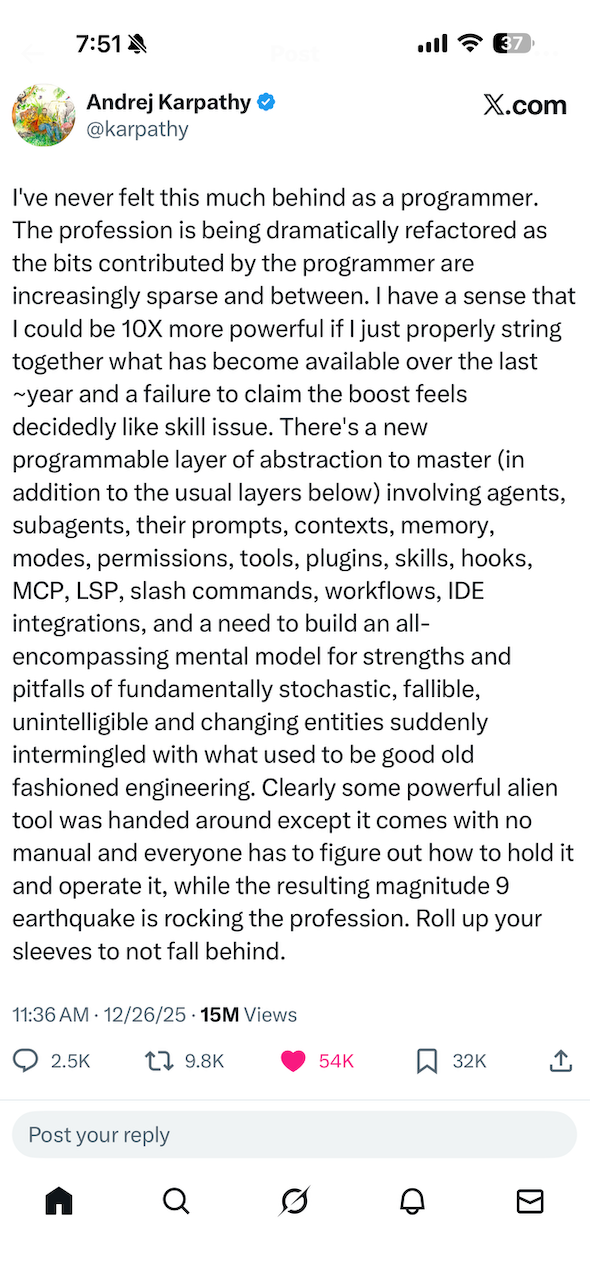
He says he's never felt more behind as a programmer, yet believes he could be 10x more productive if he fully used what's emerged over the past year. Not doing so, in his words, starts to look like a skill issue.
That tension is the moment we're in.
## A new layer of abstraction
The profession isn't just adding new tools. It's absorbing a new layer of abstraction: agents, prompts, context, memory, MCP, and workflows. Engineers now have to build intuition for systems that are inherently stochastic and fallible, operating alongside the deterministic engineering many of us grew up on.
His metaphor lands hard. We've been handed a powerful alien tool with no manual, and we're all learning how to use it in real time.
His advice is simple: roll up your sleeves to not fall behind.
That resonates.
## Rolling up my sleeves
Between exploring Claude Code, Cursor, Kiro, and MCP-driven integrations, I'm firmly in the roll-up-your-sleeves camp. Much of my recent thinking and writing reflects this shift, from treating AI as a feature to designing agentic workflows that change how work actually gets done.
This isn't about abandoning good engineering.
It's about recognizing that the leverage has moved up the stack.
## The question
So here's the question I'm wrestling with.
Which parts of this new layer are you deliberately investing in learning, and which are you choosing to ignore for now?
*Originally shared on [LinkedIn](https://www.linkedin.com/posts/vinnycarpenter_andrej-karpathy-computer-scientist-ai-educator-activity-7411978248407965696-Jn3E/)*
---
## The Year Ahead in AI, Enterprise Software, and the Future of Work
- **Published:** 2025-12-20
- **Tags:** genai, software-engineering, productivity, ai-coding
- **URL:** https://vinny.dev/blog/2025-12-20-year-ahead-in-ai-future-of-work/
## The Year Ahead in AI, Enterprise Software, and the Future of Work
2025 has been the year we stopped debating whether generative AI matters and started living with it.
We moved beyond simple autocomplete and clever demos. We began to see AI as a partner, something that thinks, generates, and in some cases acts across workflows, not just responds to prompts. That shift from tool to partner is where the real value begins.
This moment feels familiar. Every major technology shift follows a similar arc. Automation reshapes work, replaces old models, and creates new opportunities we cannot fully define at the outset. That process has a name: creative destruction. AI is simply the latest, and perhaps most consequential, chapter.
## From experimentation to real systems
Over the past year, many teams crossed an important threshold.
We saw a move from curiosity-driven experimentation to the construction of real agentic systems, systems that execute tasks with context, memory, and intent. Developers started running increasingly capable models locally on their laptops, optimizing for privacy, speed, and control.
Perhaps most importantly, we shifted away from chaotic prompt tinkering toward something more durable: spec-driven engineering. Structured workflows. Agentic IDEs. Disciplined iteration. Clear interfaces between humans and machines.
The lesson is simple but powerful.
AI is not replacing work. It is transforming how work happens.
The future belongs to teams and leaders who treat AI as a strategic delivery partner, not just another gadget in the toolbox.
## What excites me most about 2026
As I look ahead, three themes stand out.
### 1. Enterprise software, reimagined
We are entering an era where AI is embedded at the workflow level, not bolted on as a feature or an assistant panel.
The next generation of enterprise platforms will use AI as the default interface. They will anticipate needs, enforce context, and automate outcomes end to end. Organizations still layering AI on top of legacy user experiences will struggle to keep up.
### 2. "Human in the loop" becomes a discipline
Routine work will continue to disappear.
What grows in importance are roles where humans define why something should be done, what success looks like, and how outcomes should be stewarded. The combination of human judgment and AI execution is a genuine superpower, but only if it is designed intentionally.
Human-in-the-loop is not a checkbox. It is a craft.
### 3. Autonomy with accountability
Here is a less popular take.
Teams that slow down to build governance, guardrails, and oversight will outperform those chasing speed alone. As AI agents gain autonomy, thoughtful accountability becomes a competitive advantage, not a bottleneck.
In the long run, trust compounds faster than velocity.
If you are building or leading teams right now, focus on learning systems and tight feedback loops. Measure outcomes, not activity. Resist the temptation to adopt every shiny tool.
The winners in 2026 will not be the teams that used AI the most.
They will be the teams that built with it in disciplined, intentional ways.
What is your team betting on for 2026? I would love to hear what patterns you are seeing.
---
## Frontier Models, Small Language Models, and a New Middle Path
- **Published:** 2025-12-04
- **Tags:** genai, software-engineering, aws, cloud
- **URL:** https://vinny.dev/blog/2025-12-04-frontier-models-small-language-models-aws-nova/
The most strategic AI decision isn't choosing the right model. It's knowing when generic intelligence isn't enough.
Over the past year, the AI ecosystem has organized into two camps.
Frontier foundation models like GPT-5, Claude Sonnet 4.5, and Gemini 3 are broad generalists. They reason, plan, analyze, code, and adapt across countless domains. They shine when the task is ambiguous, complex, or requires deep creativity.
Small Language Models (SLMs) are built for speed, scale, and repeatability. They excel at focused tasks like classification, compliance checks, or domain-specific automation. They don't try to do everything. They do one thing extremely well.
Neither is "better." They serve different purposes. The real power comes from using the right model for the right job.
## Then AWS introduced something new at re:Invent
Amazon announced Nova Forge, a service that bridges off-the-shelf models and fully custom enterprise-trained models.
Here's what caught my attention: building a frontier model from scratch typically costs hundreds of millions (sometimes billions) of dollars. Nova Forge starts at roughly $100K per year.
With Nova Forge, organizations can:
- Start from Nova model checkpoints (pre-trained, mid-trained, or post-trained)
- Blend proprietary data with Amazon's curated training corpus
- Preserve general intelligence while infusing deep institutional knowledge
The result? Your own "Novella," a custom frontier model shaped by your business, not just prompted by it.
## Why this matters
Nova Forge represents a shift from *consuming* AI to *owning* a specialized slice of it.
It's ideal for use cases where even powerful generic models fall short, where you need deep industry terminology, regulatory frameworks, or your organization's unique institutional knowledge baked in at the training level.
This is a strategic middle ground: you avoid the cost and complexity of training from scratch, while gaining far more capability than fine-tuning or RAG alone.
## The bigger shift
The key question for leaders is no longer "Which model will win?"
It's now: "Which model architecture best fits this specific use case, cost structure, and risk profile?"
Sometimes the answer is a lightweight specialist. Sometimes it's a broad frontier model. And increasingly, the right answer may be a custom frontier model trained with Nova Forge and tuned to your domain.
That changes competitive advantage. It changes the value of enterprise data. And it changes who gets to define the next generation of intelligent systems.
We're entering a phase where winning won't come from simply *using* models. It will come from *shaping* intelligence that reflects your domain.
Where do you see the biggest opportunity for domain-specific frontier models in your industry?
---
*Also shared on [LinkedIn](https://www.linkedin.com/posts/vinnycarpenter_genai-machinelearning-cloudcomputing-share-7402529196025245696-ckec)*
---
## My Journey to Trusting GenAI With More of My Code
- **Published:** 2025-11-15
- **Tags:** genai, software-engineering, productivity, ai-coding
- **URL:** https://vinny.dev/blog/2025-11-15-journey-with-trusting-genai-and-coding-workflow/
Over the past few years, my development workflow has gone through a quiet but profound shift. It did not happen all at once, and it did not follow a carefully designed plan. It evolved the way most good engineering habits do: a lot of experimentation, a few guardrails, some hard lessons, and the occasional moment of wondering when this new normal became so normal.
What started as a fun experiment with early GitHub Copilot has turned into a completely different way of building software.
## From autocomplete to something smarter
When Copilot first arrived in beta, it felt like autocomplete with personality. Helpful, playful, sometimes uncanny, but still an assistant. It could finish a function or guess the next few lines, but you would never mistake it for a co developer. It was a spark of what might be possible, not a partner.
Then the models got better. Fast.
## The shift from coding to specifying
Somewhere along the way, I noticed I was writing fewer lines of implementation code, not because I was coding less but because I was coding differently.
I started spending more of my time writing tests, defining interfaces, describing expected behavior, and validating outcomes. I moved upstream in the thought process. Instead of asking how to implement something, I focused on how I wanted it to behave. The implementation came second.
Bit by bit, the act of writing code shifted into the act of defining intent. GenAI could take a well specified feature and generate a solid first draft of both the implementation and the tests. My job became more about shaping that intent and less about typing the logic.
And honestly, the transition felt natural.
## A meaningful threshold
Recently, it hit me that I have crossed a real trust threshold.
My workflows, guardrails, and instructions are now tuned enough that I am confident in the quality of the generated code and the testing structure behind it. It is not blind confidence. It is a healthy trust backed by verification.
For example, I now begin every feature with a test specification and clear acceptance criteria. Only after those are locked in do I ask the model to generate an implementation. The discipline of starting from the tests has made a significant difference in the predictability and correctness of the output.
I still review everything. I still refactor. I still catch mistakes. But the overall quality and consistency have reached a point where the trust is real, and the productivity gains are undeniable.
## The pivot to spec driven development
Looking at the bigger picture, the most important change has been the move from vibe coding to spec driven development.
Vibe coding is that creative, exploratory style where you start writing code and figure it out as you go. It is fun, but it does not scale well with GenAI.
Spec driven development, on the other hand, plays to the strengths of these models. When the constraints are clear, the inputs and outputs are defined, and the acceptance criteria are unambiguous, the model can produce remarkably trustworthy code. It is predictable, it is consistent, and it is easier to validate.
The surprising part is that the discipline required for spec driven development has made me a better engineer too. The clarity I need to give the model forces clarity in my own thinking.
## Why this matters
We are stepping into an era where developers act more like architects, testers, and system designers. The models write the first draft. The humans ensure it is correct, safe, scalable, and consistent with the broader architecture.
This shift is not about outsourcing our work. It is about improving it.
Instead of spending energy on boilerplate, syntax, and repetitive logic, we can focus on higher level design, testing rigor, and the strategic aspects of building systems.
## The trust but verify spectrum
Engineers fall across a wide spectrum in their comfort with GenAI generated code.
Some do not trust any of it and review every token.
Some trust it for small tasks but not for anything critical.
Some let it generate entire files and only step in when tests fail.
Some run fully automated flows with human review near the end.
There is no correct position. There is only progress.
Wherever you are today, you likely were not in that same place six months ago. And you will not be in the same place six months from now. The tools evolve. Our skills evolve. Our guardrails evolve.
## What I'm curious about
I would love to hear how others are navigating this shift.
- Where are you on the trust but verify spectrum?
- What guardrails, tests, workflows, or design patterns have helped you lean into GenAI with confidence?
- How have your instructions or prompting style changed over time?
- Are you writing more tests? More specs? Fewer lines of code?
This is a shared evolution, and the more we compare notes, the faster we learn.
GenAI did not take away my coding. It changed it.
I still build. I still design. I still debug.
I just do it with a different set of tools and a different mindset.
And I would not want to go back.
---
**Also published on [LinkedIn](https://www.linkedin.com/posts/vinnycarpenter_%F0%9D%97%A0%F0%9D%98%86-%F0%9D%97%9D%F0%9D%97%BC%F0%9D%98%82%F0%9D%97%BF%F0%9D%97%BB%F0%9D%97%B2%F0%9D%98%86-%F0%9D%98%81%F0%9D%97%BC-%F0%9D%97%A7%F0%9D%97%BF%F0%9D%98%82%F0%9D%98%80%F0%9D%98%81%F0%9D%97%B6%F0%9D%97%BB%F0%9D%97%B4-activity-7395490903798243329--T7t/?utm_source=share)**
---
## When Winning Teams Lose: A Ferrari Leadership Lesson
- **Published:** 2025-11-13
- **Tags:** engineering-leadership, software-engineering, formula1
- **URL:** https://vinny.dev/blog/2025-11-13-f1-ferrari-leadership-lesson/
## When Winning Teams Lose: A Ferrari Leadership Lesson
John Elkann, Chairman of Ferrari, recently made waves with his comments about the F1 team's performance. He opened with praise for the mechanics ("winning the championship with their pit stop performances") and engineers ("the car has undoubtedly improved").
Then came the sharp turn: "We have drivers who need to focus more and talk less."
That single line reveals everything wrong with Ferrari's leadership culture. It is a masterclass in what *not* to do.

## The pattern is clear
Ferrari has one of the largest budgets in F1, world-class facilities in Maranello, and a driver lineup featuring Lewis Hamilton and Charles Leclerc. Yet the team hasn't won a Constructors' Championship since 2008 or a Drivers' Championship since 2007.
Nearly two decades of underperformance with enormous resources is not a driver problem.
It is a leadership and culture problem.
## What Ferrari gets wrong
- Blame flows downward
Praising the mechanics while publicly criticizing the drivers deflects accountability from leadership.
- Image over improvement
Telling drivers to "talk less" protects the brand instead of inviting real problem-solving.
- Silencing feedback
When leaders discourage dialogue, issues do not disappear, they deepen.
- Politics above performance
Internal positioning becomes more important than winning.
## What real leadership looks like
- Own the failures
Accountability starts at the top.
- Welcome hard truths
Psychological safety fuels stronger decisions.
- Progress over perfection
You cannot fix what you refuse to face.
- Accountability flows upward
Celebrate your team's wins. Own the losses yourself.
## Beyond Ferrari: lessons for engineering teams
In engineering organizations, the temptation is similar. When outcomes fall short, it is easy to point at execution when the real challenges often sit in strategy, culture, or leadership choices.
Sustainable success comes from self-awareness, honest reflection, and leaders willing to look in the mirror first.
I'm fortunate to work with colleagues and leaders who strive to build exactly that kind of environment. It makes all the difference.
Ferrari has the talent and the resources. What it needs is leadership that listens instead of silencing, learns instead of deflecting, and builds culture instead of guarding image.
Teams win championships, in F1 and in technology, when leadership creates an environment of trust, accountability, and continuous learning.
What leadership anti-patterns have you seen hold teams back from their potential?
---
Continue the conversation on [LinkedIn](https://www.linkedin.com/posts/vinnycarpenter_leadership-engineeringleadership-culture-activity-7394538576178442240-SgdD?utm_source=share&utm_medium=member_desktop&rcm=ACoAAAAMPBgBfbBH6Q-lntjTWCdKSP-iU9Wex3A)
---
## The Rise of MCP Servers: Why Every Developer Will Have a Personal AI Toolchain
- **Published:** 2025-11-01
- **Tags:** open-source, software-engineering, genai, agentic-sdlc
- **URL:** https://vinny.dev/blog/2025-11-01-the-rise-of-mcp-servers/
If you've been paying attention to the *Model Context Protocol* world lately, you've probably noticed the same trend I have: suddenly every vendor, every open-source project, every platform team is shipping an MCP server.
This isn't a coincidence. It's a shift. And just like Docker in 2013 or GitHub Actions in 2019, we're early enough to feel the energy but late enough to know this is not a fad.
### A new layer in the dev stack
The idea behind MCP is simple, a standard way for AI agents and IDE-integrated assistants to talk to tools, services, APIs, docs, CLIs, and infra, without writing glue code, wrapping SDKs, or duct-taping local scripts together.
Instead of your editor "knowing about AWS," you run an MCP server that exposes AWS actions. Instead of your AI agent hallucinating how to fix a Dockerfile, it literally asks the Docker MCP server.
That means:
- No more embedding secrets or tokens inside prompts
- No more "copy this JSON from the console into ChatGPT" workflows
- No more AI tools guessing. They *execute*
AI stops being an autocomplete engine and starts behaving like a teammate that can run code, read docs, take actions, and reason with context.
### My local MCP stack
Here's what's currently running in my personal dev environment:
That's not a toy setup. That's my daily workflow.
- `aws-core` gives my AI assistant real-time insight into AWS services, infra, config, and deployments
- `aws-documentation` eliminates "what's the API for X again?" Google searches
- `github` lets me query PRs, issues, branches, test runs
- `next-devtools` integrates with local Next.js projects so I can refactor or debug with conversational commands
- `podman` gives container-level visibility and control
- `playwright` means "write me a test" turns into an *actual file*, not a suggestion
And all of it runs locally, not through a vendor cloud.
That's a very different world from the one we lived in 18 months ago, where AI tools were mostly text predictors dressed up as copilots.
### From "chat about code" to "operate the system"
Before MCP, AI tools were like a junior dev who could explain things well but wasn't allowed to log into production or touch a shell. Lots of talk, limited action.
Now? They're becoming operators.
- Ask "what Lambdas were deployed last week?" → it runs an AWS query
- Ask "write an integration test for this API route" → it generates, validates, runs, and fixes
- Ask "clean up dangling containers and volumes" → Podman server handles it
The line between *developer* and *developer-plus-agent* is getting blurry.
The dream isn't "AI replacing engineers," it's engineers spending less time clicking and more time creating.
### The implications
- Every SaaS tool will ship an MCP server
- Every platform team will build internal MCP endpoints
- Every IDE will become "AI-native" by speaking MCP
- Every dev will eventually have a personal AI runtime environment, just like we all ended up with Homebrew, Git, Docker, and a password manager
The real change is not that AI can *read* your code but that it can act on your environment with the same privileges you have, with guardrails you define.
This is the shift from "AI as a chat tab" to "AI as part of the operating system."
## A quick reality check: security isn't fully solved yet
Of course, anytime a new layer gets added to the developer stack (especially one that can execute real actions against cloud resources, source control, and production systems), the security folks start sweating. And right now, they're not wrong.
MCP servers are still early in how they handle:
- Auth and permission scoping (most are running with full trust, not least privilege)
- Secret management and token handling (too many `.env` files, not enough vaults)
- Auditability and action logging (great for devs, uncomfortable for compliance teams)
- Cross-tool privilege escalation (an MCP server that can call another MCP server has real blast-radius potential)
We're in the "ssh into prod with a shared key" phase of the curve, not the "Zero Trust, signed identity, fine-grained RBAC" phase.
But that will come fast, because the productivity upside is too massive, and nobody wants to be the company that blocks developers from using the tooling every other team already has.
Expect to see:
- Enterprise-grade MCP gateways and policy engines
- Vault-backed credential injection instead of static tokens
- Explicit capability whitelisting ("can read PR metadata but can't merge branches")
- Per-user audit logs and just-in-time permissioning
- Cloud providers baking MCP into IAM instead of treating it as an add-on
In other words, security will catch up because the demand is unavoidable. Once teams see what it feels like to have an AI agent that can *actually* query infrastructure, fix pipelines, refactor code, and open PRs, nobody will want to go back.
We're watching the next interface layer of software take shape in real time, and yes, it's messy, but it's also the most exciting shift in developer tooling since GitHub, Docker, and LSPs.
And just like those, it's going to feel obvious in hindsight.
### So what happens next?
- Companies will publish *MCP packages* the same way they publish NPM modules
- Devs will start curating "MCP stacks" the same way we build dotfiles or Neovim configs
- AI tools will stop hallucinating because they'll have real context, real APIs, real execution
- The default answer to "Can AI do that yet?" will switch from "Not really" to "Yeah, install the server"
And just like Docker Compose rewired how teams collaborate on infra, MCP might end up being the thing that rewires how we collaborate with AI.
We're not replacing developers. We're finally giving them superpowers.
*Update, April 2026: this thread grew into [the agentic SDLC](https://vinny.dev/blog/2026-04-15-agentic-sdlc-uniting-ai-tool-sprawl/), where MCP-style tool access becomes one layer of an orchestrated pipeline.*
---
## From Procrastination to Privacy-First Productivity (Part 2)
- **Published:** 2025-10-26
- **Tags:** productivity, open-source, software-engineering, genai, agentic-sdlc
- **URL:** https://vinny.dev/blog/2025-10-26-task-management-to-mcp/
A while back, I wrote about my long-running battle with procrastination and my endless quest for *the perfect productivity app*. After testing nearly every tool under the sun, I did what any reasonable engineer would do. I built my own.
That's how [Cascade](https://cascade.vinny.dev) and [GSD Task Manager](https://gsd.vinny.dev) were born: two open-source, privacy-first task managers that run entirely in your browser. No accounts, no tracking, no data harvesting. Your tasks never leave your device: they're stored locally using your browser's IndexedDB. Lightweight, fast, and private by design.
But of course, no good side project stays simple for long. One of the most popular feature requests was syncing across devices. So, I built an optional, secure-by-design cloud sync powered by Cloudflare Workers. It stays true to the original principles: privacy, simplicity, and transparency.
Under the hood, GSD Task Manager uses OAuth 2.0 with OpenID Connect (OIDC) for authentication and PKCE (Proof Key for Code Exchange) to protect the authorization flow. Everything runs on a zero-trust architecture, with user data encrypted using passphrase-derived keys, meaning *you* hold the keys, not me.
TL;DR (for non-tech folks):
Your data stays private and secure. You can sync your tasks safely between devices without giving up control of your information.
And because I can't stop tinkering, the next most-requested feature was support for an MCP Server, the Model Context Protocol that lets AI tools like ChatGPT or Claude securely connect to external data sources. Folks wanted to query their tasks and metadata through AI tools for deeper insights, analysis, and automation.
So, I built that too.
GSD Task Manager now ships with an MCP Server, letting your tasks talk to your favorite AI assistant.
### Acronym decoder for the rest of us
Let's be honest, tech folks love acronyms. Here's a quick cheat sheet so you don't need a decoder ring:
- OAuth 2.0: a fancy way of saying "log in safely without giving away your password." Think of it as a secure valet key for your data.
- OIDC (OpenID Connect): the protocol that remembers *who* you are, not just *that* you got in. It's OAuth's responsible older sibling.
- PKCE (Proof Key for Code Exchange): a security handshake that prevents sneaky hackers from stealing your login ticket mid-air.
- MCP (Model Context Protocol): a universal translator that lets AI models talk to apps and data sources. It's like giving ChatGPT a passport and a map.
- IndexedDB: your browser's secret storage closet. That's where your tasks quietly live when no one's looking.
So, if all those acronyms started sounding like a new boy band, don't worry: they just keep your data safe, synced, and private.
### How to use the MCP Server
```bash
# What Users Need to Do
1. Install MCP Server:
npm install -g gsd-mcp-server
2. Configure your AI tool of choice:
Add the following configuration:
{
"mcpServers": {
"gsd-taskmanager": {
"command": "npx",
"args": ["-y", "@gsd/mcp-server"],
"env": {
"GSD_API_BASE_URL": "https://gsd.vinny.dev",
"GSD_AUTH_TOKEN": "your-jwt-token",
"GSD_ENCRYPTION_PASSPHRASE": "your-passphrase"
}
}
}
}
3. Restart your AI app of choice and test
```
---
If you want to kick the tires, the repo's open and waiting for you. I'd love your feedback and ideas on what to build next.
[Read the original story and get the links](https://vinny.dev/blog/2025-10-09-a-procrastinators-journey)
Shared on [LinkedIn](https://www.linkedin.com/posts/vinnycarpenter_gsd-task-manager-activity-7388281355589095424-ickt?utm_source=share&utm_medium=member_desktop&rcm=ACoAAAAMPBgBfbBH6Q-lntjTWCdKSP-iU9Wex3A)
---
## The Art of Enough: Why Minimalism Matters in Software Engineering
- **Published:** 2025-10-20
- **Tags:** software-engineering, productivity, architecture
- **URL:** https://vinny.dev/blog/2025-10-20-the-art-of-enough/
I was reflecting on how often we "simplify" things in tech, only to end up with something even more complex. A recent conversation about Kubernetes and React made me realize how often our good intentions lead us toward maximalism in the name of progress. We look around and realize our new tools are heavier, slower, and more complex than ever. Maybe it's not the tools that changed, but our tendency to chase maximalism in the name of progress.
## Wirth's Law: a warning from 1995
In 1995, computer scientist Niklaus Wirth warned us in *A Plea for Lean Software*. His insight, now known as Wirth's Law, was simple and devastating:
> Software gets slower faster than hardware gets faster.
He was describing what happens when we equate more features with more value. The faster our machines get, the more bloat we add on top.
## You can see it everywhere
- We reach for Kubernetes to deploy a single service
- We spin up React for a static web page
- We over-engineer because big tools feel like progress
But innovation often swings like a pendulum. After each wave of maximalism, there's a moment when we rediscover restraint.
## The case for working with the platform
Carson Gross, the developer behind HTMX, captures this perfectly:
> I might encourage minimalism in web development, but only because there's this incredibly complicated piece of software called a browser. We can take advantage of that complexity rather than putting a lot of complexity on top of it.
I've been exploring this philosophy firsthand by learning HTMX as an alternative to the complexities of React and other JavaScript frameworks. What started as curiosity about a simpler approach led me to discover Carson Gross's compelling rationale: why add layers of abstraction when the browser itself is already a powerful, battle-tested platform? HTMX uses what HTML and browsers do best: handling hypermedia, rather than rebuilding these capabilities in JavaScript or TypeScript. It's been refreshing to see how much we can accomplish by working with the platform instead of on top of it.
That's the mindset shift. Minimalism is not about doing less. It's about using what already exists more intelligently.
## The challenge
- When you design or build, ask if your problem really needs the full machinery
- Choose maximalism only when scale demands it
- Choose minimalism when clarity and speed matter more
Wirth's Law reminds us that unchecked growth creates drag. Gross's philosophy reminds us that simplicity can be strategic.
Real progress might not be about adding more at all. It might be about mastering the art of enough.
---
*Originally shared on [LinkedIn](https://www.linkedin.com/posts/vinnycarpenter_softwaredesign-minimalism-simplicity-activity-7385889433843269632-R7CS?utm_source=share&utm_medium=member_desktop&rcm=ACoAAAAMPBgBfbBH6Q-lntjTWCdKSP-iU9Wex3A)*
---
## Building My Own Productivity Tools: A Procrastinator's Journey
- **Published:** 2025-10-09
- **Tags:** productivity, open-source, side-projects, security
- **URL:** https://vinny.dev/blog/2025-10-09-a-procrastinators-journey/
## Confession time: I'm a procrastinator. There, I said it!
Self-awareness is the first step to improvement, and I'm very aware of my procrastination habits. Over the years, I've built elaborate systems to outsmart myself: gadgets, apps, notebooks, and probably a few too many browser tabs.
Like many productivity nerds, I share Marques Brownlee's obsession with to-do list apps. If you've ever listened to the Waveform podcast, you know the running gag where Marques keeps searching for the "perfect" productivity tool. I feel seen.
So after testing every app under the sun and still not finding "the one," I did what any reasonable engineer would do…
I built my own.
Actually, I built two. Both are open-source, privacy-first, and free to use:
## The tools
[Cascade](https://cascade.vinny.dev): a lightweight Kanban-style task manager that's simple, fast, and secure.
[GSD](https://gsd.vinny.dev/): a task manager inspired by the Eisenhower Matrix to help you Get Stuff Done.
All your data stays local in your browser: no tracking, no accounts, no cloud. Just focus.
## Try them out
I'd love your feedback! Try one (or both!) and tell me what helps you stay productive and on track.
And if you're the tinkering type, check out the GitHub repos, fork them, and send me your ideas for improvement.
Because let's be honest, procrastinators unite… tomorrow.
---
*Originally shared on [LinkedIn](https://www.linkedin.com/posts/vinnycarpenter_gsd-task-manager-activity-7381829778322075648-4cm6?utm_source=share&utm_medium=member_desktop&rcm=ACoAAAAMPBgBfbBH6Q-lntjTWCdKSP-iU9Wex3A)*
**Links:**
- Cascade: [https://cascade.vinny.dev](https://cascade.vinny.dev)
- Cascade GitHub Repo [https://github.com/vscarpenter/kanban-todos](https://github.com/vscarpenter/kanban-todos)
- GSD: [https://gsd.vinny.dev](https://gsd.vinny.dev)
- GSD GitHub Repo [https://github.com/vscarpenter/gsd-task-manager](https://github.com/vscarpenter/gsd-task-manager)
---
## When Winning Feels Like Losing: Leadership Lessons from McLaren’s F1 Drama
- **Published:** 2025-10-07
- **Tags:** engineering-leadership, software-engineering, formula1
- **URL:** https://vinny.dev/blog/2025-10-07-leadership-lessons-mclaren-f1/
**When Winning Feels Like Losing: Leadership Lessons from McLaren's F1 Drama**
Formula 1 is the pinnacle of motorsport, where precision, pressure, and performance collide at 200 mph. Among its legendary teams, *McLaren* stands out for its storied history, innovation, and fierce pursuit of excellence. With 10 Constructors' Championships, they have long embodied speed and strategy in equal measure.
This season, McLaren clinched their *10th Constructors' title* at the Singapore Grand Prix. But instead of pure celebration, headlines focused on a first-lap clash between teammates *Lando Norris* and *Oscar Piastri*, and the growing controversy around the team's so-called *Papaya Rules*, guidelines meant to ensure fairness and respect between drivers.
The problem? Formula 1 isn't fair. Only one driver can win the championship. When leadership promises equality in a system built on competition, confusion takes the wheel. McLaren's attempt to balance fairness with performance, sometimes intervening (like at Monza) and sometimes not, has blurred the lines of trust and accountability.
This is a classic leadership dilemma: trying to please everyone when clarity, not consensus, is what the moment demands. Teams do not fracture because of conflict; they fracture because people do not know where the boundaries are.
Leadership takeaway: Define the line between fairness and performance. Clarity does not kill morale; it builds trust. McLaren's challenge is every leader's challenge: how to steer ambition without collision.
---
*Where have you seen this tension between fairness and performance in your teams?*
---
## Beyond the Hype: Why GenAI Adoption in Development Isn't the Silver Bullet We Expected
- **Published:** 2025-09-30
- **Tags:** engineering-leadership, software-engineering, genai
- **URL:** https://vinny.dev/blog/2025-09-30-genai-adoption-in-development/
A curious paradox is unfolding across enterprise development teams right now. While AI-assisted coding tools have become nearly ubiquitous [with 84% of developers now using or planning to use AI tools in their workflows](https://survey.stackoverflow.co/2025/ai/), there's a growing cohort of talented engineers who remain skeptical, hesitant, or outright resistant to adding these capabilities to their toolkit.
As someone who leads Cloud, Platform, and DevOps engineering teams, I've had countless conversations with peers across financial services, healthcare, retail, and technology sectors. The pattern is undeniable: despite the promise and the breathless headlines, GenAI adoption isn't happening as smoothly or as universally as many predicted.
## The Mr. Beta perspective
I'll admit my own bias upfront: I'm an unabashed early adopter. My wife lovingly (and sometimes exasperatedly) calls me "Mr. Beta" because our home is a constantly evolving testbed for the latest automation and productivity tools. If there's something new that promises to improve efficiency, I'm diving in headfirst. Our smart home setup is perpetually in flux, much to her frustration.
This same tendency extends to my professional life. I've been using AI-assisted development tools for years now, starting with GitHub Copilot and ChatGPT, and evolving through to Claude, Claude Code, Cursor, and Gemini. For me, these tools have delivered tremendous value, accelerating my ability to prototype solutions, explore unfamiliar codebases, learn & implement new ideas, and think through architectural decisions.
But here's what I've learned: my experience isn't universal, and that matters.
## The trust paradox
The data tells a story that goes beyond anecdotal resistance. [While 80% of developers are now using AI tools in their workflows, trust in the accuracy of AI output has fallen from 40% in previous years to just 29% this year](https://stackoverflow.blog/2025/07/29/developers-remain-willing-but-reluctant-to-use-ai-the-2025-developer-survey-results-are-here). Even more striking, [positive favorability toward AI tools has decreased from 72% to 60% year over year](https://stackoverflow.blog/2025/07/29/developers-remain-willing-but-reluctant-to-use-ai-the-2025-developer-survey-results-are-here).
This isn't the trajectory of a technology living up to its promise. It's the signature of disillusionment setting in.
[The number-one frustration, cited by 66% of developers, is dealing with "AI solutions that are almost right, but not quite"](https://stackoverflow.blog/2025/07/29/developers-remain-willing-but-reluctant-to-use-ai-the-2025-developer-survey-results-are-here): that maddening experience of code that looks correct at first glance but contains subtle bugs or misunderstands context in ways that require more time to debug than it would have taken to write from scratch.
Recent research from METR (Model Evaluation & Threat Research) adds an even more surprising dimension to this story. [In a randomized controlled trial with 16 experienced open-source developers working on their own repositories, researchers found that when developers used AI tools, they took 19% longer to complete tasks than without AI assistance](https://metr.org/blog/2025-07-10-early-2025-ai-experienced-os-dev-study/). This directly contradicted the developers' own expectations; they had predicted AI would speed them up by 24%.
## What's really driving resistance?
Through my conversations with friends, peers, fellow engineering leaders, and teams, I believe I've identified several factors contributing to this resistance:
### 1. Change fatigue is real
The last few years have asked developers to continuously adapt. New frameworks, new processes, shifting work models, organizational restructures, and now AI tools. [Research from Gartner found that in 2023, employees experienced four times as many organizational changes as they did in 2016](https://sdtimes.com/softwaredev/how-to-address-change-fatigue-to-sustain-business-agility/).
When you're already stretched thin, being asked to integrate yet another new tool, even one promising productivity gains, can feel like one more burden rather than a benefit. [According to Gallagher's 2025 Employee Communications Report, 44% of HR and communications leaders across 55 countries now identify change fatigue as one of their top five barriers to success](https://whatfix.com/blog/change-fatigue/).
### 2. The hype cycle has burned people before
Many developers have lived through multiple waves of "revolutionary" tools that promised to transform development but delivered incremental improvements at best. There's a pattern recognition at play: breathless marketing, inflated expectations, and eventual disappointment. Some developers are protecting themselves from that cycle by simply opting out until the dust settles.
### 3. The learning curve is steeper than marketed
AI coding tools aren't just "plug and play." Achieving real value requires developing new skills, such as prompt engineering, understanding when to trust AI output and when to be skeptical, and learning to work iteratively with AI as a collaborator rather than a replacement. This investment can feel daunting when you're already an expert in your craft.
Here's the uncomfortable truth: organizations aren't addressing this. We're asking developers to become proficient with fundamentally new tools without providing the systematic skills development, time, or support structures needed. It's like handing someone a new programming language and expecting immediate productivity without any training or ramp-up time.
### 4. The quality bar in enterprise development
[Bain & Company's 2025 Technology Report found that while two-thirds of software firms have rolled out GenAI tools, developer adoption remains low, and teams using AI assistants see only 10% to 15% productivity boosts](https://www.bain.com/insights/from-pilots-to-payoff-generative-ai-in-software-development-technology-report-2025/). Even those modest gains often don't translate into positive returns because the time saved isn't redirected toward higher-value work.
In enterprise environments with stringent code review processes, security requirements, and quality standards, the "almost right" code that AI generates can create more work than it saves. When you're building systems that handle millions of customer transactions or sensitive financial data, "close enough" isn't good enough.
### 5. We're repeating classic transformation mistakes
This is where the wisdom from McKinsey's *Rewired* becomes particularly relevant. The book makes a compelling case that successful digital transformations require fundamentally rewiring how organizations operate, not just deploying new technology. Companies need to address six interconnected capabilities: strategy, talent, operating model, technology, data, and adoption.
Sound familiar?
We're making the same mistake with AI tools that companies make with digital transformation. We're focusing on tool deployment (the easy part) while ignoring the organizational rewiring required to capture value. We're not:
- Reskilling systematically: Where's the investment in helping developers build AI-assisted development skills?
- Redesigning workflows: How do code review processes need to evolve when AI is generating significant portions of code?
- Measuring what matters: Are we tracking actual value creation, or just adoption metrics?
- Building the right operating model: Do our team structures and processes support effective AI-tool usage?
AI tools aren't failing developers. We're failing to create the conditions for developers to succeed with AI tools.
## The measurement gap
Here's another uncomfortable reality: most organizations are measuring the wrong things. They're tracking:
- How many developers have access to AI tools
- What percentage are using them daily
- License usage rates
But they're not measuring:
- Whether AI-generated code is making it to production
- Developer satisfaction with the tools
- Time spent debugging AI-generated versus human-written code
- Whether "time saved" translates to meaningful value creation
Without better measurement, we can't have honest conversations about what's working and what isn't.
## Moving forward: a more nuanced conversation
Here's what I believe: GenAI tools are valuable, but they're not universal accelerators for all developers in all contexts. The conversation we need to have is more sophisticated than "adopt or be left behind."
For individual developers: Consider giving these tools a genuine try in low-stakes environments. Start with tasks where getting 80% of the way there quickly has real value, such as documentation, test generation, and exploring unfamiliar APIs. Build your intuition for when AI is helpful and when it's not. But also honor your own assessment of whether these tools improve your workflow. Your skepticism might be wisdom, not resistance.
For engineering leaders: Resist the temptation to mandate AI tool adoption without addressing the underlying factors driving resistance. Take a page from the *Rewired* playbook:
1. Invest in systematic skills development: Create learning paths, communities of practice, and time for experimentation
2. Evolve your operating model: Adapt code review processes, quality standards, and workflow patterns to account for AI-assisted development
3. Measure actual value, not vanity metrics: Track developer satisfaction, code quality, and business outcomes
4. Listen deeply to your teams: [As Atlassian's 2025 State of DevEx Survey found, 63% of developers now say leaders don't understand their pain points, up sharply from 44% last year](https://www.atlassian.com/blog/developer/developer-experience-report-2025)
5. Create space for heterogeneous adoption: Not every team or developer will benefit equally; that's okay
For organizations: Recognize that AI tools work best when integrated into a broader transformation of the software development lifecycle, not as a standalone silver bullet. [Companies that pair generative AI with end-to-end process transformation report 25% to 30% productivity boosts](https://www.bain.com/insights/from-pilots-to-payoff-generative-ai-in-software-development-technology-report-2025/), but that requires systemic change, not just tool adoption.
And critically: be honest about the enterprise context. What works for a solo developer building a side project or a startup with three engineers doesn't automatically translate to a regulated financial services company with legacy systems, compliance requirements, and thousands of developers. The bar for code quality, the complexity of the systems, and the consequences of errors are all fundamentally different.
The resistance to GenAI tools isn't simply about developers being stubborn or afraid of change. It's a rational response to tools that haven't yet proven their value universally, in an environment where people are already managing substantial change fatigue, and where the quality bar for production code remains high.
As someone who has genuinely benefited from these tools, I remain optimistic about their potential. But I also recognize that the path to widespread, effective adoption is longer and more complex than the hype suggested. And that's okay. The best technology adoption stories have never been about instant revolution: they've been about thoughtful evolution, learning what works, and adapting both the tools and our practices to get the best results.
The conversation shouldn't be "why aren't more developers using AI tools?"
It should be "how do we create the conditions where AI tools deliver genuine value for diverse teams in diverse contexts?"
That's a conversation worth having, and one that requires the kind of fundamental organizational rewiring that successful transformations have always demanded.
---
What's your experience been with AI-assisted development tools? Are you seeing the productivity gains promised, or are you finding the reality more nuanced?
---
## Coaching Your LLM with Software Craftsmanship Principles
- **Published:** 2025-09-27
- **Tags:** software-engineering
- **URL:** https://vinny.dev/blog/2025-09-27-coaching-your-llm-with-software-craftmanship-principles/
One of the best lessons I've learned using LLMs for code generation is this: the quality of the output depends heavily on the quality of the guardrails you provide. Left on autopilot, even the most advanced models can generate over-engineered, inconsistent, or unmaintainable code. But if you coach the model with proven principles (the same way you would mentor a junior developer), you get results that are consistently clean, solid, and production-ready.
I lean on timeless practices like SOLID, DRY (Don't Repeat Yourself), YAGNI (You Aren't Gonna Need It), separation of concerns, convention over configuration, loose coupling, and high cohesion. These aren't just buzzwords, they're a set of guardrails that keep both humans and LLMs aligned on writing scalable and maintainable code.
Here's the guideline set I use when prompting my favorite LLM for code generation:
```
# Code Development Guidelines
## Core Philosophy
- **Favor simplicity over cleverness** - Write code that's easy to understand first, optimize later if needed
- **Start minimal and iterate** - Build the smallest working solution, then enhance based on actual requirements
- **Optimize for the next developer** - Write code as if the person maintaining it is a violent psychopath who knows where you live
## Readability & Maintainability
- **Use descriptive names** - Variables, functions, and classes should clearly express their purpose
- **Keep functions small and focused** - Each function should do one thing well (single responsibility principle)
- **Minimize nesting** - Use early returns, guard clauses, and clear conditional logic
- **Add comments for "why," not "what"** - The code should be self-documenting for what it does
- **Follow consistent formatting** - Use team-agreed linting rules and code formatting standards
## DRY (Don't Repeat Yourself) - Applied Thoughtfully
- **Extract common patterns** but avoid premature abstraction
- **Create reusable functions/modules** when you see the same logic 3+ times
- **Use configuration over duplication** for environment-specific values
- **Balance DRY with readability** - sometimes a little duplication is clearer than complex abstraction
## Anti-Over-Engineering Principles
- **YAGNI (You Aren't Gonna Need It)** - Don't build features for hypothetical future requirements
- **Choose boring technology** - Use well-established patterns and libraries unless there's a compelling reason not to
- **Avoid premature optimization** - Make it work correctly first, then measure and optimize bottlenecks
- **Question every layer of abstraction** - Each abstraction should solve a real, current problem
- **Prefer composition over inheritance** - Build functionality by combining simple pieces
## Code Generation Instructions
When working with an LLM such as Claude Code, Codex, Gemini or others, include these guidelines in your prompts:
### Essential Prompt Elements
- "Keep it simple and readable"
- "Use standard patterns and avoid clever tricks"
- "Include clear variable names and brief comments explaining complex logic"
- "Don't abstract until you see repeated patterns"
- "Focus on solving the immediate problem efficiently"
### Example Prompt Template
Generate [specific functionality] that:
- Uses clear, descriptive variable and function names
- Follows [language/framework] best practices
- Includes error handling where appropriate
- Has minimal complexity and nesting
- Includes brief comments for any non-obvious logic
- Avoids premature optimization
- Uses well-established libraries and patterns
## Quality Checklist
Before considering code complete, verify:
- [ ] Can a new team member understand this code in 5 minutes?
- [ ] Are variable and function names self-explanatory?
- [ ] Is the happy path clear and the error handling robust?
- [ ] Could this be simpler without losing functionality?
- [ ] Are there any "clever" parts that could be made more straightforward?
- [ ] Does it solve the actual problem without extra features?
## Red Flags to Watch For
- Functions longer than 20-30 lines
- More than 3 levels of nesting
- Variable names like `data`, `item`, `temp`, or single letters (except loop counters)
- Complex inheritance hierarchies
- Abstractions that are only used once
- Code that requires extensive comments to explain what it does (vs. why)
Remember: The goal is code that your team can quickly understand, modify, and extend without archaeological excavation of the original author's intent.
```
## Why this works
An LLM is like an eager apprentice. It will happily generate code at lightning speed, but without direction it may invent abstractions you don't need, introduce inconsistencies, or optimize the wrong thing. By feeding it a clear playbook like the one above, you give it a shared language for what "good code" means in your context.
This turns your interactions from "please generate code for X" into "please generate code for X that adheres to the same standards I'd expect from any engineer on my team." The result? Code you can trust, reuse, and maintain, not just code that compiles.
---
## From AI to Agents: Building Smarter Systems that think, decide and act
- **Published:** 2025-09-14
- **Tags:** software-engineering, genai, agentic-sdlc, finops
- **URL:** https://vinny.dev/blog/2025-09-14-From-AI-to-AI-Agents/
We're witnessing a fundamental shift in how we interact with artificial intelligence. While traditional AI systems excel at answering questions and generating content, they operate in isolation: responding to prompts but unable to take action in the real world. Enter AI agents: the next evolution that bridges this gap between intelligence and action.
AI agents are autonomous software systems that use artificial intelligence, such as the frontier large language models (LLMs), to perceive their environment, make decisions, and take actions to achieve user-defined goals with minimal human intervention. Unlike static AI models that respond to queries, agents actively monitor, reason, and act upon their surroundings, creating a dynamic feedback loop that enables truly intelligent automation.
This evolution represents a shift from reactive to proactive AI. Instead of waiting for human input, AI agents continuously observe their environment, identify opportunities or issues, and autonomously execute appropriate responses. They combine the reasoning capabilities of modern LLMs with the ability to interact with external systems, APIs, and services, creating intelligent systems that can manage complex workflows end-to-end.
## What I'm building
In my quest to learn by doing, I decided to work on a personal project that yielded tangible results, helping me understand the value of AI agents. My day job is all about maximizing the value of our cloud investments. As part of my learning journey, I am building a simple, real-world agent that watches my personal cloud spend and notifies me when I'm trending over budget. The agent sends alerts via email, text, and iOS push notifications, so I see them. The point is not novelty, it is leverage. If an autonomous system can handle routine FinOps hygiene, humans can spend more time on architecture, savings plans, and strategy.
This example uses the Strands Agents framework from AWS to perform the heavy lifting and simplify the development of AI agents. Here is a simple flowchart that demonstrates how this simple AI agent works.
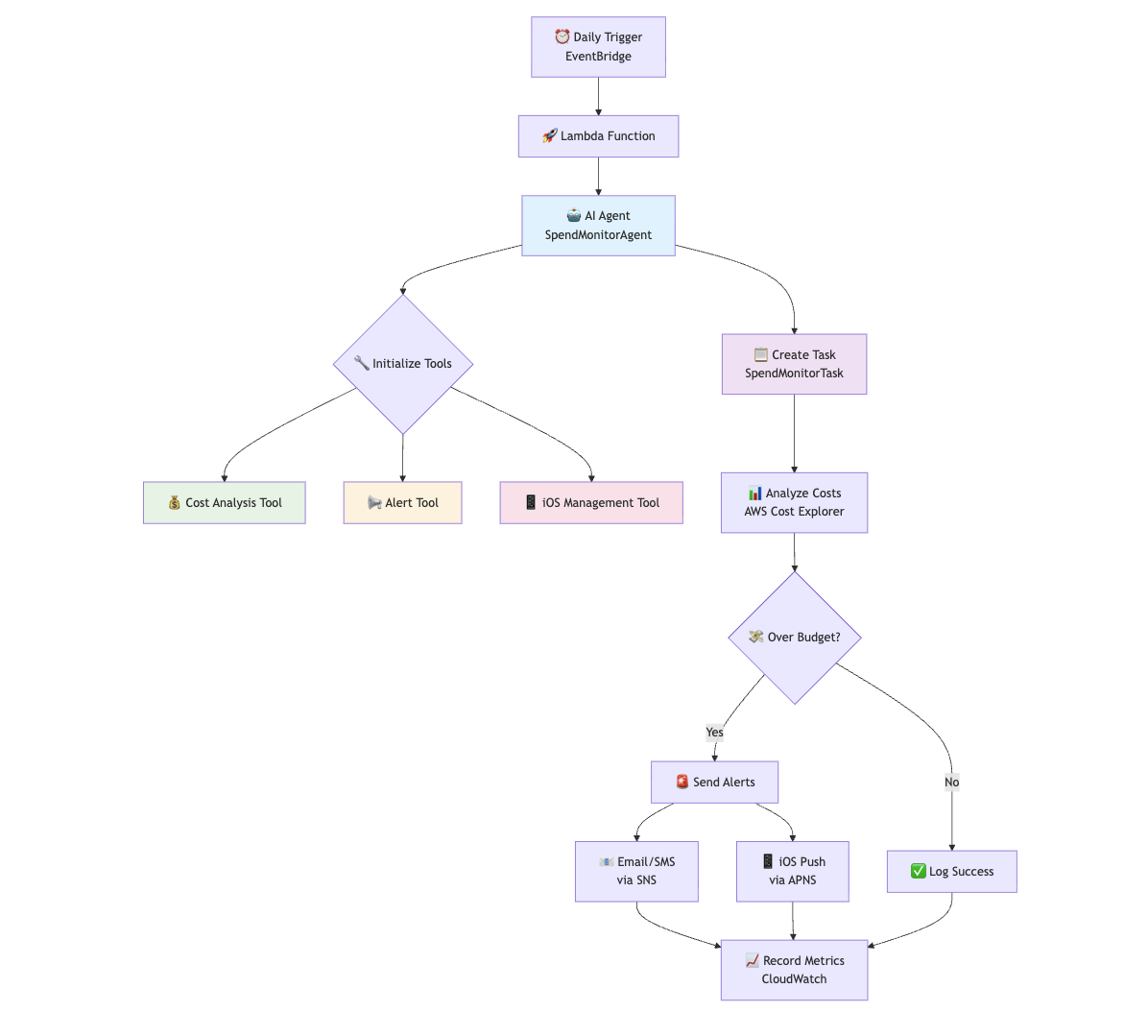
## Introducing the AWS Strands framework
Strands takes a model-driven approach to building and running AI agents, enabling them to be created and deployed in just a few lines of code. This approach scales from simple to complex agent use cases, as well as from local development to production deployment.
What makes Strands unique is its philosophy of letting the LLM serve as the orchestrator. Rather than requiring developers to define complex workflows for their agents, Strands simplifies agent development by embracing the capabilities of state-of-the-art models to plan, chain thoughts, call tools, and reflect. This approach allows developers to focus on defining the agent's purpose and available tools, while the framework handles the complex orchestration logic. The simplified code snippet in the image below shows the elegance of the Strands framework.
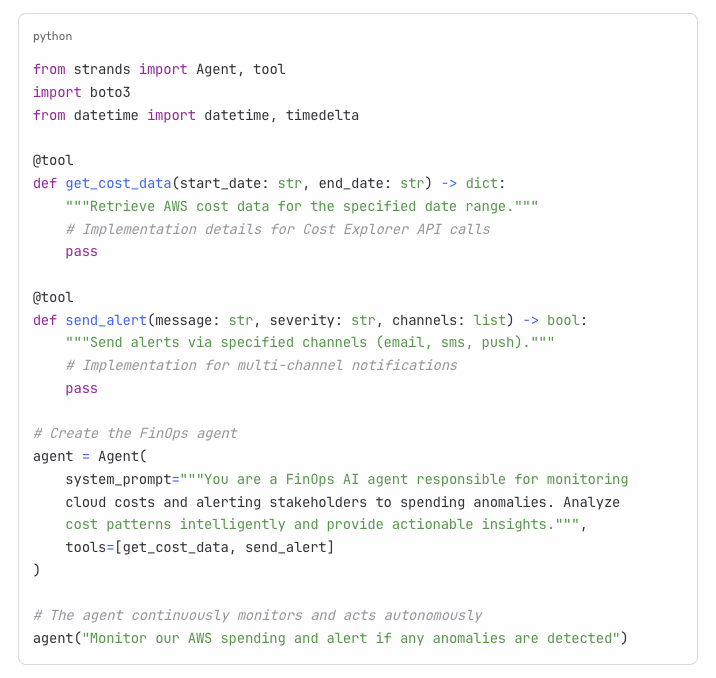
## Try it yourself
The project I've created is open source. Please download and try it out yourself. You can read the overview and setup notes here:
- [GitHub Project](https://github.com/vscarpenter/FinOps-AIAgent) where this project lives
- [Project README](https://github.com/vscarpenter/FinOps-AIAgent/blob/main/README.md) with goals and usage instructions
- [FinOps-AIAgent details](https://github.com/vscarpenter/FinOps-AIAgent/blob/main/FinOps-AIAgent.md) with behavior and alert notes
- [Strands Agents documentation](https://strandsagents.com/) for concepts, quickstart, and deployment options
## See the agent in action
One of the most satisfying moments in building this AI agent was seeing it spring into action. Instead of quietly running in the background, it actively watched my AWS account and sent me an alert the moment my spend crossed the budget threshold. It felt like having a diligent teammate who never sleeps, always on the lookout. Here's the actual email it generated, proof that the agent is not just an idea, but working in practice.
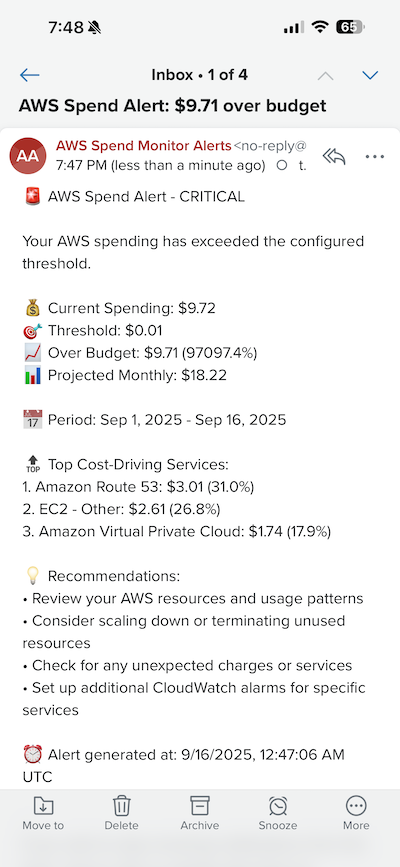
## The future: from toil to judgment
The real promise of AI agents isn't in saving a few keystrokes or sending one more alert. It's in transforming how we work. Much of the energy in today's enterprises is still consumed by toil: manual checks, repetitive approvals, constant monitoring. That work is essential, but it rarely calls on our best selves. It doesn't demand deep judgment, creativity, or empathy. It just has to get done.
Agents are a lever against that gravity. They will automate the baseline work that keeps systems running and budgets under control. In doing so, they create space for people to focus on what only people can do: making complex tradeoffs, exercising judgment in ambiguous situations, and shaping a strategy that balances innovation with responsibility. In the same way cloud freed us from racking servers and patching disks, AI agents will free us from babysitting dashboards and chasing cost anomalies.
My thesis is simple: the future of work will be defined by how effectively we use agents to reduce toil and reclaim human judgment. As agents become more capable, our value won't be measured by how fast we can click through tasks, but by how thoughtfully we apply insight, creativity, and leadership to the decisions that matter. In a sense, AI isn't replacing us; it's reminding us what we're here for.
---
## My AI Subscription Problem (or is it obsession)
- **Published:** 2025-09-07
- **Tags:** genai, software-engineering, platform-engineering
- **URL:** https://vinny.dev/blog/2025-09-07-My-AI-Subscription-Problem/
At this point, I think I officially qualify for an AI Tools Support Group.
After reviewing my Gmail invoices, it turns out I'm paying for… well… a lot of AI tools. And yes, I definitely use all of them… for at least five minutes each.
Here's the current lineup in my "AI All-You-Can-Eat Buffet":
- Claude Code → *My absolute favorite for code generation and refactoring.* It's like having a brilliant pair-programmer who never judges my bad variable names.
- OpenAI Codex → *Another CLI, because apparently one isn't enough.*
- Kiro AWS IDE → *My current obsession.* Spec-driven development done right.
- Cursor IDE → *Makes me think I'm a 10x developer.* Spoiler: I'm not.
- VS Code + AI Extensions → *Where half of my tabs go to die.*
- Warp Terminal → *Feels like coding inside a sci-fi movie.*
- Trae's Solo → *Because why not have another AI IDE?*
- Google Gemini CLI → *For those "just one more LLM" moments.*
- Amazon Q Developer → *Like Alexa, but way nerdier.*
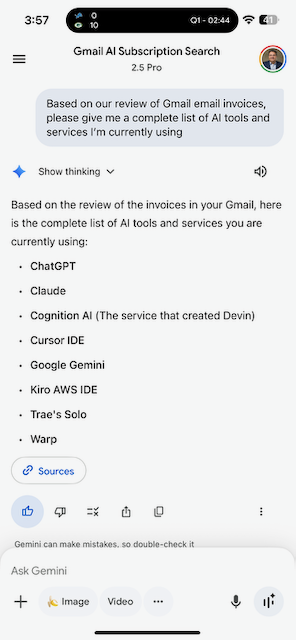
*Figure 1: Using AI to find AI tools I'm paying for. Inception?*
Switching between all of them also has a side benefit: I get around usage limits on their built-in LLMs. (Yes, I'm basically the Netflix password sharer of AI.)
But the real star here is Kiro. I'm genuinely excited about the way it approaches spec-driven development. If more tools adopt this model, building software could feel less like debugging spaghetti code at 2AM and more like… actual engineering.
Yes, I used AI to audit my AI spending. The irony is not lost on me.
In the meantime, if you need me, I'll be over here explaining to my finance team (a.k.a. my wife) why I "need" nine different AI subscriptions to write the same "TODO task mgmt" app.
---
## What worked in 2010 is our blueprint for the AI-infused future
- **Published:** 2025-09-01
- **Tags:** cloud, genai, software-engineering, engineering-leadership
- **URL:** https://vinny.dev/blog/2025-09-01-Blueprint-for-AI-infused-future/
Adrian's reflection on Netflix's early AWS journey really resonates. At the time, cloud wasn't just a technology shift. It forced companies to rethink operating models, developer experience, and leadership structures. The organizations that succeeded didn't just *bolt cloud onto legacy workflows*; they redesigned how work actually got done.
Today, we are experiencing the same transformation with AI agent swarms. Only this time, the timelines are compressed. What took years during the cloud era is happening in months with AI.
This is not a plug-and-play moment. As *McKinsey's Rewired* argues, getting value from AI requires rebuilding the enterprise's DNA, not just adopting a new toolset. Winning organizations are:
- Redesigning operating models to support cross-functional, outcome-driven teams
- Letting product managers think like developers and developers act with product-level ownership
- Investing in talent and skills instead of outsourcing core capabilities
- Rearchitecting data and platform strategies to enable seamless integration of AI agents
- Driving cultural change by rewarding adaptability, learning, and experimentation
The core idea: the companies that thrive will rethink their operating models, developer experience, and leadership structures instead of layering AI on top of outdated workflows.
Just as Netflix had to dismantle the data center playbook to tap the power of cloud, leaders today must dismantle retrofit-AI thinking.
It is becoming faster to teach product managers how to orchestrate AI agents than to retrain developers to think like product managers. Those who learn to define outcomes, orchestrate agent swarms, and lead with clarity will be the ones rewriting the next chapter of software delivery.
The playbook is changing. Again.
---
## The Future of Interfaces
- **Published:** 2025-08-28
- **Tags:** genai, platform-engineering, software-engineering
- **URL:** https://vinny.dev/blog/2025-08-28-The-Future-of-Interfaces/
I just finished reading this thought-provoking piece on "The Death of the User Interface" by @0xs34n (on GitHub) and it got me thinking about how we interact with technology.
The core idea is simple: graphical UIs are starting to feel like yesterday's solution. Instead of clicking through menus and dashboards, AI agents let you state intent and get results.
Picture this: Instead of navigating through AWS console tabs to check your EC2 instances, you say "Show me all instances running costs above $50/day" and get instant results.
It happens without the window-hunting and context switching. It's a compelling evolution from Steve Jobs' "bicycle for the mind" analogy to what feels like a teleporter: instant, effortless intent-to-execution.
The historical timeline from the mouse's invention in the 1960s to today's AI-driven abstractions hits home, showing how each leap in computing simplifies interaction and reduces cognitive load. As someone who's dabbled in UX design and development, I love how it names the "mental tax" of traditional interfaces, all those buttons and hierarchies we take for granted but that sap our focus.
This also connects with Santiago Valdarrama's post asking why so many AI providers are shipping CLIs if IDEs "won."
My take is that it's not CLI vs IDE. It's using the right tool for the moment.
## Why CLIs are gaining traction in AI-powered workflows
Speed → refactor and test quickly without heavy UI overhead
Automation → integrates cleanly with pipelines, scripts, and Git hooks
Focus → conversational, stepwise work with less visual noise
Fit → matches terminal-first habits many devs already have
IDEs still matter for deep debugging, complex builds, and visual insight. But CLIs improved by AI open up a new mode: coding by intent instead of coding by clicking.
Looking at this through the developer experience lens, imagine spinning up environments, fixing configs, or deploying apps by describing the outcome you want. Fewer dashboards. Fewer clicks. More time solving problems.
I'm curious: In your daily work, where do you see AI-powered interfaces replacing traditional clicks and menus first?
---
## September Read List
- **Published:** 2025-08-28
- **Tags:** engineering-leadership, productivity, learning, software-engineering
- **URL:** https://vinny.dev/blog/2025-08-28-September-readinglist/
I've been spending September diving into a few new reads and re-reading a couple of old favorites that keep teaching me something new every time.
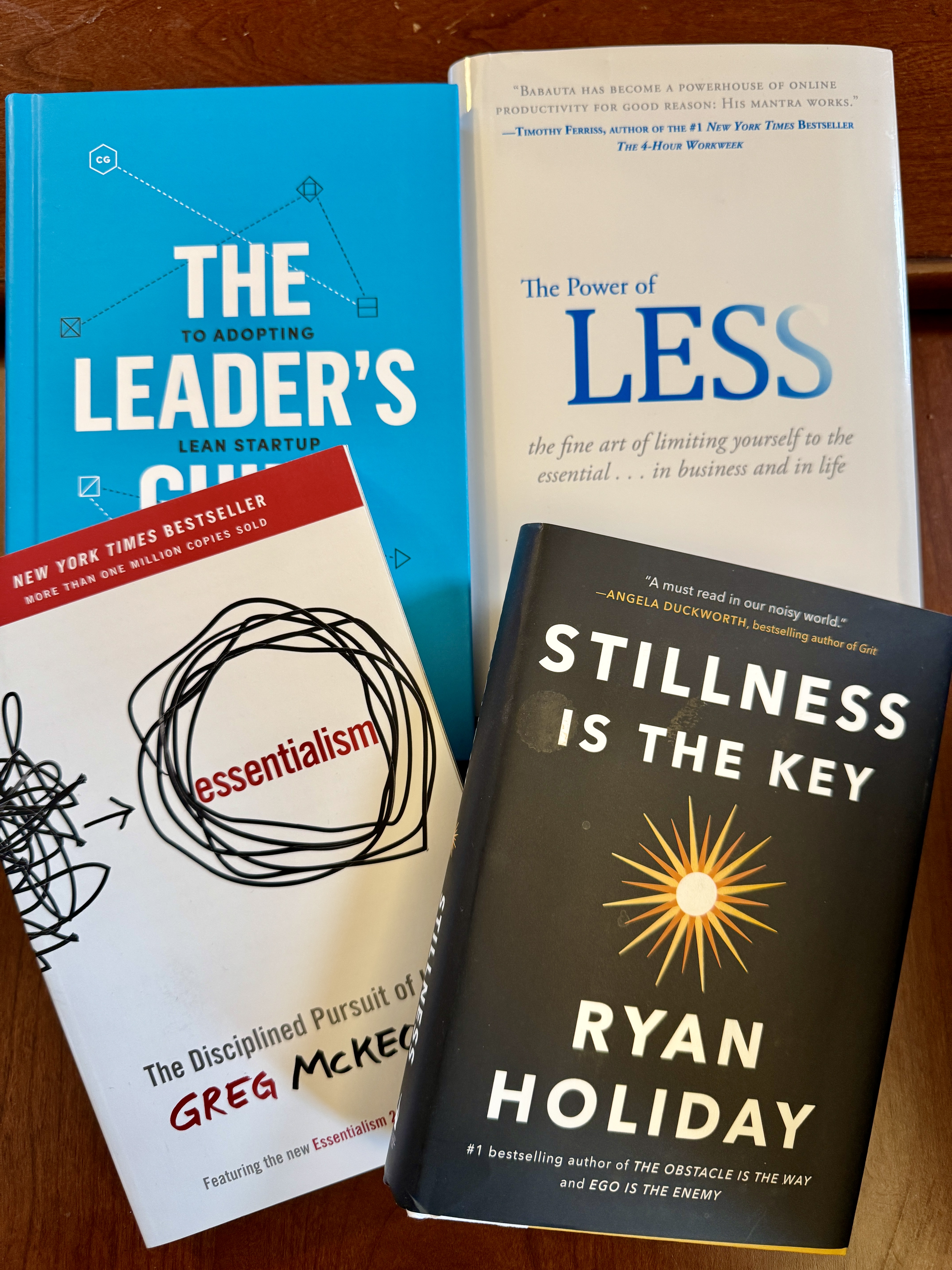
*My carefully curated reading list for September 2025*
- **The Leader's Guide** by Eric Ries (re-read): Practical ways to scale innovation and keep focus when everything is moving fast.
- **The Power of Less** by Leo Babauta: Simplicity that creates more impact.
- **Stillness Is the Key** by Ryan Holiday (re-read): A return to Stoicism; calm and clarity as leadership superpowers.
- **Essentialism** by Greg McKeown: Say no to the trivial many so you can say yes to the vital few.
There's a common thread here that I can't ignore. In a world that rewards being busy, these authors are making the case for being intentional. Whether it's Holiday's Stoic principles helping us find calm in chaos, or McKeown's framework for ruthless prioritization, the message is clear: less noise, more signal.
As engineering leaders, we're constantly pulled in different directions. The real skill isn't managing more; it's choosing better. Sometimes the most innovative thing you can do is eliminate everything that isn't essential.
What's landing on your October reading list? I'm always hunting for books that challenge conventional thinking or offer fresh perspectives on leadership and life.
---
## We are standing at the edge of another tech revolution
- **Published:** 2025-08-19
- **Tags:** engineering-leadership, genai, software-engineering
- **URL:** https://vinny.dev/blog/2025-08-19-Another-Tech-Revolution/
I've seen this story before: the internet, mobile, and now AI. Each wave has reshaped how we live and work, creating opportunities we never saw coming.
But this time, the speed is different.
AI is moving at a breathtaking pace. What took the internet and mobile years to reach maturity is happening in months. That acceleration changes the rules for how individuals, companies, and entire industries adapt.
## AI is creative destruction, and that's a good thing
Every major technological shift brings creative destruction:
- Some roles disappear.
- Some skills lose value.
- Entire workflows are rewritten.
But history shows that each wave creates more than it destroys.
New industries emerge. Entirely new careers take shape.
Opportunities we could not have imagined become the new normal.
I've lived through two of these revolutions:
## The internet revolution
The web didn't just digitize existing industries; it invented new ones.
Search engines, e-commerce, digital marketing, and online marketplaces appeared almost overnight. Careers like SEO specialist, web developer, and UX designer didn't exist before the mid-90s.
## The mobile revolution
The App Store democratized software.
A single developer could build an app and reach millions without a sales team. Entire industries were reshaped as mobile-first companies upended entrenched players.
New careers emerged (product design, app monetization, push notifications, mobile analytics), none of which existed before 2008.
Content creation also transformed:
- Self-publishing removed gatekeepers.
- YouTube and TikTok made global broadcasters out of anyone.
- Streaming gave independent musicians worldwide reach.
## Now, it's AI's turn
AI is moving even faster than those waves. It will:
- Automate repetitive work
- Augment high-skill roles
- Create careers we can't yet define
Some job titles may sound strange today, just like *"social media manager"* did a decade ago. Soon, they'll be obvious.
## A personal perspective
My daughter is in college studying computer programming. She's smart, driven, and passionate about building things. I often think about what her career will look like in 5, 10, or 20 years.
Will some of the skills she's learning be automated? Almost certainly.
Will AI also give her superpowers to create, innovate, and solve problems beyond today's limits? Absolutely.
And here's my advice to her, and anyone starting out in tech today:
> **Learn how to learn.**
> Don't anchor yourself to today's tools, frameworks, or languages.
> Build the muscle of adaptability, creativity, and problem-solving.
Because in a world where roles will keep changing, the ability to reinvent yourself again and again will matter more than any single skill you learn today.
## The future of work is about readiness
AI is lowering the barrier to innovation, putting powerful tools in the hands of individuals who can now build and compete at scales once reserved for the largest companies.
The winners will be those who:
- Adapt as tools evolve
- Spot opportunities before they're obvious
- Blend technical fluency with creativity and problem-solving
This is where grit comes in: the passion and perseverance to keep learning, keep experimenting, and keep moving forward, even when the ground shifts beneath you.
## The big question
The question isn't if your role will change; it will.
The real question is:
> **Will you be ready to step into the roles that don't exist yet?**
---
## 10 Years Later: A Journey of Continuous Learning Through Side Projects
- **Published:** 2025-08-10
- **Tags:** engineering-leadership, learning, side-projects, software-engineering
- **URL:** https://vinny.dev/blog/2025-08-10-Reflecting-journey-continous-learning/
Leadership roles come with a tricky trade-off, one that's always quietly gnawed at me.
The more time you spend nurturing people, building teams, shaping culture, and refining strategy, the less time you get to roll up your sleeves and *write code*. And for someone who came up through engineering and still loves the feel of a keyboard under his fingers, that was something I wasn't willing to give up completely.
So I made a promise to myself: never stop learning.
## It started with Swift
In 2014, Apple introduced a brand-new programming language: Swift. While most people were still getting their heads around Objective-C, I decided to dive into the deep end. What began as a simple weekend experiment to tinker with Apple's new language turned into a full-on project.
That app? It made it all the way to the App Store.
This month marks 10 years since that first app launched. What started as a side project turned into a decade-long journey of hands-on learning, one build, one bug fix, one release at a time.
## Why I still code
That iOS app was just the beginning. Over the years, I've created dozens of side projects (apps, tools, experiments, cloud-based services), all with one goal in mind: stay technical.
Some were fun.
Some were painful.
All were worth it.
Here's what I've learned along the way:
- User feedback makes your product better, full stop.
- Iteration is the secret sauce to everything.
- Technologies change fast, and the half-life of knowledge keeps shrinking.
- Shipping something real (and having it used!) is immensely satisfying.
These lessons didn't come from books or meetings; they came from doing.
## Leading with both hands
While my day job focuses on leading amazing teams and driving strategy, these personal projects help me stay grounded in the craft. There's a unique kind of empathy that comes from debugging your own code at 11 PM. It's humbling. And it keeps you connected to the work your teams are doing every day.
To any engineering leaders reading this: find your way to stay close to the craft.
Maybe it's through open source.
Maybe it's tinkering with AI models.
Maybe it's just reading through PRs or contributing feedback.
Whatever it is, don't let go of it.
## Explore the app that started it all
Curious about that very first app I built with Swift?
[Check it out here](https://traveltimesapp.com/)
## What about you?
What personal projects have fueled *your* learning journey? Whether it's code, writing, design, or building things in the garage, I'd love to hear what keeps you sharp.
Let's keep learning.
---
## From Vibe Mode to Spec Mode: Why I’m All In on Kiro
- **Published:** 2025-08-10
- **Tags:** ai-coding, genai, platform-engineering, software-engineering
- **URL:** https://vinny.dev/blog/2025-08-10-From-Vibe-Mode-to-Spec-Mode/
## The evolution of a developer mindset
There was a time when I leaned heavily into what I call "vibe coding." You throw out a few prompts, cross your fingers, and hope the AI kicks back something usable. It was fast, fun, and sometimes chaotic. But after 25 years of writing code, I've learned that structure, clarity, and repeatability are what really stand the test of time.
That's why I've become such a huge fan of Kiro, the new agentic IDE from AWS. Kiro isn't just a fancier autocomplete tool. It's a development partner that understands your entire codebase, translates natural-language prompts into structured specs, and eliminates the grind through intelligent automation.
## Specs vs vibes: two ways to build
You can build software in one of two ways:
- Vibe mode: toss code at the wall and hope it sticks. It's fast and loose, but easy to lose control and context.
- Spec-driven mode: plan your work, break it into well-defined steps, and give your AI the guidance it needs to produce consistent, high-quality results.
Kiro supports spec-driven development in the best possible way. You write your high-level intent, and Kiro turns that into specs, design files, tasks, tests, and even production-ready code. You can even go in reverse: make changes to the code and Kiro updates the corresponding specs.
As someone who has spent decades building software, I feel right at home here.
## Kiro in action
Kiro auto-generates tasks from requirements, and vice versa.
## What makes Kiro so different
- Specs give your development efforts structure
- Hooks automate repetitive tasks behind the scenes
- Agentic Chat lets you collaborate with your project like you're talking to a senior dev
- Steering gives Kiro context from your documentation and product direction, so it behaves consistently across the whole stack
Kiro makes it feel like you've got a quiet but brilliant team of senior engineers backing you up. It anticipates what you need, documents as it goes, and keeps your work clean and consistent with the big picture.
## Why I switched
I was a happy Cursor user until I tried Kiro. Now? I've canceled my Cursor subscription. Kiro plus Claude Code has become my daily driver for AI-assisted development. It's a setup that supports deep work, thoughtful engineering, and reliable delivery.
If you've been stuck in vibe mode and want to bring some structure and strategy into your workflow, try Kiro. You'll get more than working code. You'll get working systems that make sense, evolve well, and keep you proud of what you're shipping.
Your future self and your next production deploy will thank you.
---
## Back to Blogging: Two Decades in the Making
- **Published:** 2025-05-17
- **Tags:** engineering-leadership, side-projects, software-engineering
- **URL:** https://vinny.dev/blog/2025-05-17-back-to-blogging/
In the early 2000s, I stumbled into blogging almost by accident. I was attending the JavaOne conference when I sat in on a small demo for this new tool called Blogger. It felt magical. Suddenly, anyone could write, publish, and share their thoughts on their own little corner of the web. Back then, Blogger even let you publish directly to your own hosting server. Not long after, Google acquired them, and the internet as we knew it started shifting.
That first blog started something for me. I moved on to running WordPress on my own Linux server, tweaking themes late into the night, and eventually spinning up my very first Amazon EC2 instance in 2008. That was my first real leap into the cloud, leaving behind the dedicated ISP-hosted servers I'd used for years. Blogging became more than just publishing posts. It was my way of sharing what I'd learned, capturing experiments, and connecting with people who were just as curious as I was.
For a while, it worked. I met incredible folks. I learned from others. I had fun.
Then life shifted. I joined a company that… let's just say… wasn't exactly thrilled about employees having a public voice online. I stopped writing. And honestly, I've missed it ever since.
Fast forward to today, and I've decided to come back. Blogging again feels like reclaiming an old creative outlet, a chance to write, share, and connect without overthinking it. No perfect cadence, no grand plan. Just ideas, reflections, and things I'm excited about.
Will I keep this up for a week, a month, or another decade? I have no idea. But here's to finding out.
*Welcome back, old friend.*
---
## I just ran a 20-billion-parameter LLM entirely offline, from my Mac at home
- **Published:** 2025-05-17
- **Tags:** genai, open-source, software-engineering
- **URL:** https://vinny.dev/blog/2025-05-17-Twenty-Billion-Parameter-LLM-at-home/
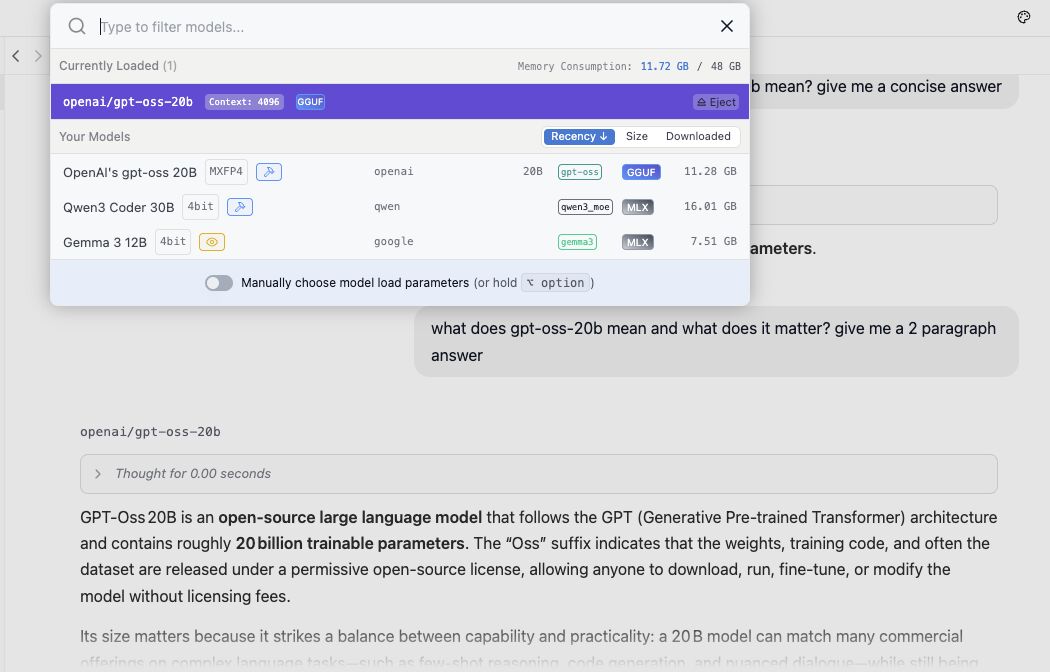
*Figure 1: Local LLM configuration and setup*
I've been experimenting with OpenAI's new open-weight model, gpt-oss-20b, on my Apple M4 Pro using LM Studio, and I'm genuinely impressed. This thing runs fast, respects your privacy (no data leaves your machine), and doesn't cost a cent beyond the initial download.
It holds its own against cloud-based giants like ChatGPT 5, especially for reasoning tasks, code generation, and even creative writing, all without an internet connection. In a world where AI often means "connect to someone else's infrastructure," this flips the script. You can build and test locally, no API calls or billing meters in sight.
There are tradeoffs: no live web data and some hardware requirements, but the benefits of local-first AI are growing fast. It feels like a glimpse into the future of decentralized intelligence.
Are you running any open-weight models locally? I'd love to hear what's working for you and what you're building.
---